Record a payment
Mark an invoice as paid when the money arrives, so you always know what is still owed.
What recording a payment does
An invoice stays outstanding until you record what the customer paid. Recording it moves the invoice to Paid, or shows what is left if they paid part, and the job's Financials tab updates to match.
You record payments that reached you directly, such as a bank transfer, cash or a cheque. A customer who pays online from the invoice link is recorded for you.
Where to start
Open the sent invoice. Find it from the job's Financials tab, or search for its number. Tap Payment.
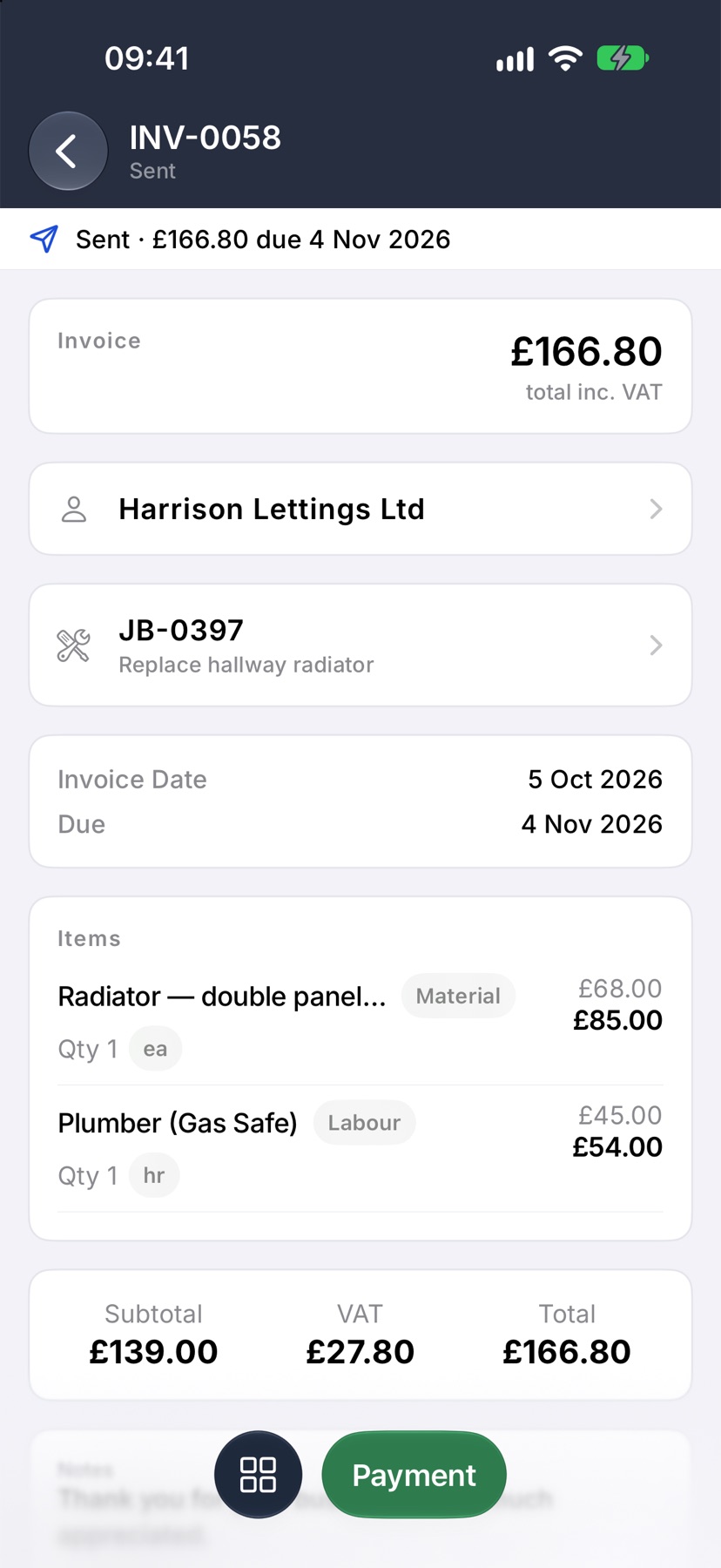
Enter what was paid
Record payment opens with the full amount owed already in Amount. Change it if the customer paid part. Choose the Method, add a Reference if you have one, and tap the tick.
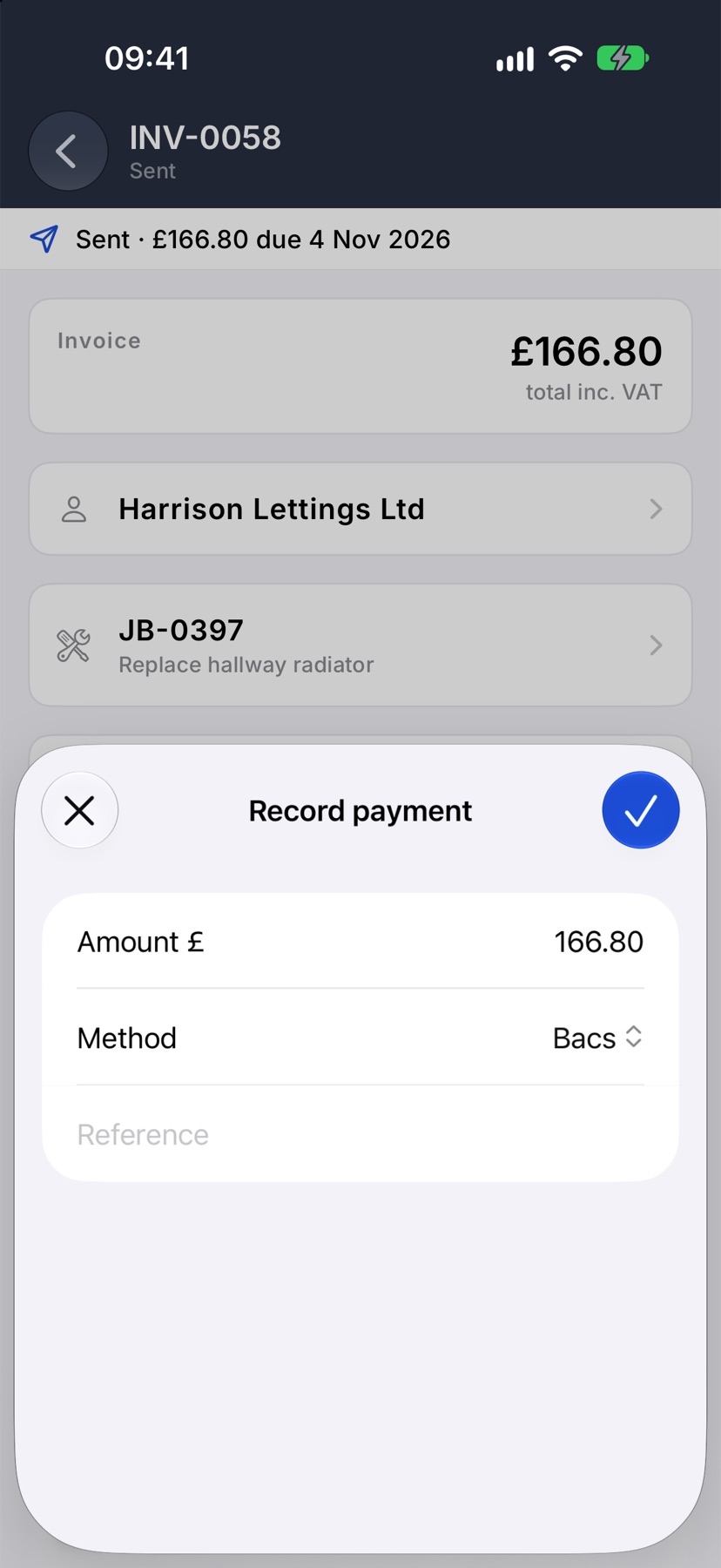
After it is recorded
Paid in full, the invoice reads Paid with nothing outstanding. Paid in part, it shows what is still owed, and you record the rest the same way when it arrives.
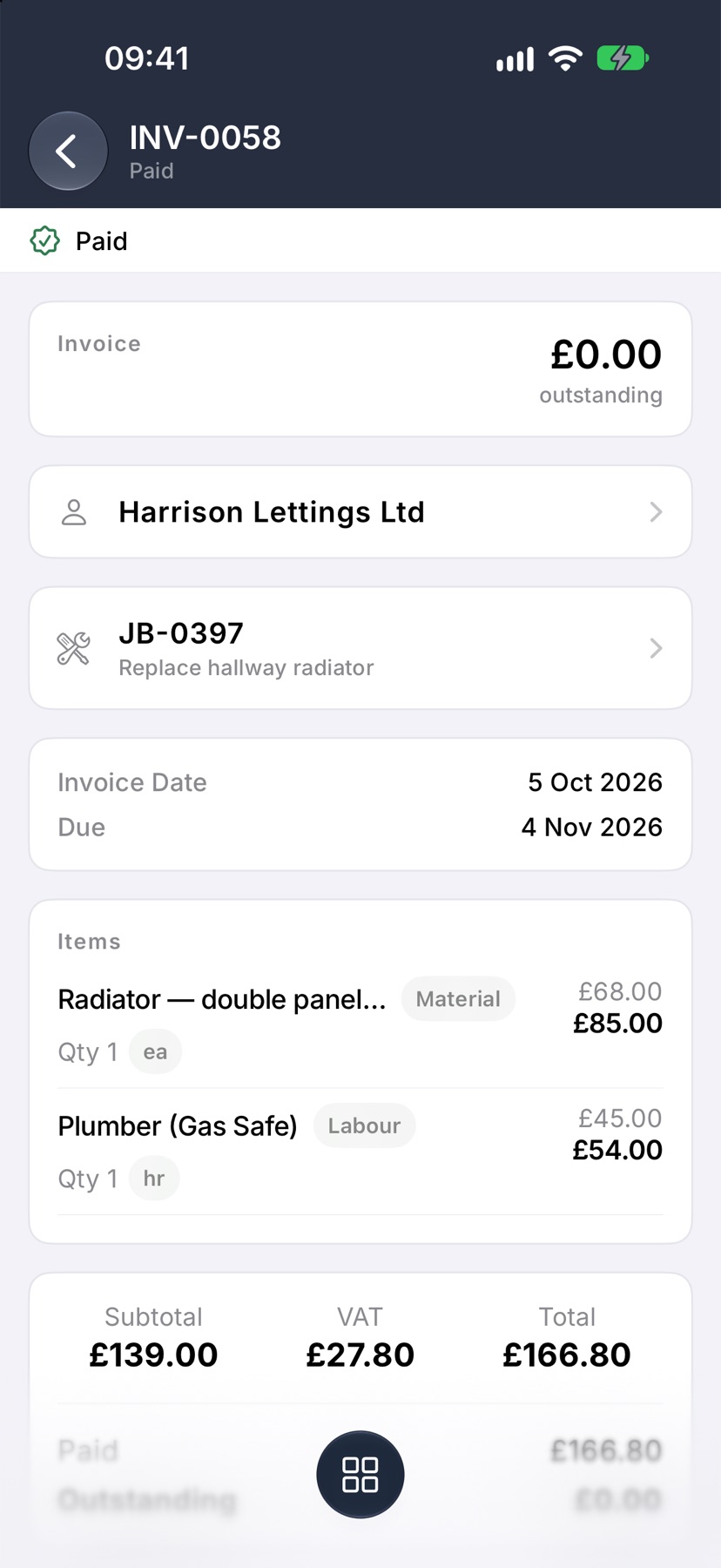
More in Getting paid →
Still stuck? Email support@jobivo.co.uk and we'll get back to you.