Construction Industry Scheme (CIS)
Tell Jobivo you are a CIS subcontractor, and invoices to contractor customers show the deduction and the amount due.
What CIS does in Jobivo
Under the Construction Industry Scheme, a contractor you work for holds back part of your labour charge and pays it to HMRC. Your invoice has to show that deduction and the smaller amount the contractor actually pays you.
Jobivo works the deduction out for you. It needs three things: your company registered as a subcontractor, the customer marked as a CIS contractor, and your labour items marked as CIS labour. The deduction is taken on labour only, not materials.
Where to start
Tap the menu button at the top left of Home and tap Settings at the bottom. Tap Business details. Under Tax registrations, tap Construction Industry Scheme (CIS).
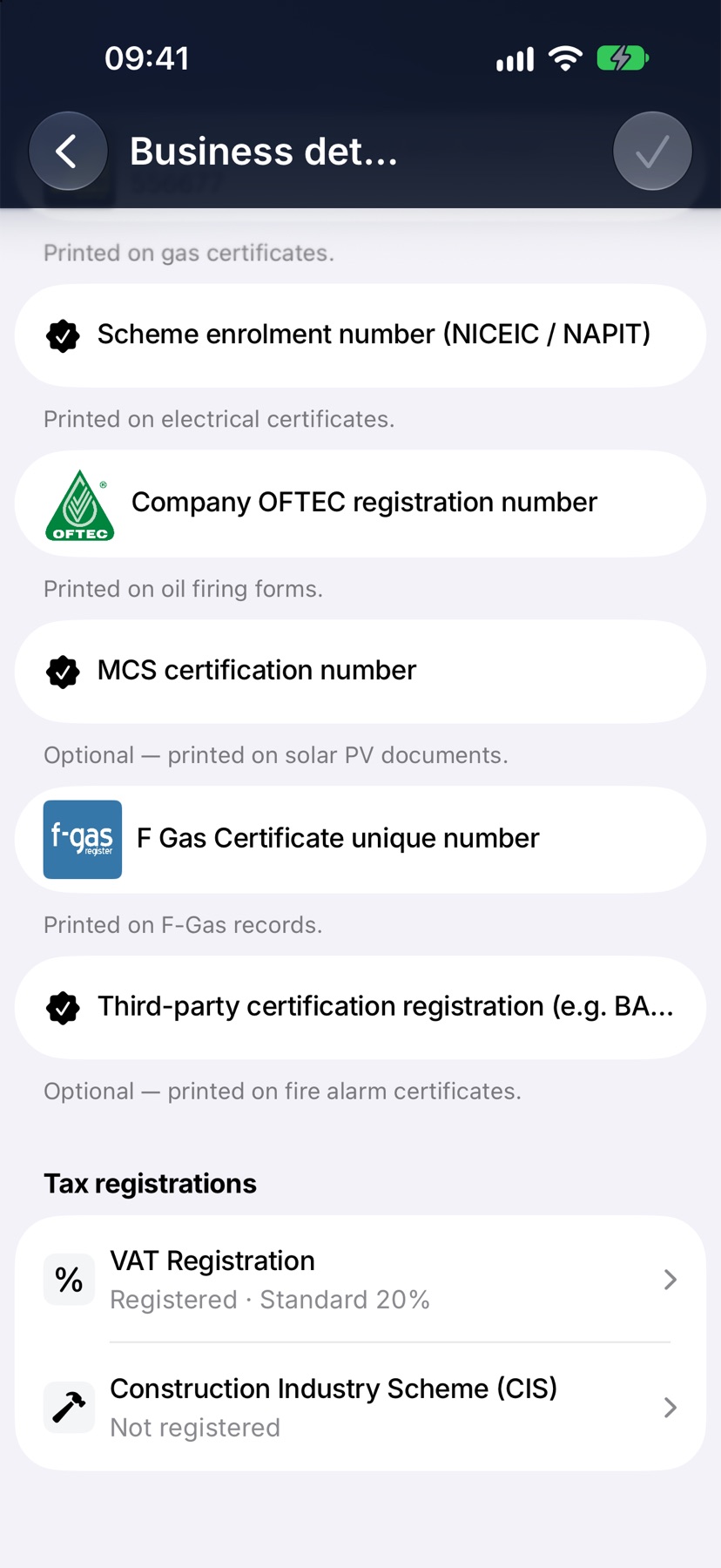
Business details is for the company owner.
Register as a subcontractor
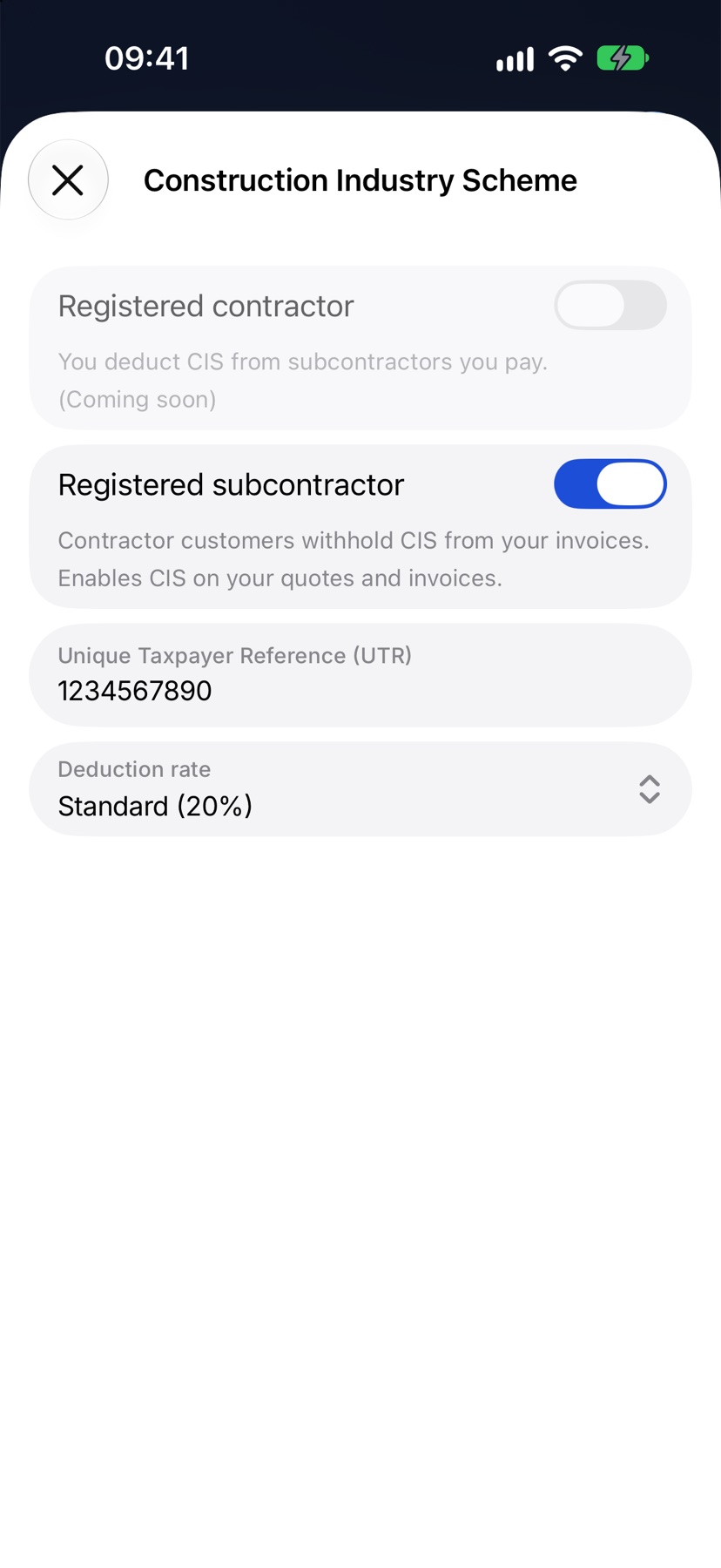
Switch on Registered subcontractor. Type your Unique Taxpayer Reference (UTR) and choose your Deduction rate: Gross (0%), Standard (20%) or Higher (30%). Use the rate HMRC has given you.
Close the sheet, then tap the tick on Business details to save. The row now shows your rate.
Mark the customer as a CIS contractor
Open the customer and edit them. Under Additional details, switch on CIS contractor. If the customer is also VAT registered, switch on VAT registered as well. Jobivo needs it for the VAT reverse charge. Tap Save changes.
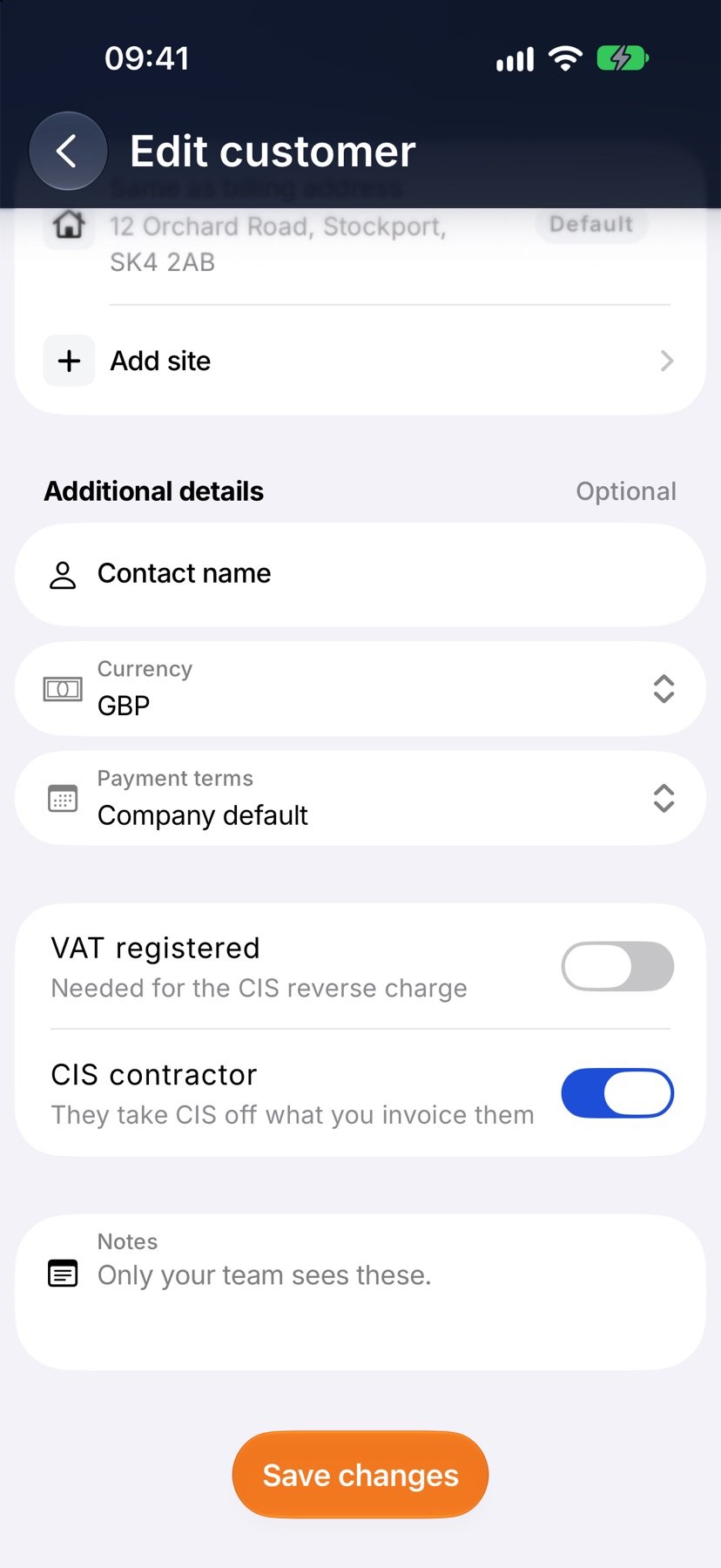
The deduction is only applied to invoices for customers with this switched on. Invoices to everyone else are unchanged.
Mark your labour in the price book
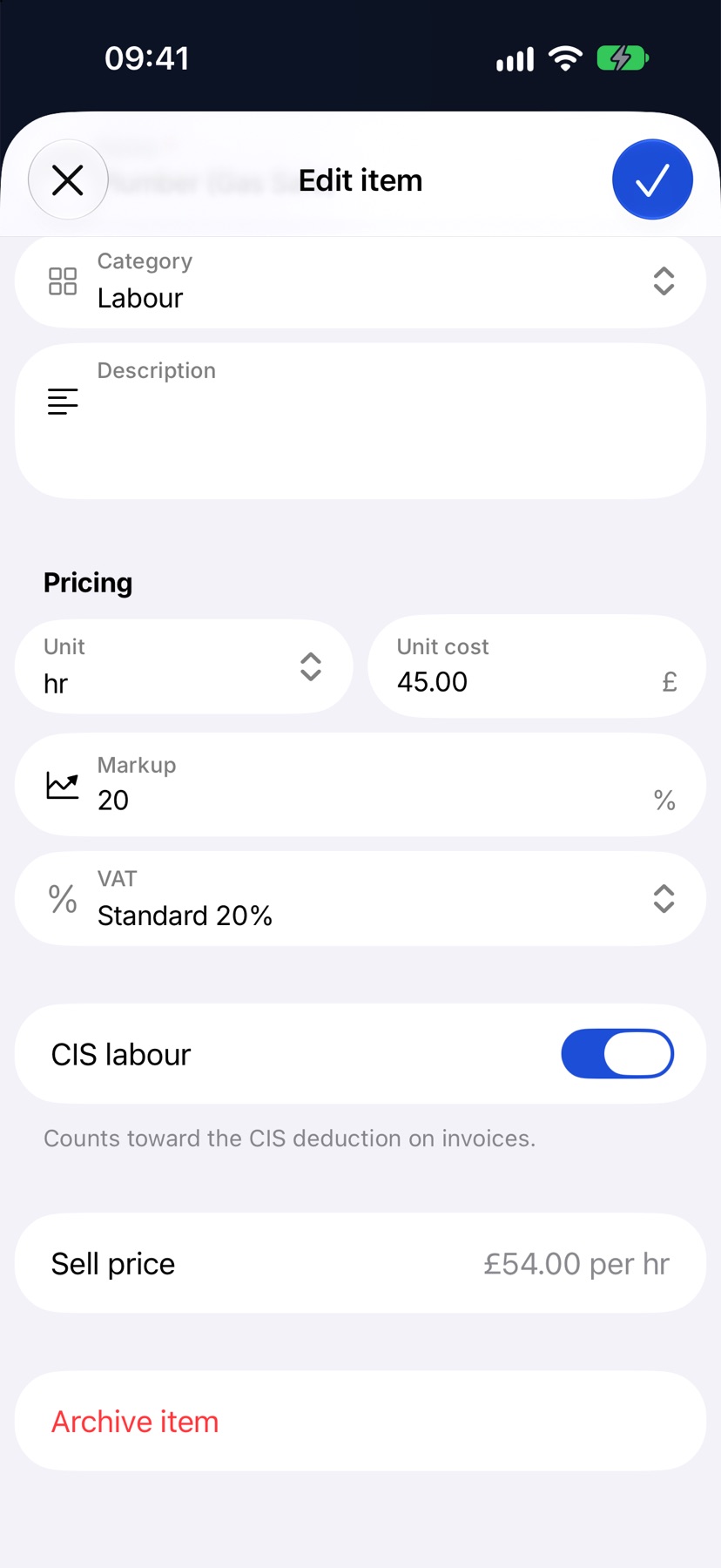
Open the Price book from the menu and tap a labour item. CIS labour decides whether the item counts toward the deduction. It is switched on for you on items in the Labour and Subcontract categories. Switch it off for anything that should not be deducted from, and tap the tick.
The deduction on an invoice
Raise the invoice as normal, for a customer marked as a CIS contractor, using your labour items. You do not add the deduction yourself.
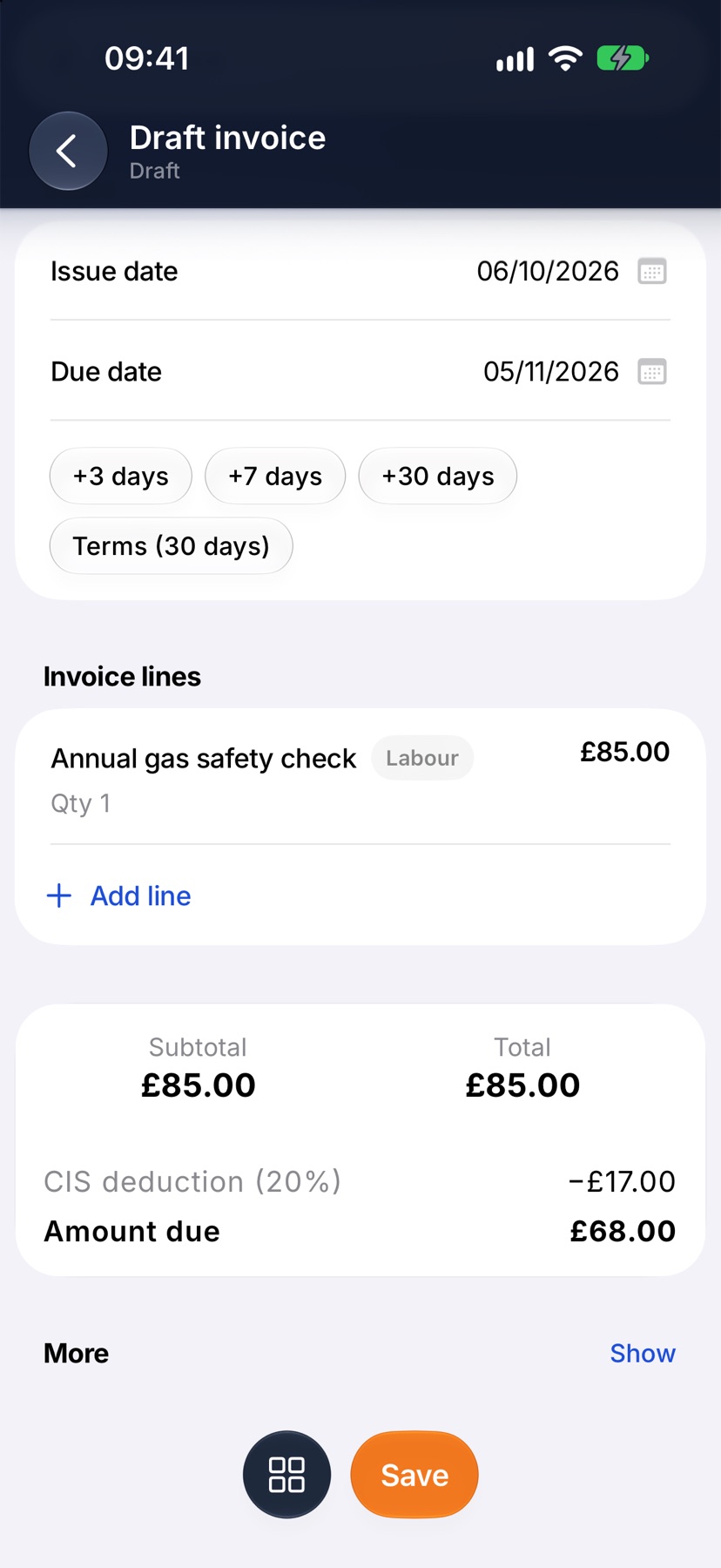
Under the total, the invoice shows CIS deduction with your rate, then Amount due: what the contractor pays you. On the PDF, each labour line that counts is marked (CIS).
After it is sent
The amount the customer owes is the Amount due, after the deduction. When they pay it in full, the invoice is paid.
More in Quotes & invoices →
- Price bookBuild your cost items once, then price any job in minutes without showing your margin.
- Send your first quoteFrom a blank quote to the customer's inbox — and what they see when it arrives.
- QuotesBuild a quote from cost lines, send it, and let the customer accept it online.
- Revise a quote or add a variationChange a sent quote without losing the original, or price extra work as a variation.
Still stuck? Email support@jobivo.co.uk and we'll get back to you.