The project page
A project is the bird's-eye view of several jobs at once. All their budgets, spend, quotes and invoices are added up here — so you can see whether the whole project is on track and making money, as well as each job.
Group related jobs#
A project bundles jobs that belong together — stages of one build, a block of work for a landlord, a contract. Use Add jobs to pull jobs in or out at any time.
Budgets roll up automatically#
Every job you cost adds to the project's budget — nothing extra to set up. Cost each job as normal (job → Costs) and the project shows the combined picture.
One chart for the whole project#
The cost-tracking chart lines up the combined estimate against everything actually spent across all the jobs, day by day — so a project drifting over budget shows up early.
All the paperwork in one list#
Quotes and invoices from the project or any of its jobs appear together, with live statuses — and the margin and paid donuts total across everything.
Drill into any job#
The jobs list shows each job's progress and status. Open one to reach its own dashboard — that's where you log costs, review photo evidence and raise quotes.
Tip — the money cards appear as soon as any job in the project has a costing or a quote. Until then the project is a simple progress tracker.
Find your way around a project: its jobs, its dates, its team and the tabs across the top.
What a project is
A project groups related jobs under one name, such as every job on one refurbishment. Each job stays a job in its own right, with its own tasks, costs and paperwork.
The project page shows those jobs together. It carries the project's status, its dates and its team, and it has a board and a timeline for planning the work across all of the jobs.
A project is optional. A job does not need one, and works the same way with or without it.
Where to start
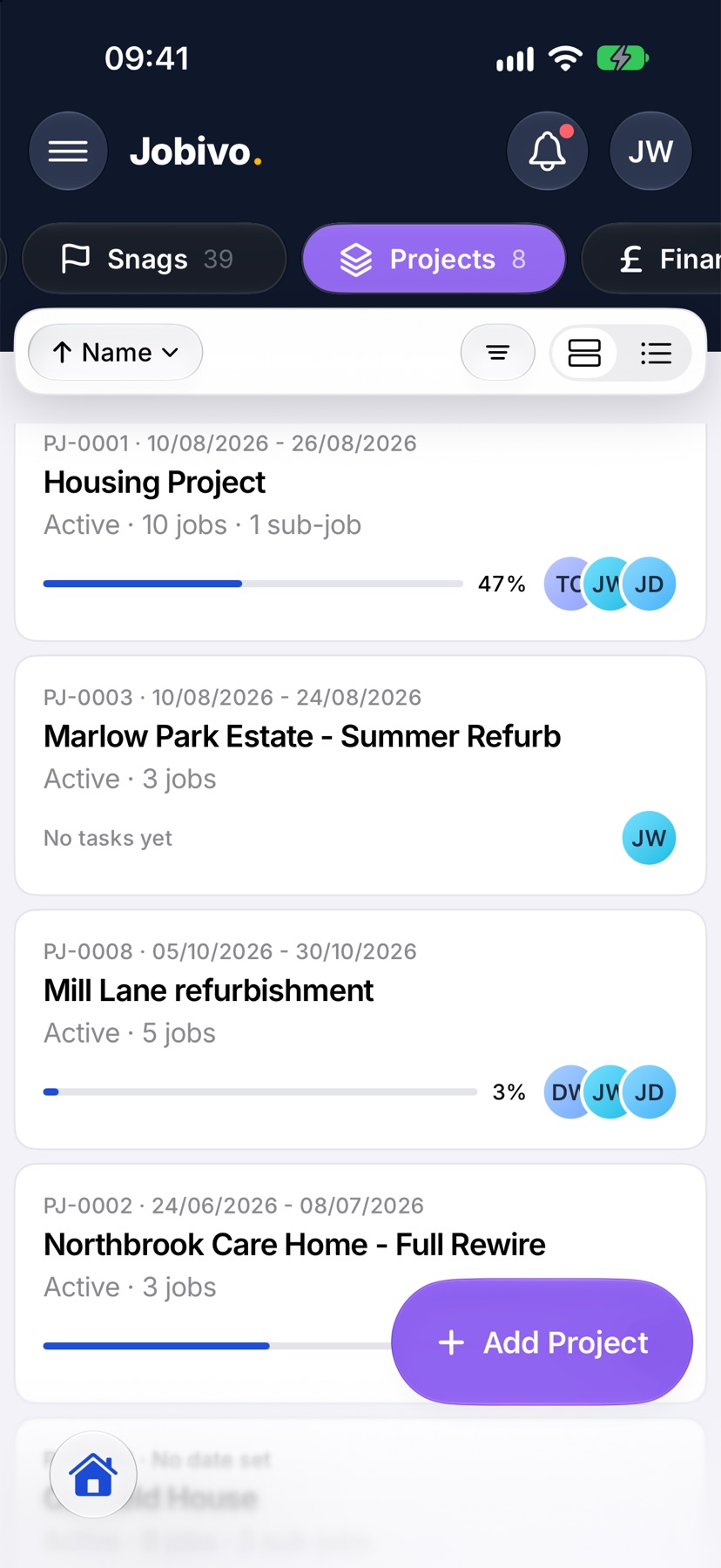
Open Jobivo on Home and tap Projects at the top. Each card shows the project's number and name, its status, how many jobs it holds and how far along it is. Tap a project to open it.
The name, status and dates
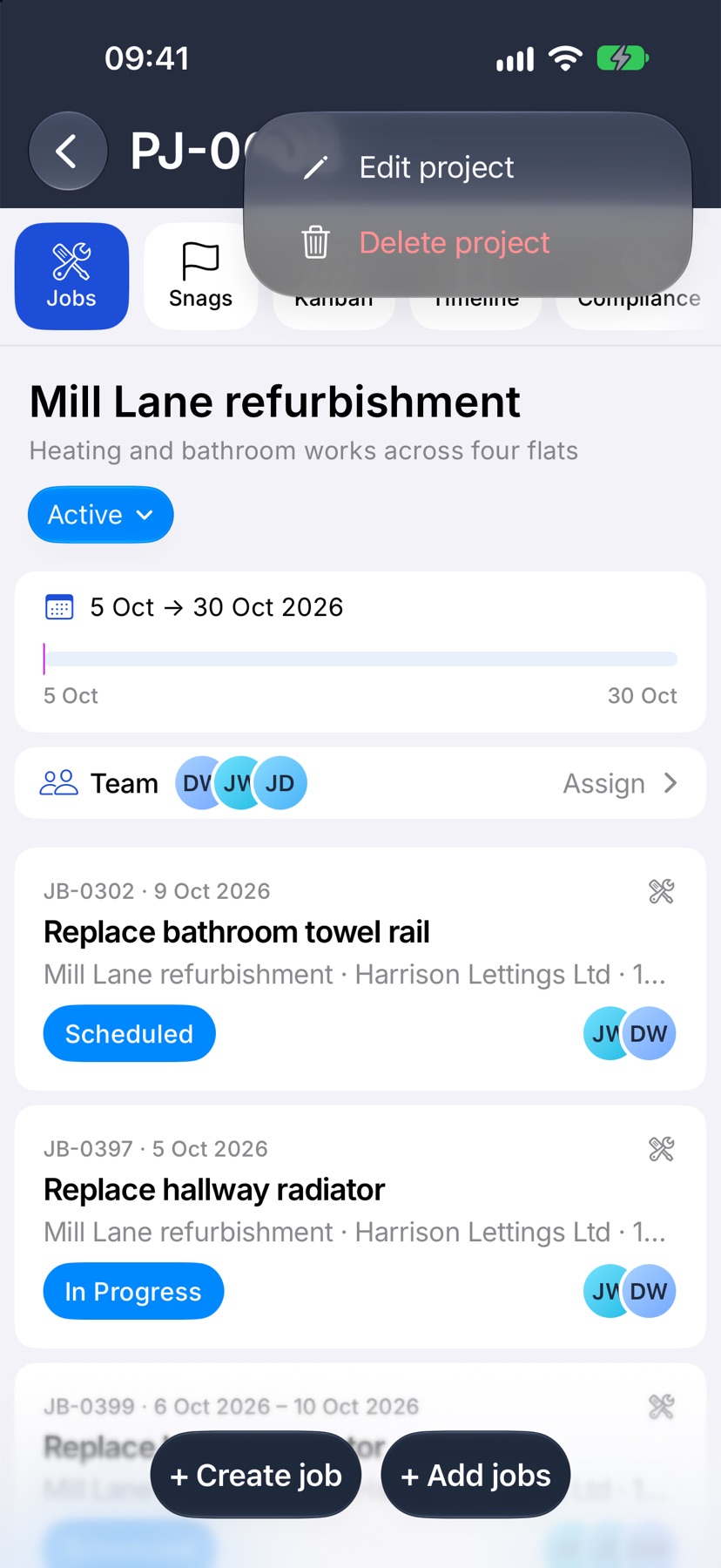
The project's number is in the bar at the top. Under it are the name, the description and the status. Tap the status to change it to Planning, Active or Complete. The change saves as soon as you tap.
The card below shows the project's dates, or No dates set. Once the project has a start date and a target date, a bar under them shows how the jobs' actual time and their appointments sit against the plan.
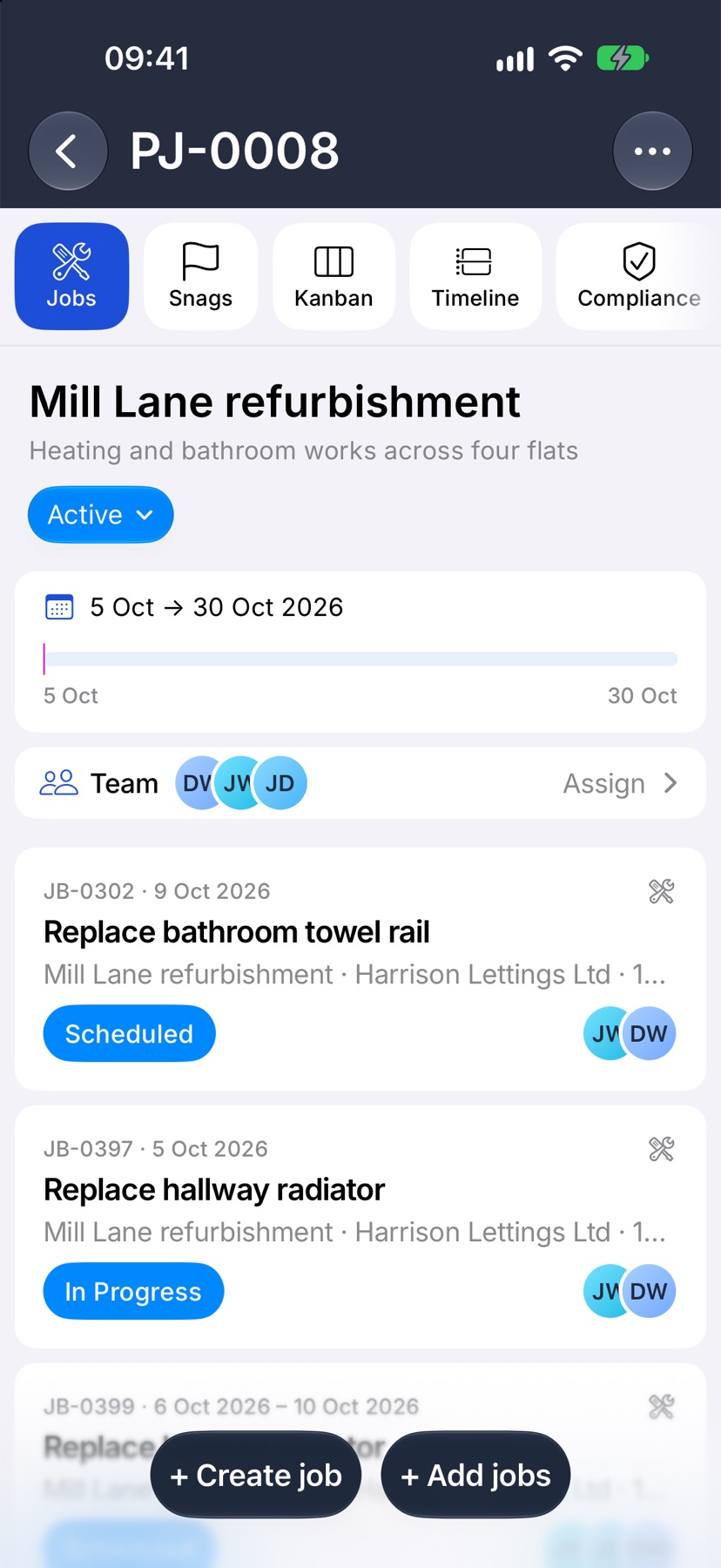
To change the name, description or dates, tap the ⋯ at the top right and choose Edit project.
The project team
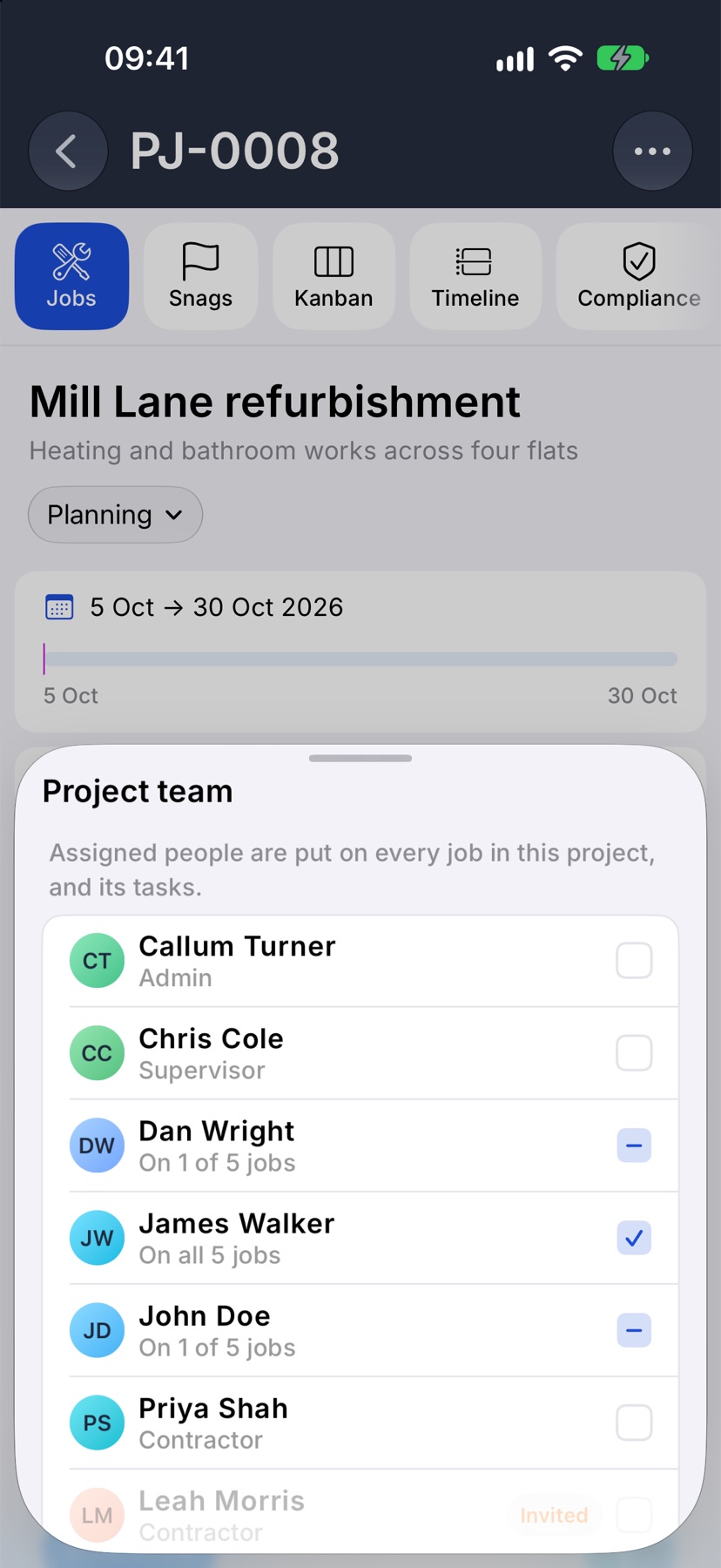
The Team card shows who is on the project's jobs. Tap it to open Project team and tick the people you want. Anyone you tick is put on every job in the project, and on those jobs' tasks.
Each person's row says how many of the project's jobs they are on. The card appears once the project has at least one job.
The jobs in the project
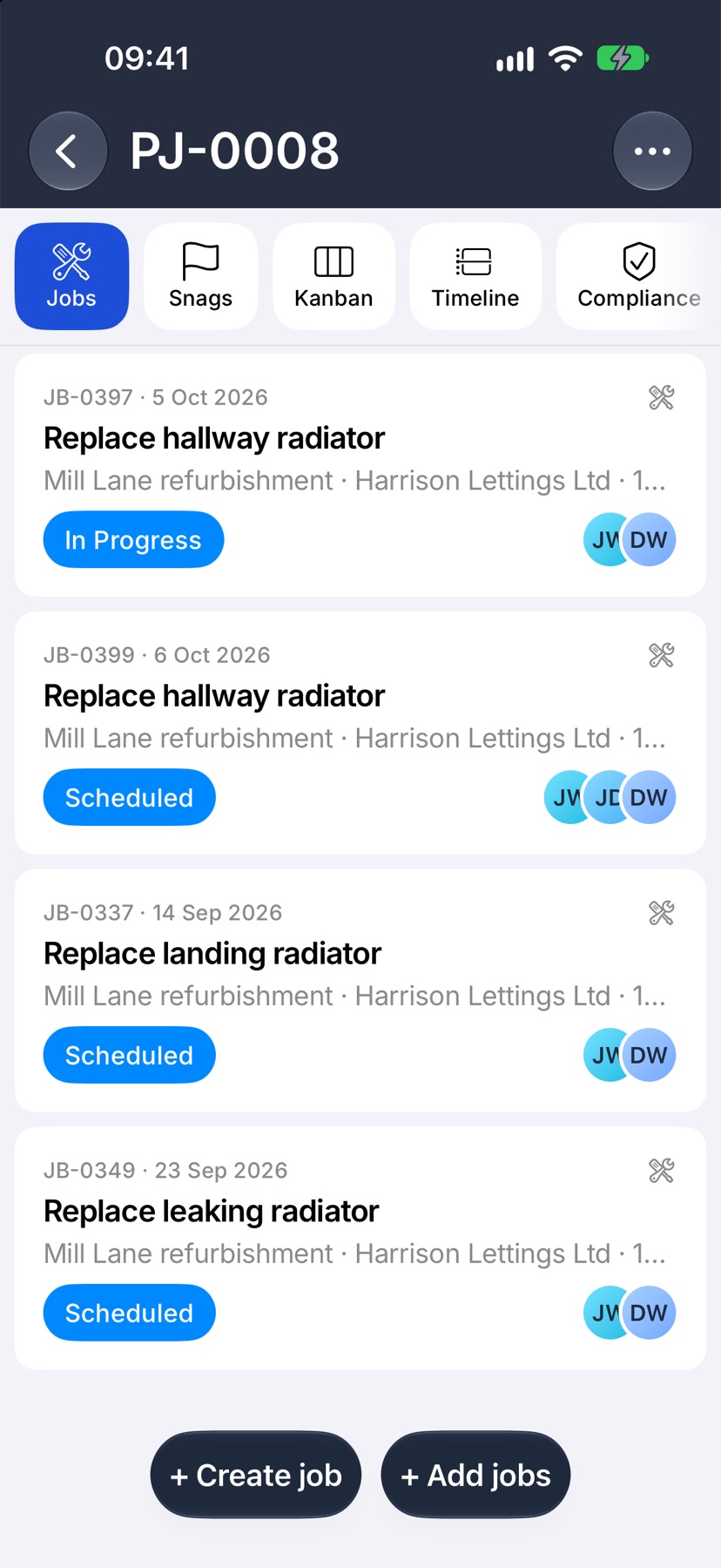
The Jobs tab lists every job in the project under the header, on the same cards as Home. Tap a job to open it.
Two buttons sit at the bottom. + Create job starts a new job that is already in this project. + Add jobs brings in jobs that exist already.
The other tabs
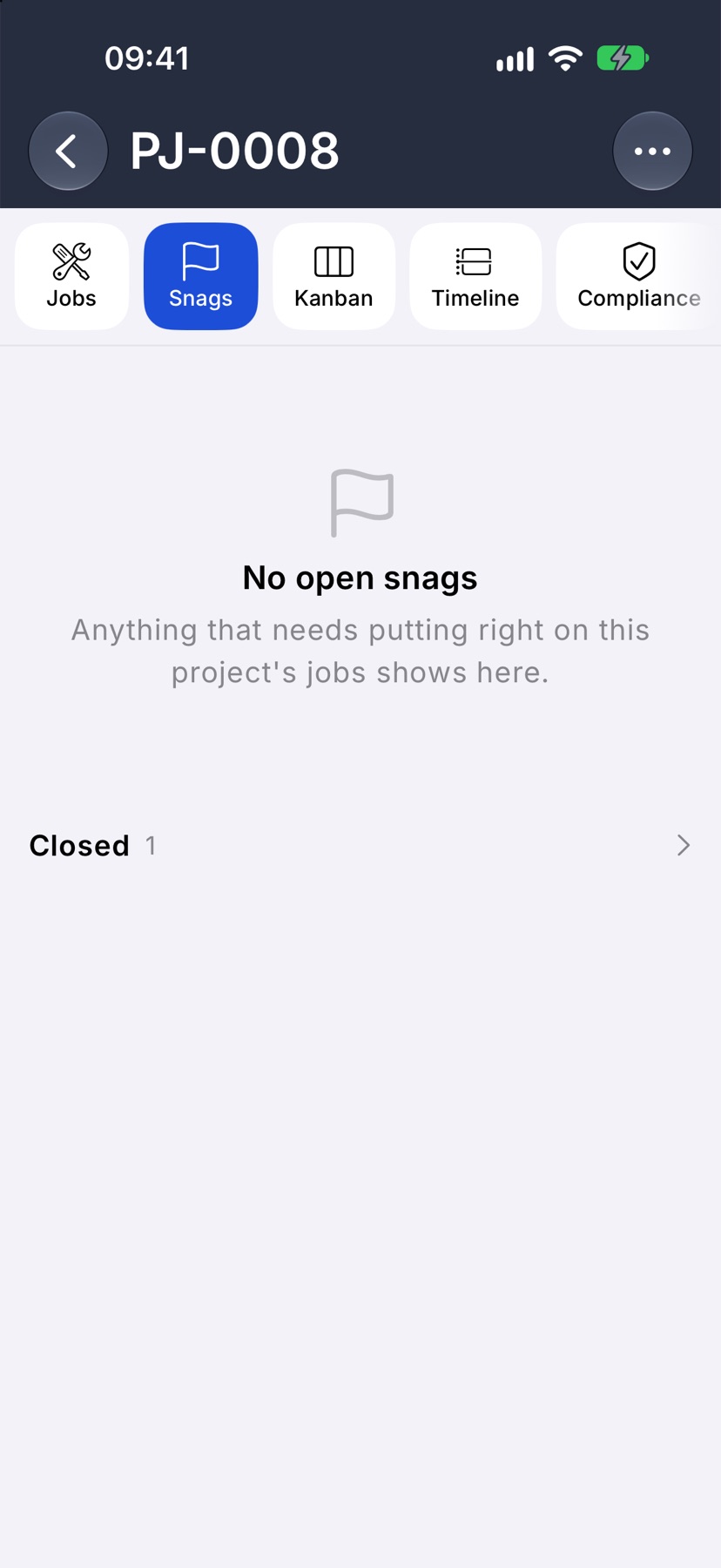
The tabs across the top are the rest of the project. Snags lists the open snags on the project's jobs, with closed ones under Closed.
Kanban is a board with the columns To do, In progress and Done. Timeline shows the project, its jobs and their tasks as bars against the calendar.
Compliance appears when your company issues compliance records. It holds the records issued for this project.
Editing or deleting a project
Tap the ⋯ at the top right for Edit project and Delete project. Deleting asks first. The project's jobs are kept and are taken out of the project. Its files and drawings are deleted with it.
More in Projects →
See what else Projects can do. Still stuck? Email support@jobivo.co.uk and we'll get back to you.