Switch company or role
Move between the companies and roles on your login, or start a second company of your own.
What switching does
One login can belong to more than one company. A subcontractor might work for two firms that both use Jobivo, and an owner might run two businesses. The app shows one company at a time, and switching changes which one you are looking at.
Each company keeps its own jobs, customers, team and subscription. Nothing is shared between them.
Where a company has given you more than one role, the same list lets you change role inside that company.
Where to start
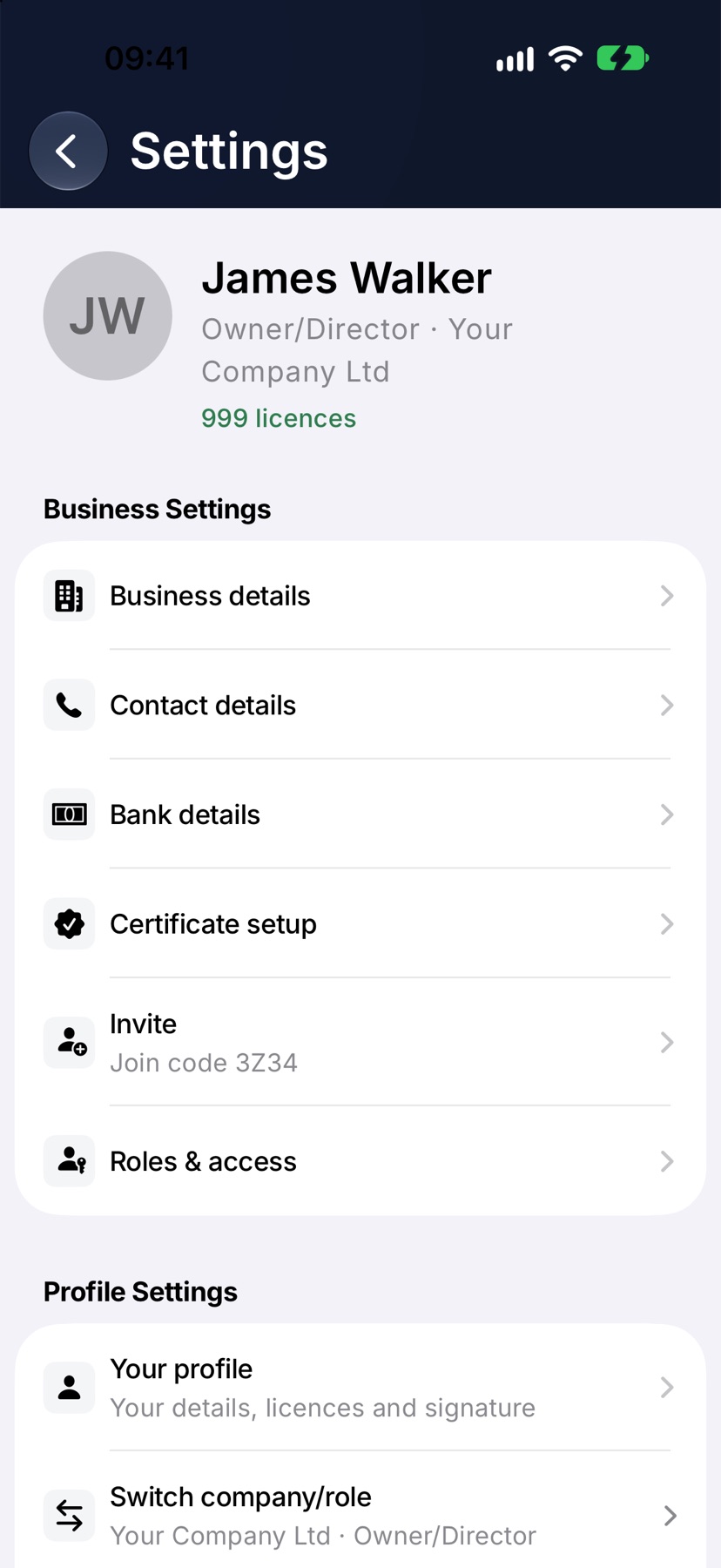
On Home, tap the menu button at the top left, then tap Settings at the bottom of the menu. Under Profile Settings, tap Switch company/role. The line under it shows the company and role you are in now.
The company name at the top of the menu opens the same list when it has a down arrow beside it.
Choose the company and role
A sheet lists every company and role on your login. Each row shows the company name with the role beneath it. The one you are in is highlighted with a tick.
Tap another row. The sheet closes and the app reloads as that company, with its jobs on Home and its name at the top of the menu.
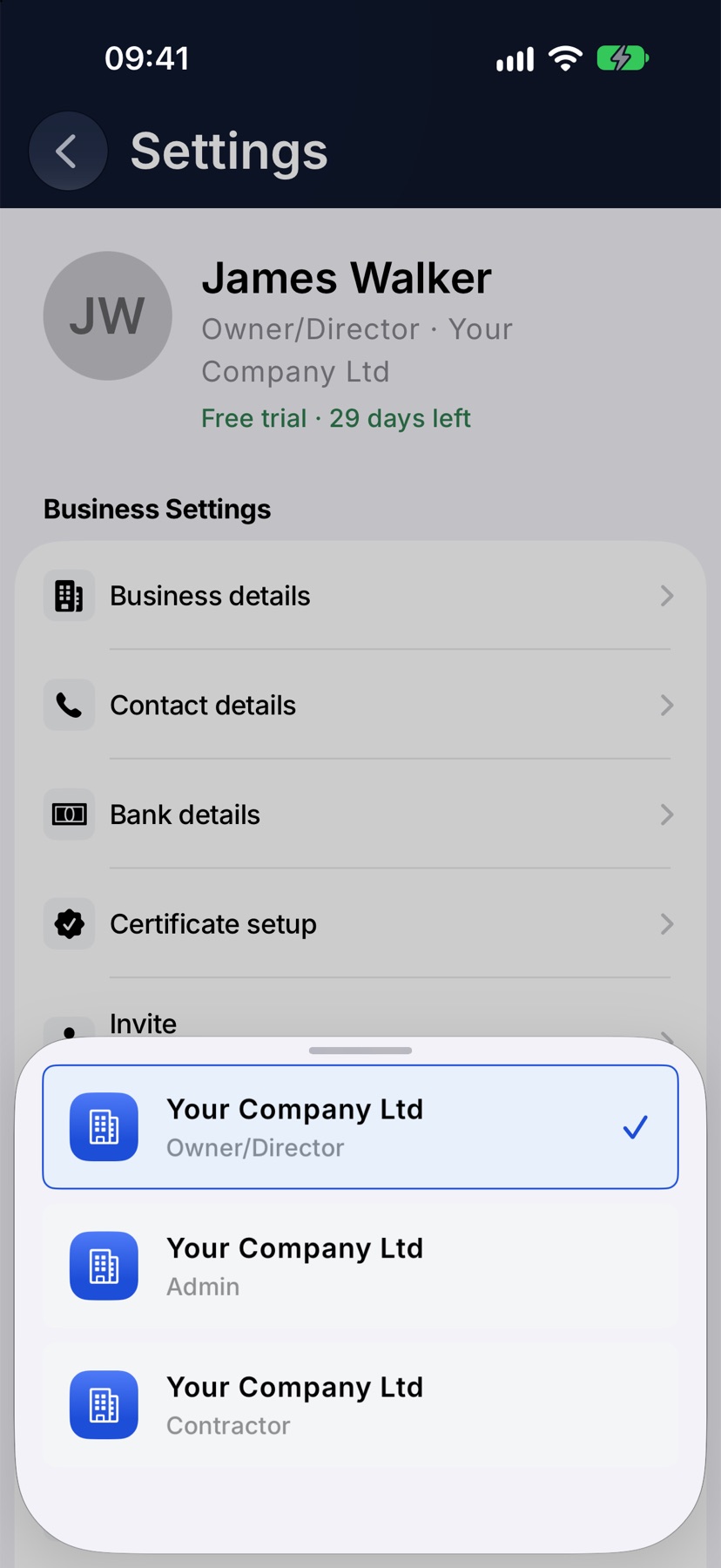
Choosing a different role in the same company keeps you in that company and shows the app as that role sees it.
Start a second company
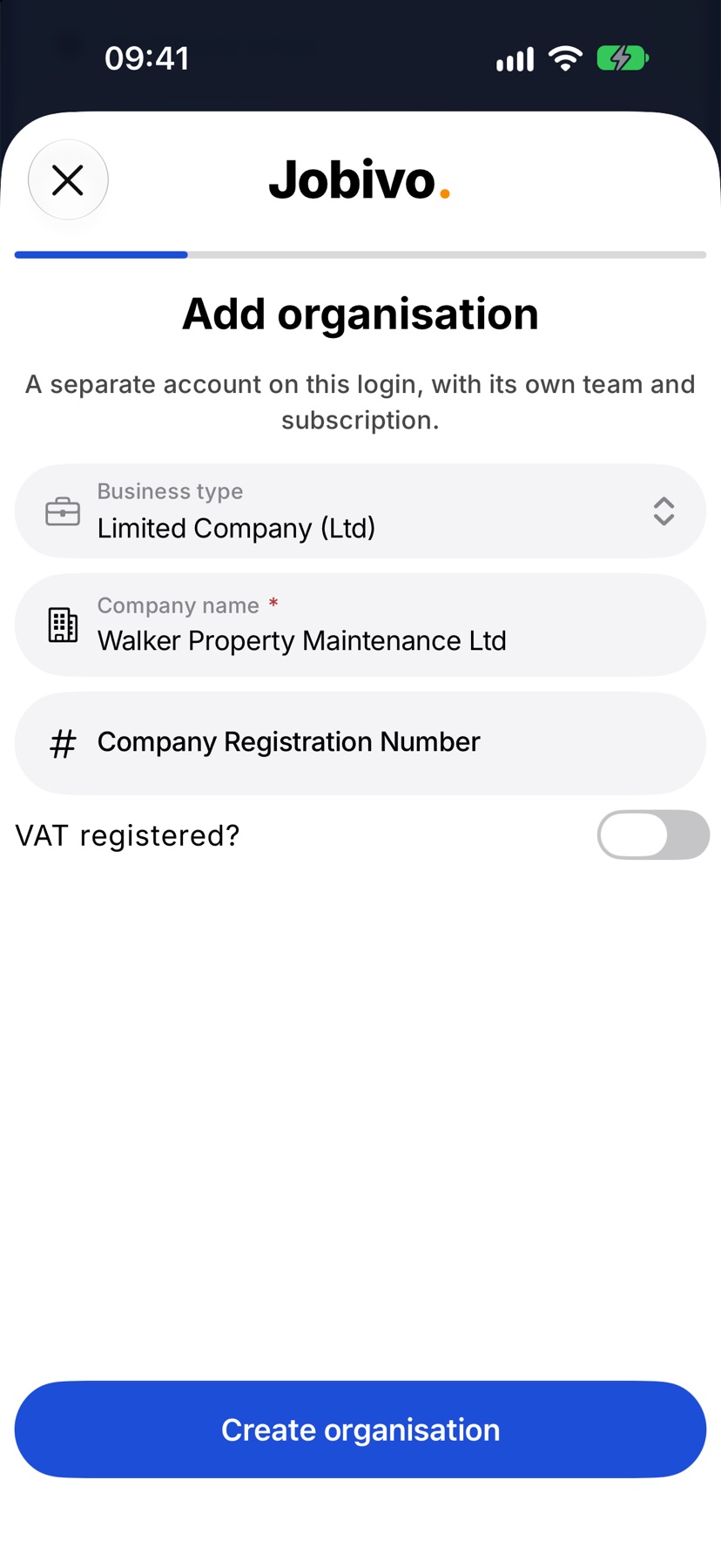
In Settings, under Profile Settings, tap Add organisation. Choose the Business type, type the Company name, and set VAT registered? if it applies. Tap Create organisation.
The new company is a separate account on the same login, with its own team and its own subscription. The app moves into it and asks the same short questions about team size and trades that it asked when you first signed up.
After switching
The app stays in the company you chose until you switch again. To go back, open Switch company/role and tap the first company.
Settings always shows which company and role you are in, under your name at the top.
More in Account & subscription →
- Your profile and signatureYour name, photo, licences and the signature printed on what you sign off.
- SubscriptionPlans scale by people, not features — how licences work and how to change tier.
- Subscribe via Google Play or the App StoreBuying in the app, restoring a purchase, and plans that are billed on the web instead.
- Delete your accountHow to permanently delete your Jobivo account, and what happens to your data.
Still stuck? Email support@jobivo.co.uk and we'll get back to you.