Purchase orders
In this article (4)
Purchase orders close the gap between ordering and paying. The promise gets recorded when you make it — so a job's costs are honest from the moment you pick up the phone to the merchant.
The invisible fortnight#
You order the boiler on your trade account. £1,400 is spoken for the moment you ring it through — but no bill exists yet, and none will for a fortnight. Until now, that money was invisible: every number you looked at said the job was £1,400 better off than it really was.
Raise the order#
Build a PO from scratch, or use Raise PO from estimate— it copies what you planned to buy straight from the job's priced lines. Send it to the supplier (email, PDF, or a link) and that's the moment the cost becomes committed: counted against the job before any bill lands.
Receive the delivery#
Goods arrive — hit Receive, all of it or just what turned up. The committed amount converts into spend on the job, penny for penny. One pound lives in one column: money moves from committed to spent, it's never counted twice.
The payoff#
The job's Costs tab reads Base cost → Sell → Committed → Spent. So “what will this job finally cost?” has an answer mid-job — while you can still do something about it — not at month-end when the bills land.
Tip — ordered over the phone? Mark as sent (no email) still commits the cost — the point is recording the promise, however you made it.
Order a job's materials from a supplier, and see the cost committed to the job before the bill arrives.
What a purchase order is
A purchase order tells a supplier what you want, and tells Jobivo what you have committed to spend. From the moment it is sent, its value counts against the job, so the job never looks healthier than it is.
If the job already has material costs, the order is built from them. Labour is never ordered.
Where to start
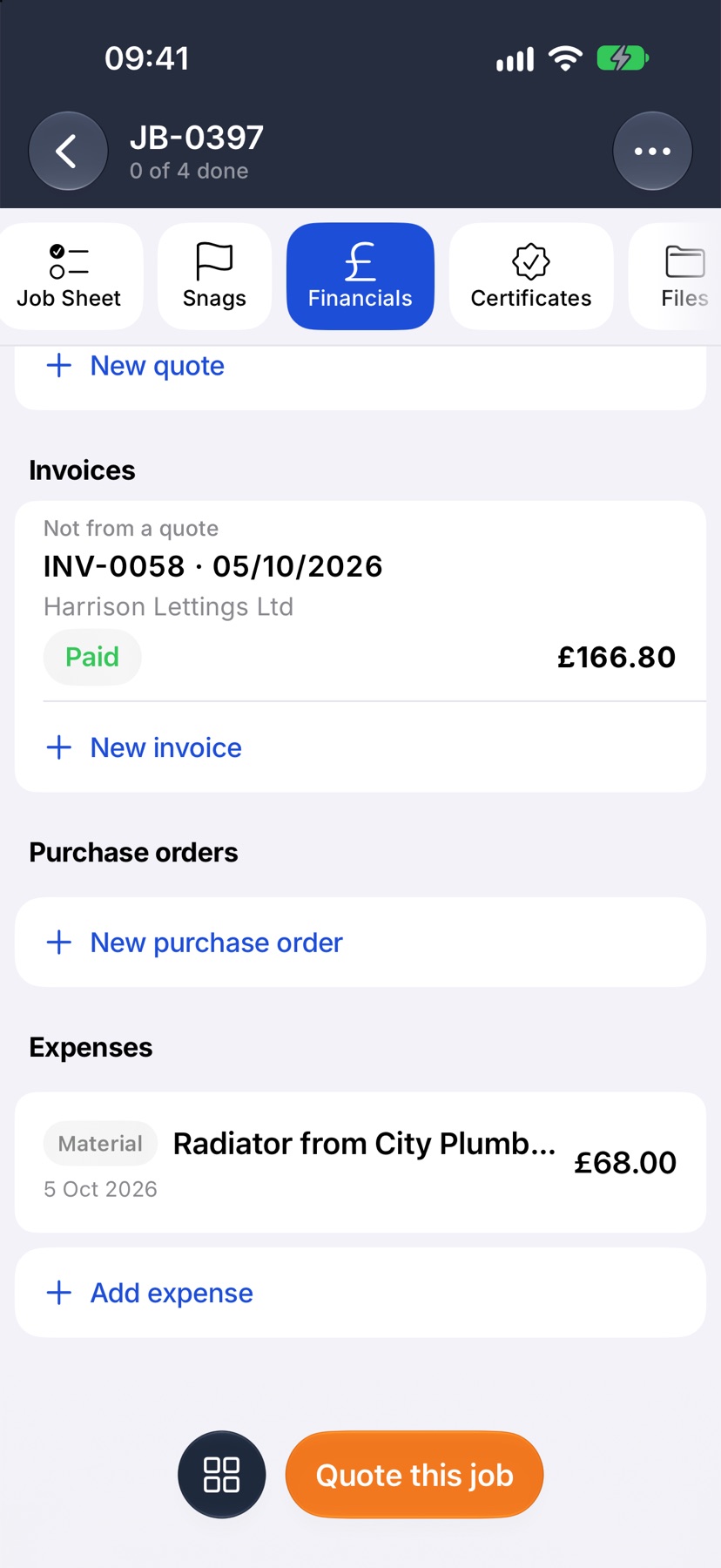
Open the job, tap Financials and scroll to Purchase orders. Tap New purchase order.
Choose the supplier and the materials
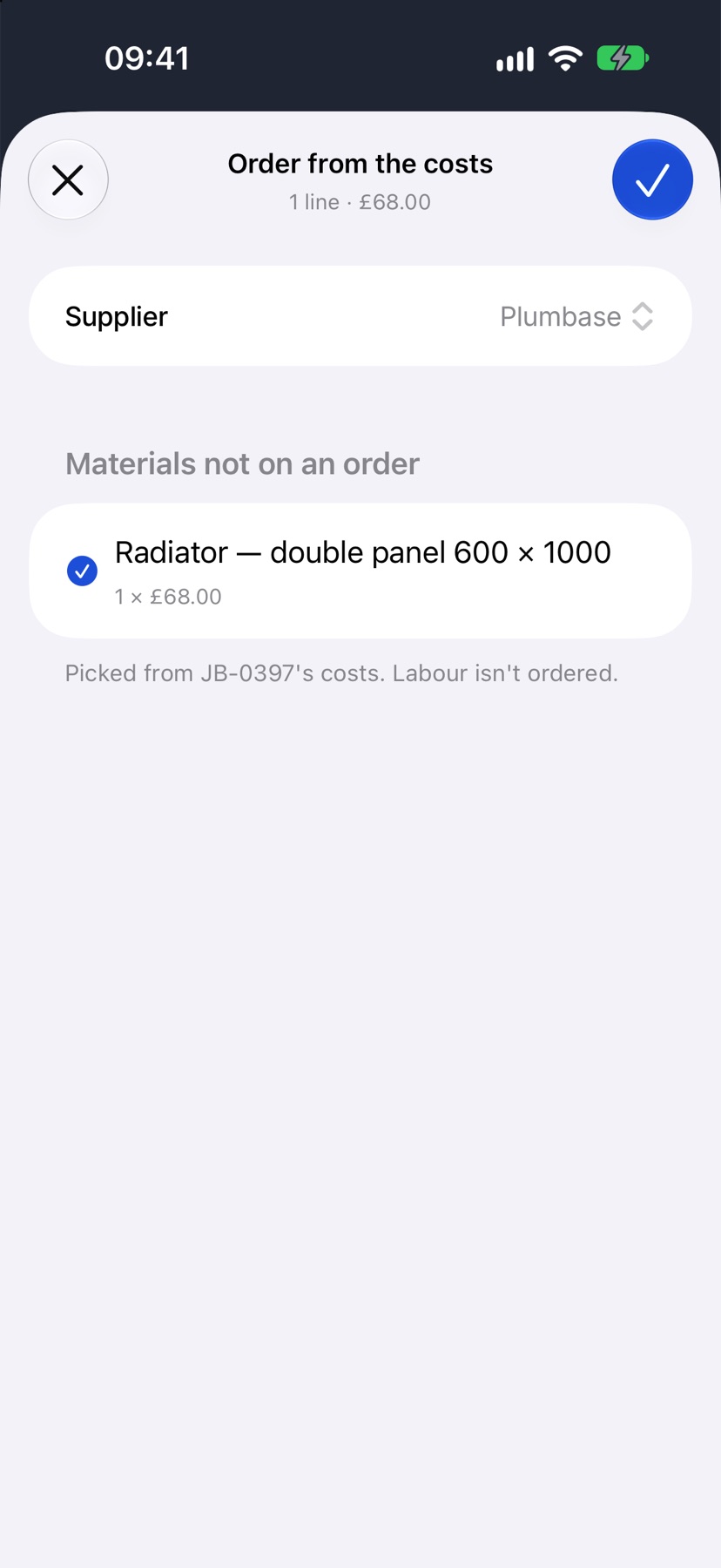
Order from the costs lists the job's materials that are not on an order yet, all ticked. Untick any you are not ordering now, choose the Supplier, and tap the tick.
Check the order
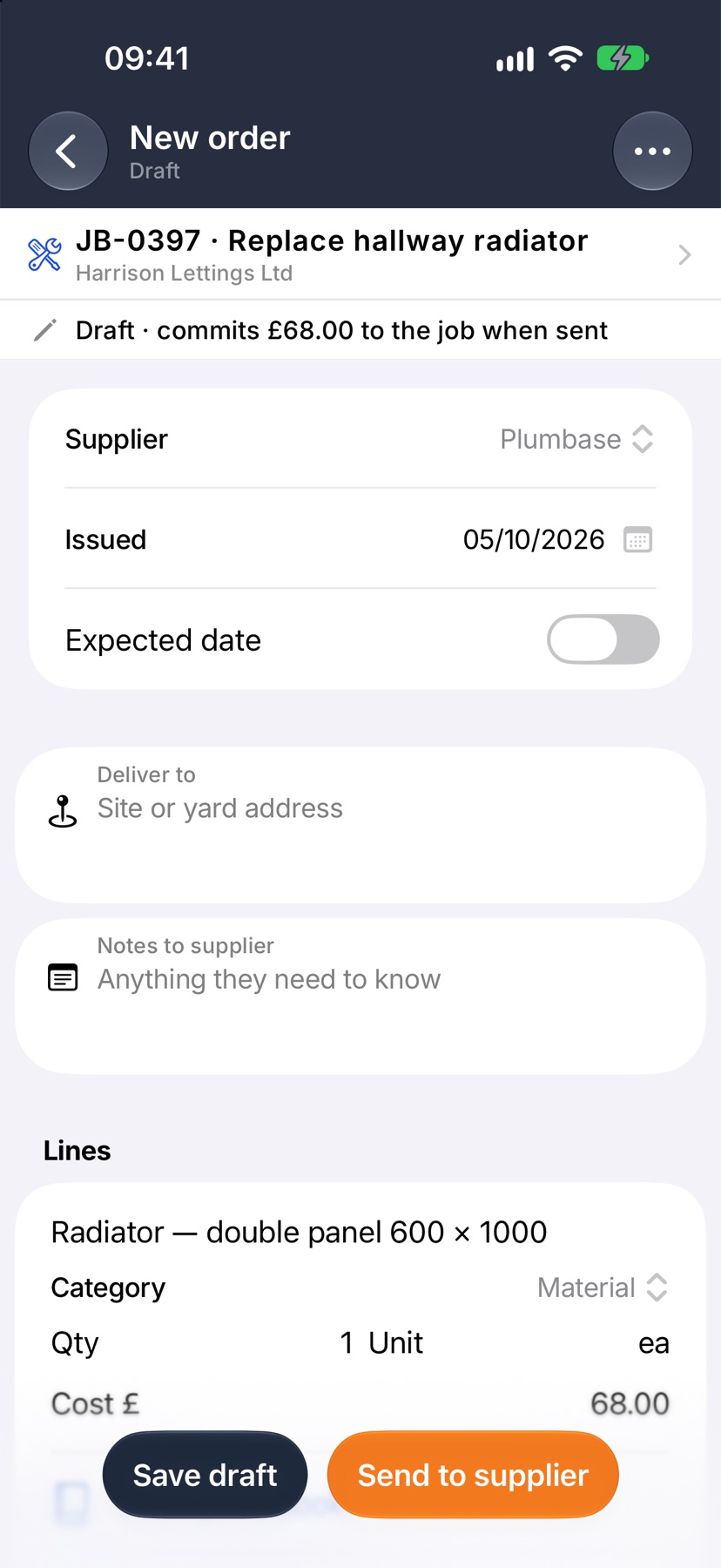
The order opens as a draft with its lines filled in. Add an Expected date, a delivery address and notes for the supplier if you need them.
Tap Send to supplier to email it, or Save draft to keep it for later. A draft does not count against the job until it is sent.
After it is saved or sent
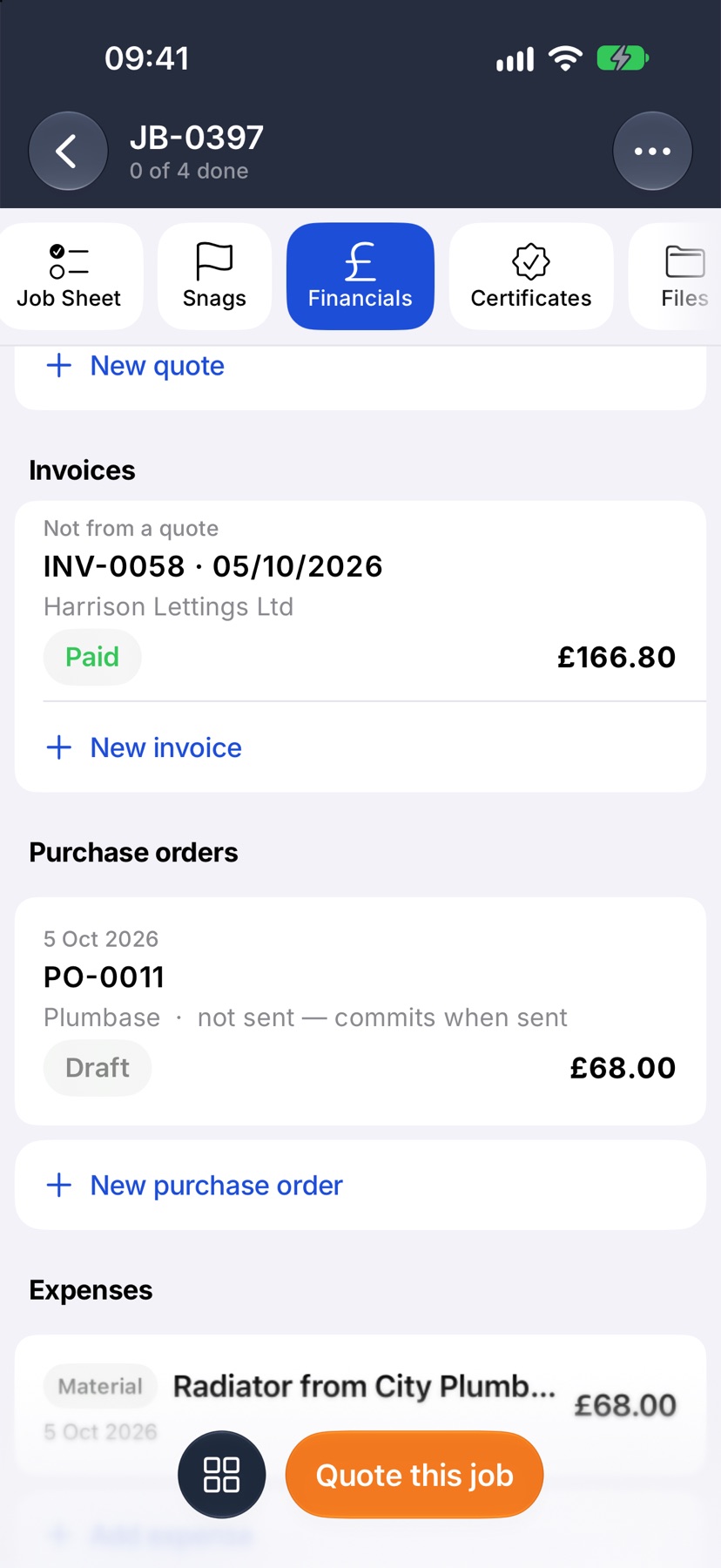
The order is listed under Purchase orders on the job with its state. When the goods and the bill arrive, open the order to mark it received.
More in Costing & purchasing →
- Estimate, committed, actualHow the cost strip reads, and why committed costs stop a job looking healthier than it is.
- Add costs to a jobBuild up what a job will cost you, see the profit, and quote the customer from it.
- Check a job's profitSee what a job is making, what has been paid, and where the cost is going.
- Send a PO and receive the goodsEmail the order to the supplier, then receive it in full or in part.
See what else Job costing can do. Still stuck? Email support@jobivo.co.uk and we'll get back to you.