Estimate, committed, actual
The chips at the top of the Coststab read left to right like the story of the job: what it costs you, what you sold it for, what you've promised suppliers, and what has actually gone out.
Base cost & Sell — the promise you priced#
Your private build-up from the price book, plus your markup. Base cost is what the work costs you; Sell (quoted) is what the customer is paying. The gap between them is your margin, and the customer never sees either number — they only ever see the quote.
The estimate freezes when the quote is accepted#
The moment the customer accepts, the estimate locks as the baseline. Everything that follows is measured against what you actually sold, so later edits can't quietly move the goalposts.
Committed — ordered, not yet billed#
Sent purchase orders. The boiler's ordered and the money is spoken for, even though no bill exists yet — without this column a job looks healthier than it is for weeks at a time.
Spent — money that’s actually gone#
Receipts, supplier bills, mileage and labour logged against the job. Add them in the Expensesledger at the bottom of the tab — it's built for speed: type, press Enter, next.
Read it by category#
The table lines up every category — Materials, Labour, Plant, Subcontract — with its cost, markup, sell, committed and spent side by side. Open a row and you get the priced lines and the logged expenses behind the number, so “why is materials over?” has an answer in two clicks.
| Category | Cost | Markup | Sell | Committed | Spent |
|---|---|---|---|---|---|
| Materials | £1,900 | 30% | £2,470 | £1,400 | £248 |
| Labour | £1,100 | 30% | £1,430 | — | £124 |
One pound, one column#
Money moves between columns, it's never counted twice. Receive a purchase order and its value converts from committed to spent, penny for penny — so the numbers always add up.
Tip — the customer never sees any of this — they only ever see the quote. This tab is your working-out. Pricing itself is edited on the quote, not here.
Follow a cost from what you planned, to what is on order, to what has been spent.
Planned, on order and spent
Every cost on a job passes through three figures. What you planned is the cost line you added. What is on order is the value of purchase orders you have sent. What is spent is the expenses logged against the job.
The on order figure is the one that keeps a job honest. A boiler ordered last week has not been billed yet, but the cost is already committed. Counting it straight away stops the job looking healthier than it is.
Nothing is marked by hand. Each figure moves when you send an order, receive it, or log an expense.
Where to start
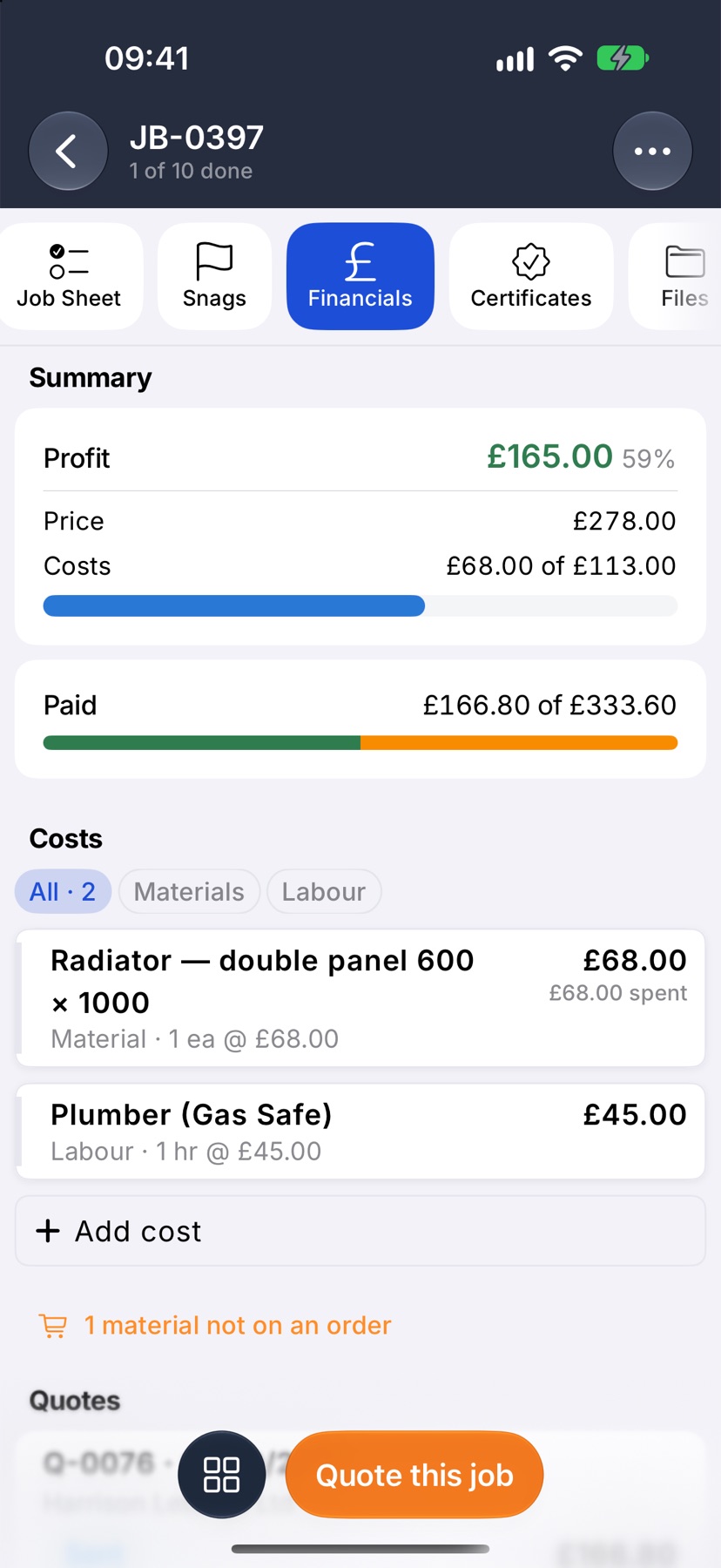
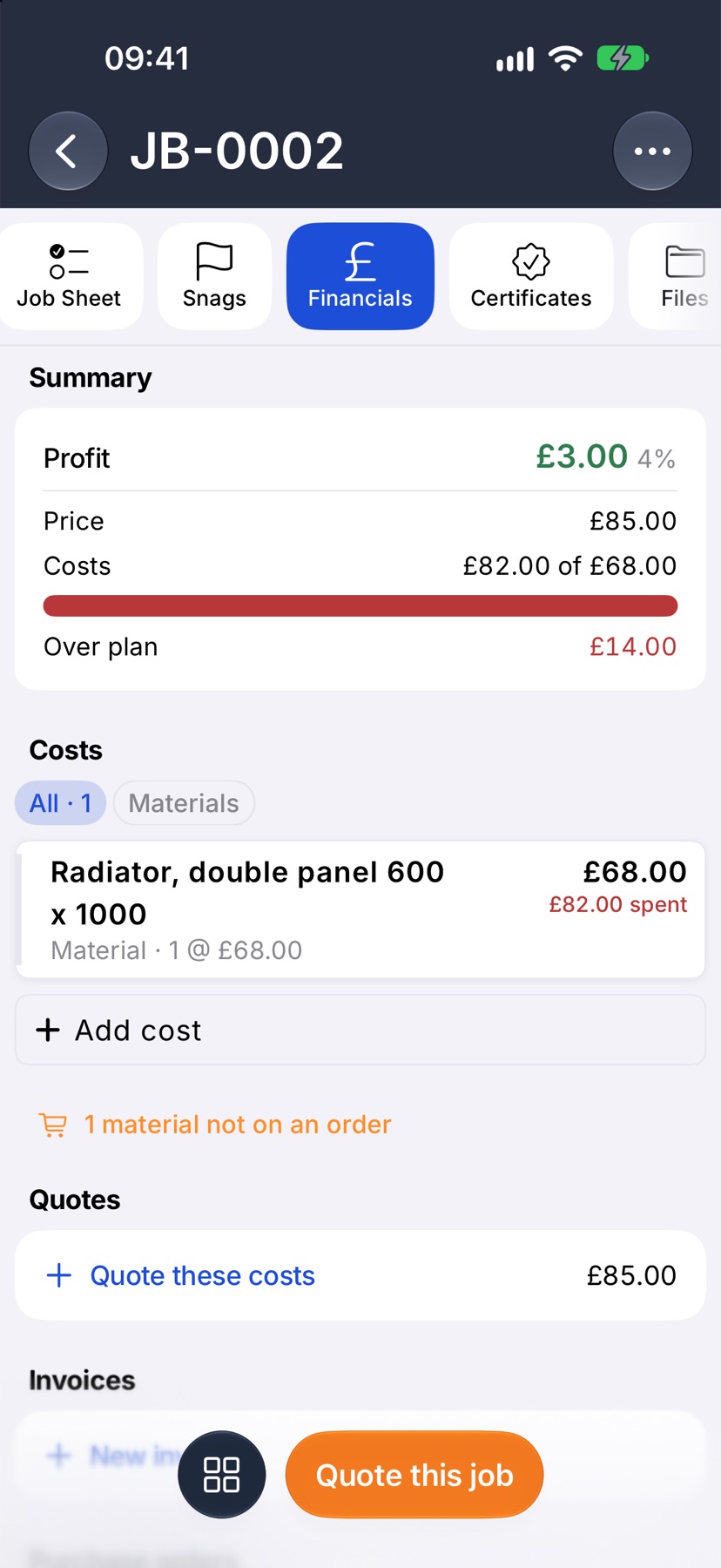
Open the job and tap Financials. In the Profit card, the Costs row shows two amounts: what the job has cost so far, of what you planned.
The first amount is spent and on order added together. On the bar under it, the solid part is spent and the lighter part is on order.
What you planned
Scroll to Costs. Each line shows its planned cost on the right: the quantity at your cost price. These lines add up to the plan that everything else is measured against.
A line with nothing ordered or spent against it shows that one figure only.
What is on order
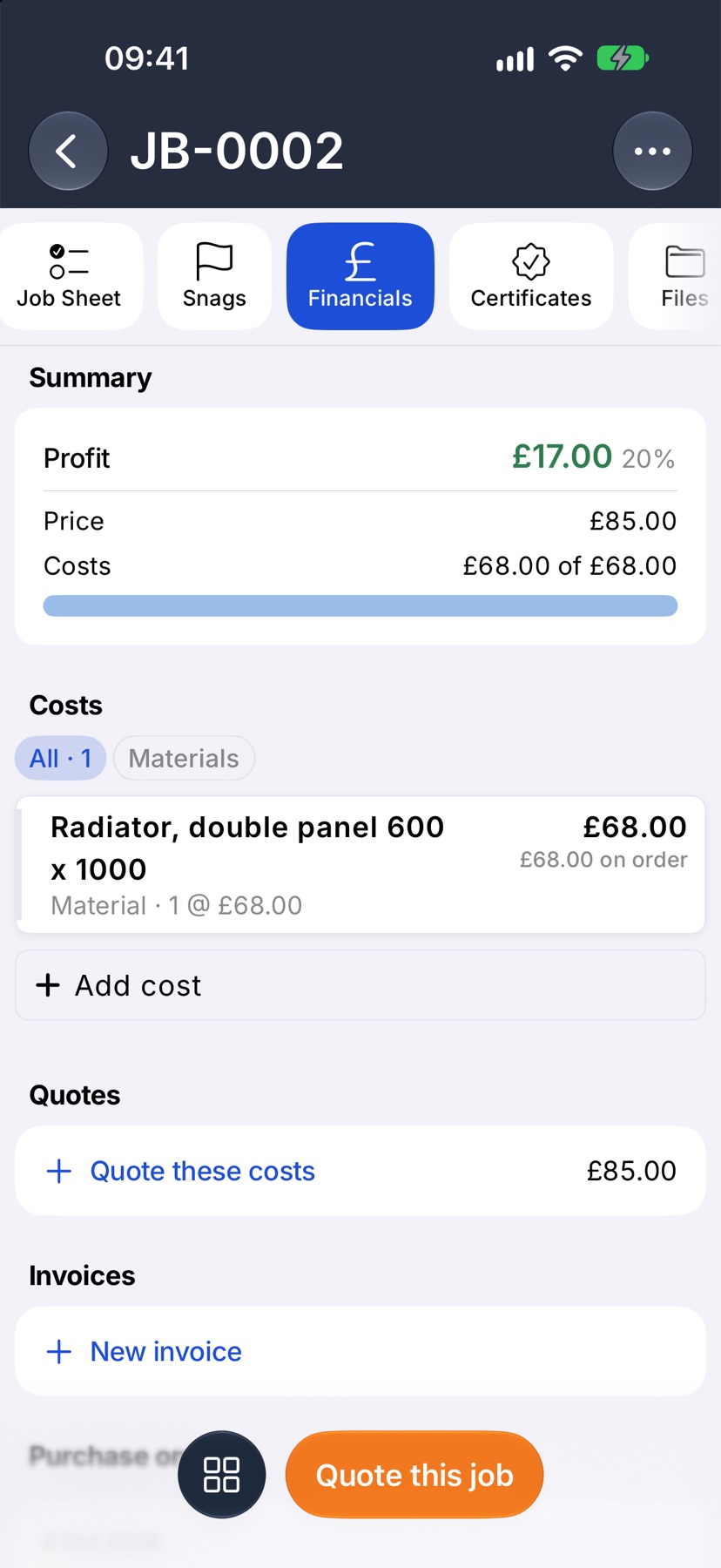
When you send a purchase order made from the job's costs, each line on it shows the amount on order under its planned cost. The Costs figure in the Profit card rises by the same amount.
A draft order does not count. Open one and the line under its title tells you it commits to the job when sent.
What has been spent
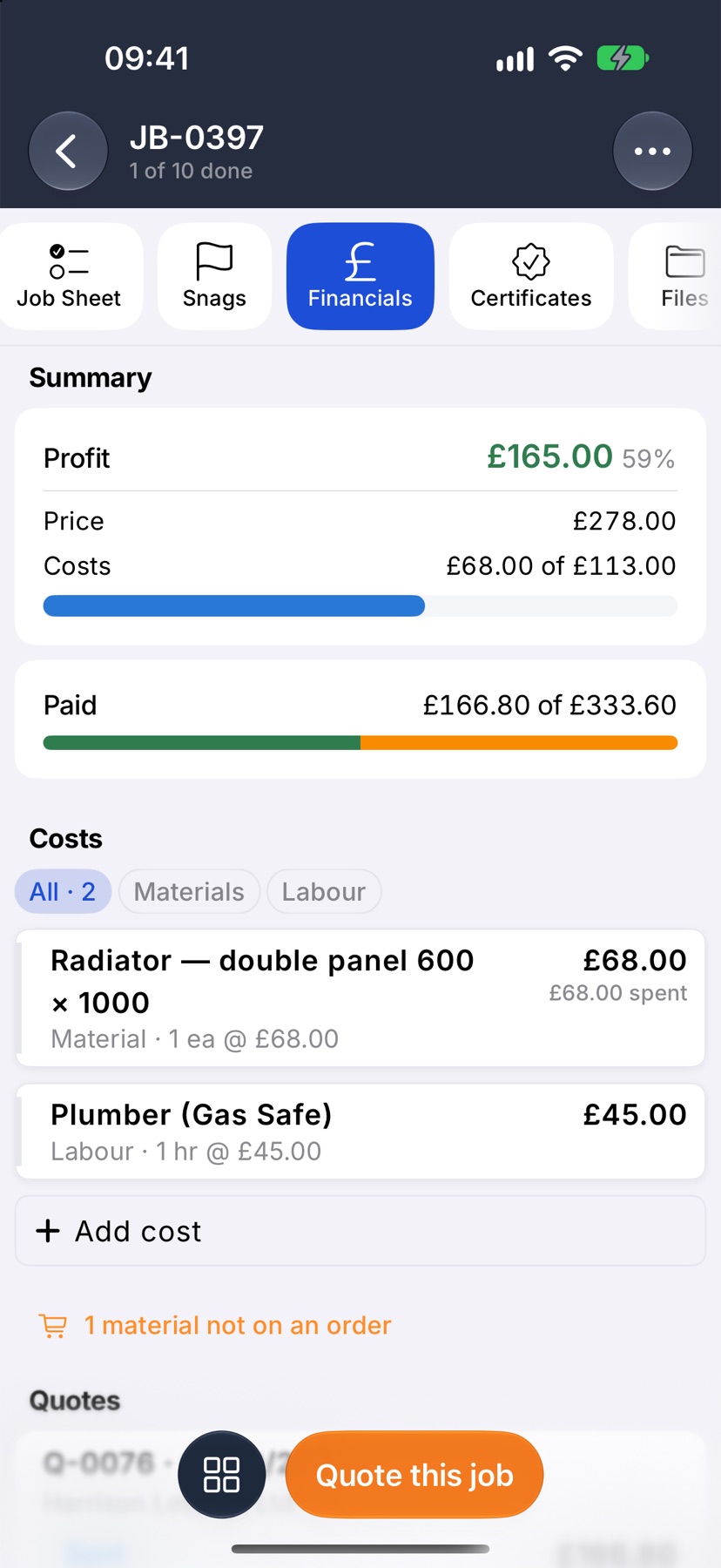
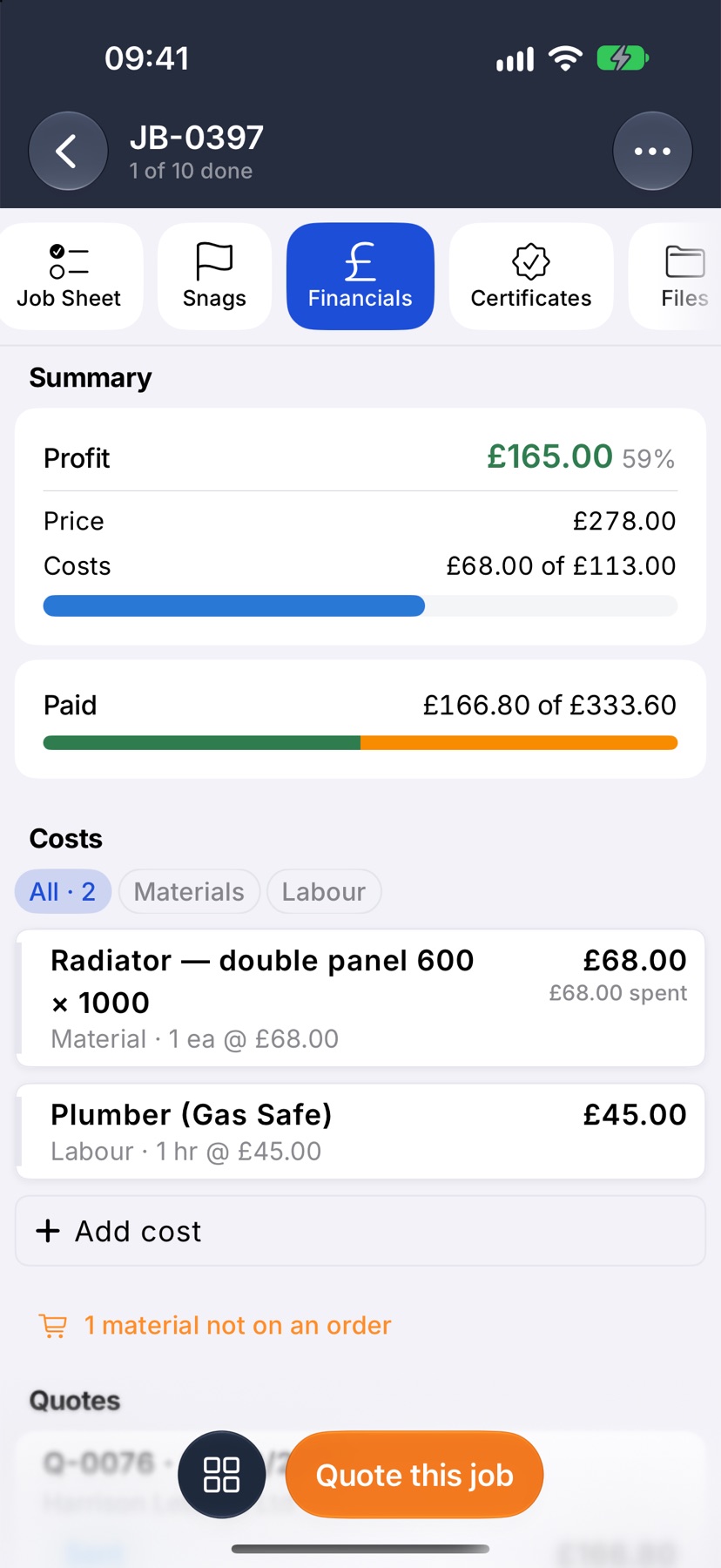
A line shows the amount spent once an expense is matched to it. That happens two ways. Receive a purchase order and its value moves to Expenses, so on order becomes spent. Or log an expense yourself and choose the cost under What did this pay for?.
The amount moves from one figure to the other. It is never counted in both.
When a cost goes over
If a line has cost more than you planned, its spent amount turns red. In the Profit card an Over plan row appears in red, and the profit falls by the same amount.
An expense left as Not in the plan still counts in the job's costs. It has no planned line to sit against.
On a job with sub-jobs
Each sub-job has its own row under Costs, with the same bar and the same two amounts: what it has cost so far, of what was planned for it. A row that has gone over shows its amounts in red.
More in Costing & purchasing →
- Add costs to a jobBuild up what a job will cost you, see the profit, and quote the customer from it.
- Check a job's profitSee what a job is making, what has been paid, and where the cost is going.
- Purchase ordersRecord what you have ordered the moment you order it, not when the bill lands.
- Send a PO and receive the goodsEmail the order to the supplier, then receive it in full or in part.
See what else Job costing can do. Still stuck? Email support@jobivo.co.uk and we'll get back to you.