Quotes
A quote is built from cost lines — pulled from your price book or typed on the fly. You keep the line-by-line detail for costing and margin; the customer sees a clean, category-grouped document they can accept online.
Add your lines#
The first line is ready to type. Use Add from price book and the description, unit, cost and markup-derived price fill in for you — or type an ad-hoc line with just a description and price, no price book entry needed. Set quantity, unit and VAT per line.
Summary or itemised — you choose#
Each line is Materials, Labour, Plant or Subcontract. You cost the job line by line; by default the customer's quote rolls those lines up into one total per category (Summary) — your working detail and costs stay private. Prefer full detail? Flip the Quote display toggle to Itemised and the customer sees every line with its quantity, unit price and VAT instead. The company-wide default lives in Settings → Invoicing → Documents.
Costs, estimate & margin#
Because lines carry cost + markup, Jobivo knows your estimated cost, the sell price and your margin. Later you log actualcosts and the job's Costs tab shows the priced build-up next to committed and spent — your true profit.
Send it to the customer#
Hit Send and choose how to deliver: email a branded message with the quote and a PDF attached, copy a link for WhatsApp or SMS, or download the PDF to print. Any choice issues the quote. Tip: switch to Preview first to check exactly what the customer will see — your logo, letterhead, category-grouped lines and footer.
Customer accepts or rejects#
From the link the customer accepts in one click or rejects with a comment. Once accepted, turn it into an invoice with Convert to invoice.
Tip — set your default markup once in Settings → Invoicing → Costing (and your VAT rate under Tax rates), so every new line starts from the right numbers.
Find any quote, see where it stands, and know what each button on it does.
What the Quotes list is for
Every quote your company has written is kept in one list, whatever happened to it. Each one shows where it stands: still a draft, sent, accepted, declined or invoiced.
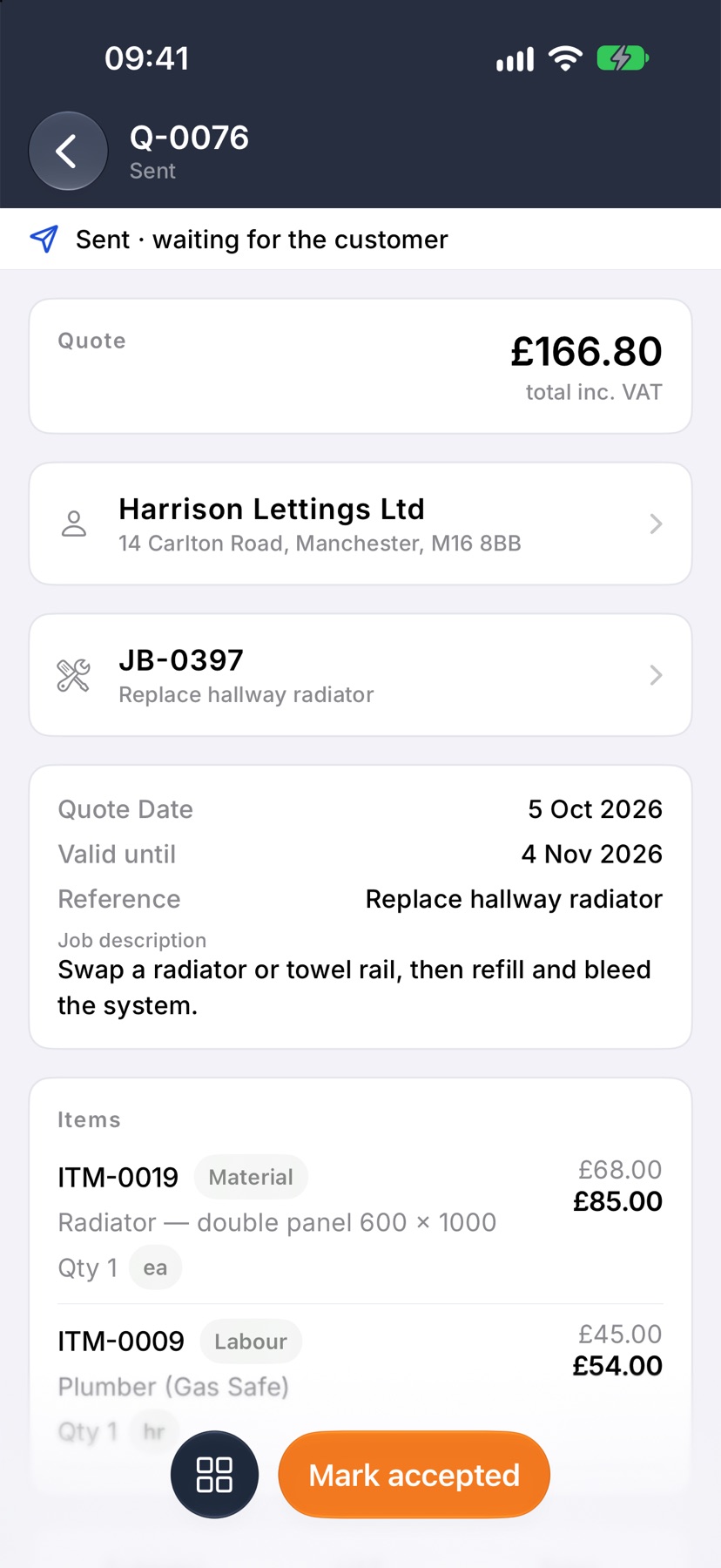
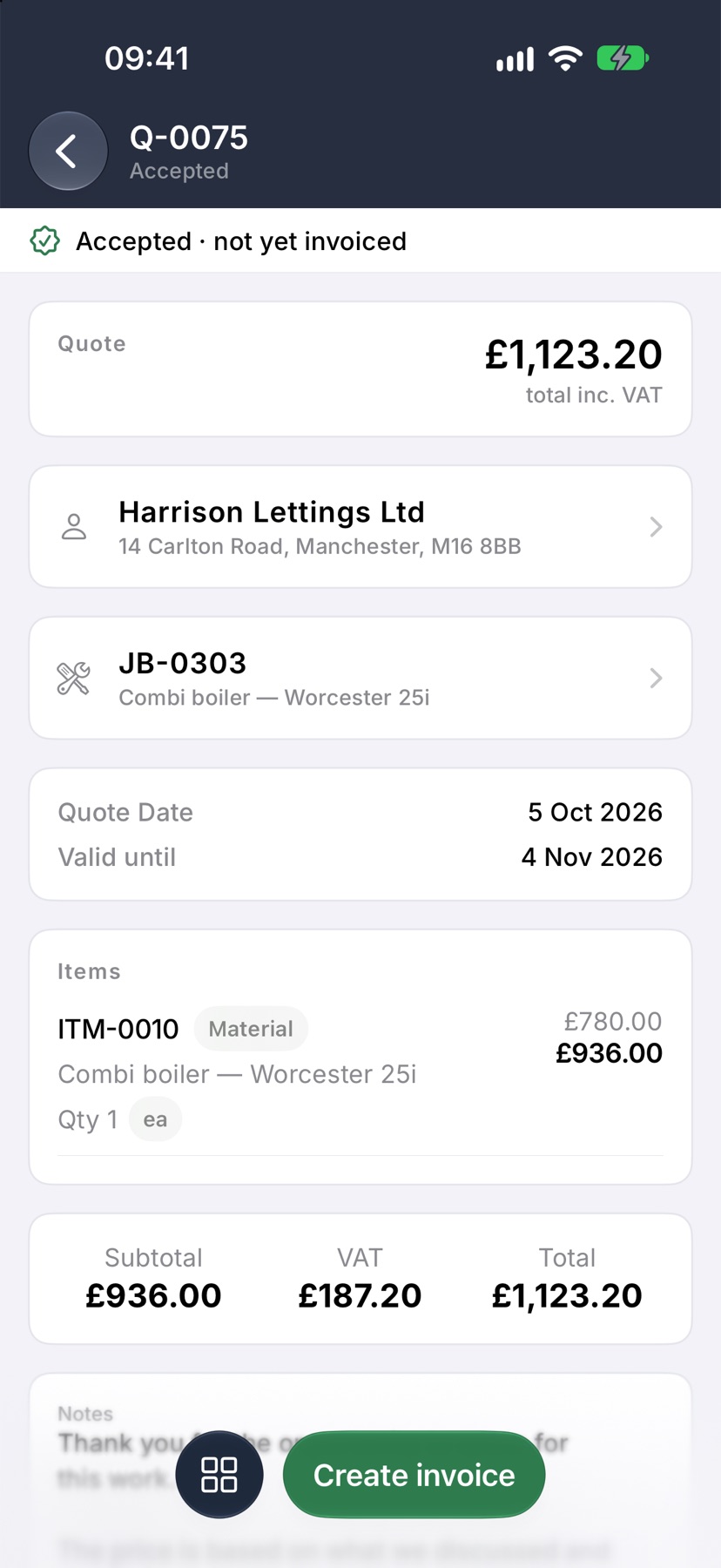
Opening a quote shows its status in one line under the title and the next thing to do as a button at the bottom. Everything else you can do with it is one tap away in a single menu.
Where to start
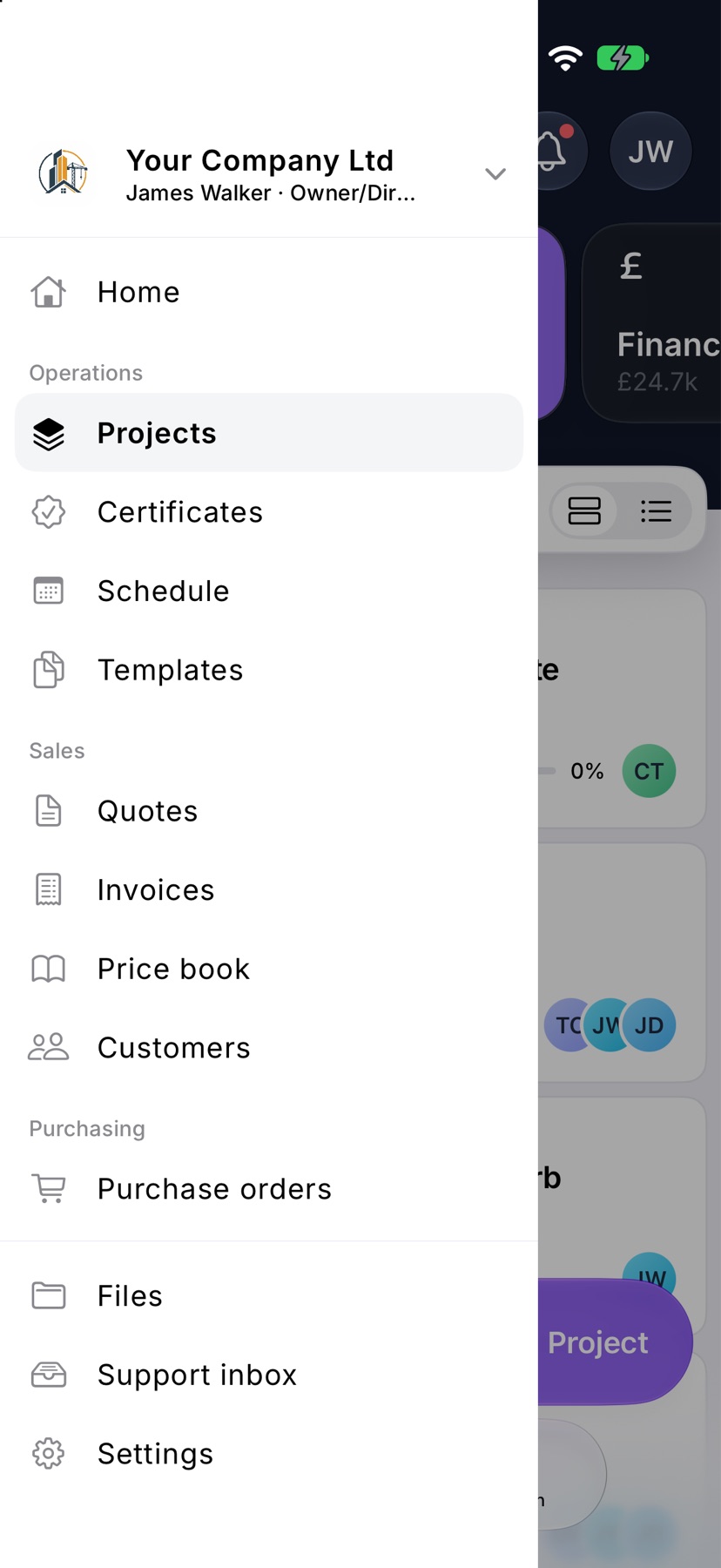
Tap the menu button at the top left of Home. Under Sales, tap Quotes.
The quotes that need attention are also on Home. Swipe the tiles at the top to Financials. Awaiting an answer totals the quotes customers have not answered, and the groups below it, such as Waiting on the customer and Accepted · not invoiced, list them.
Find a quote
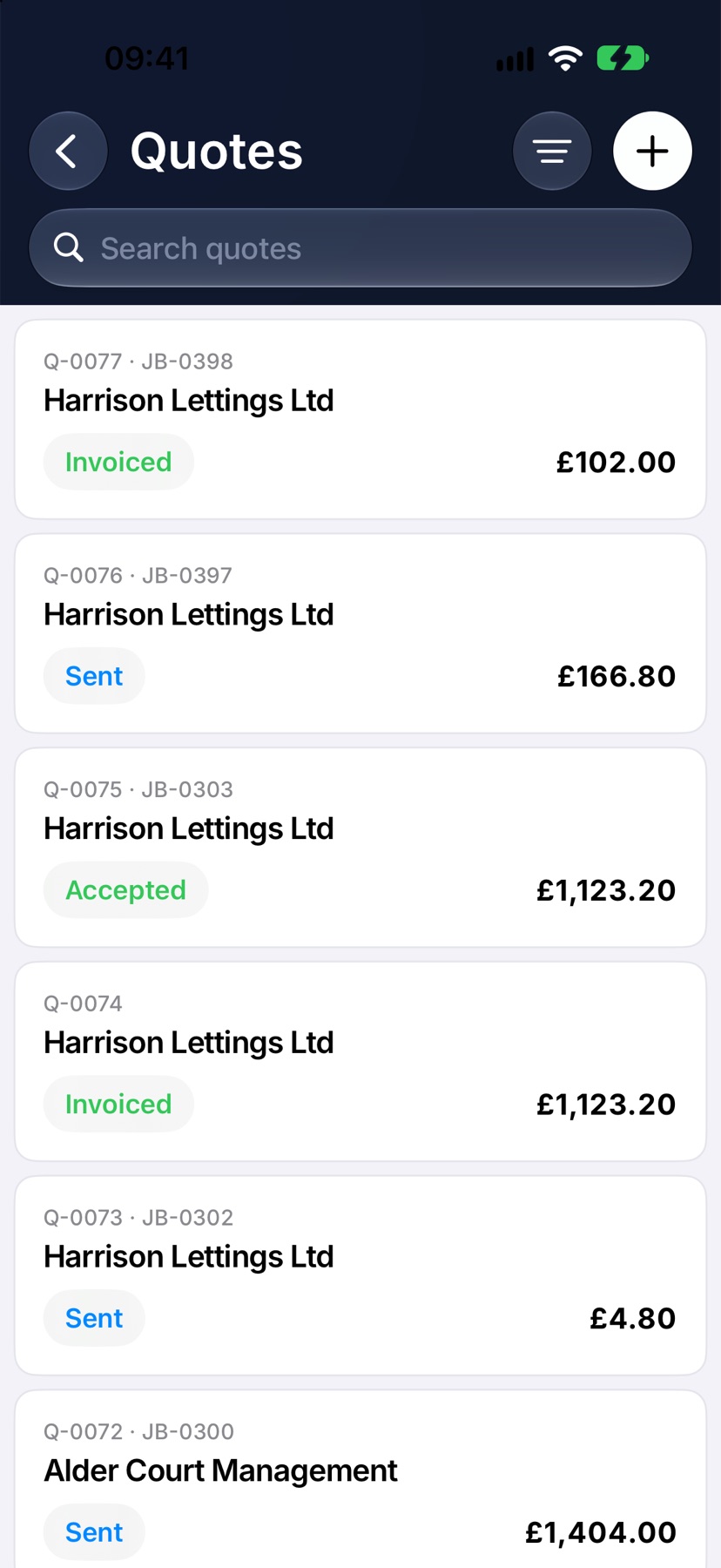
Each card shows the customer, the quote number and its status. A quote on a job shows the job number beside its own.
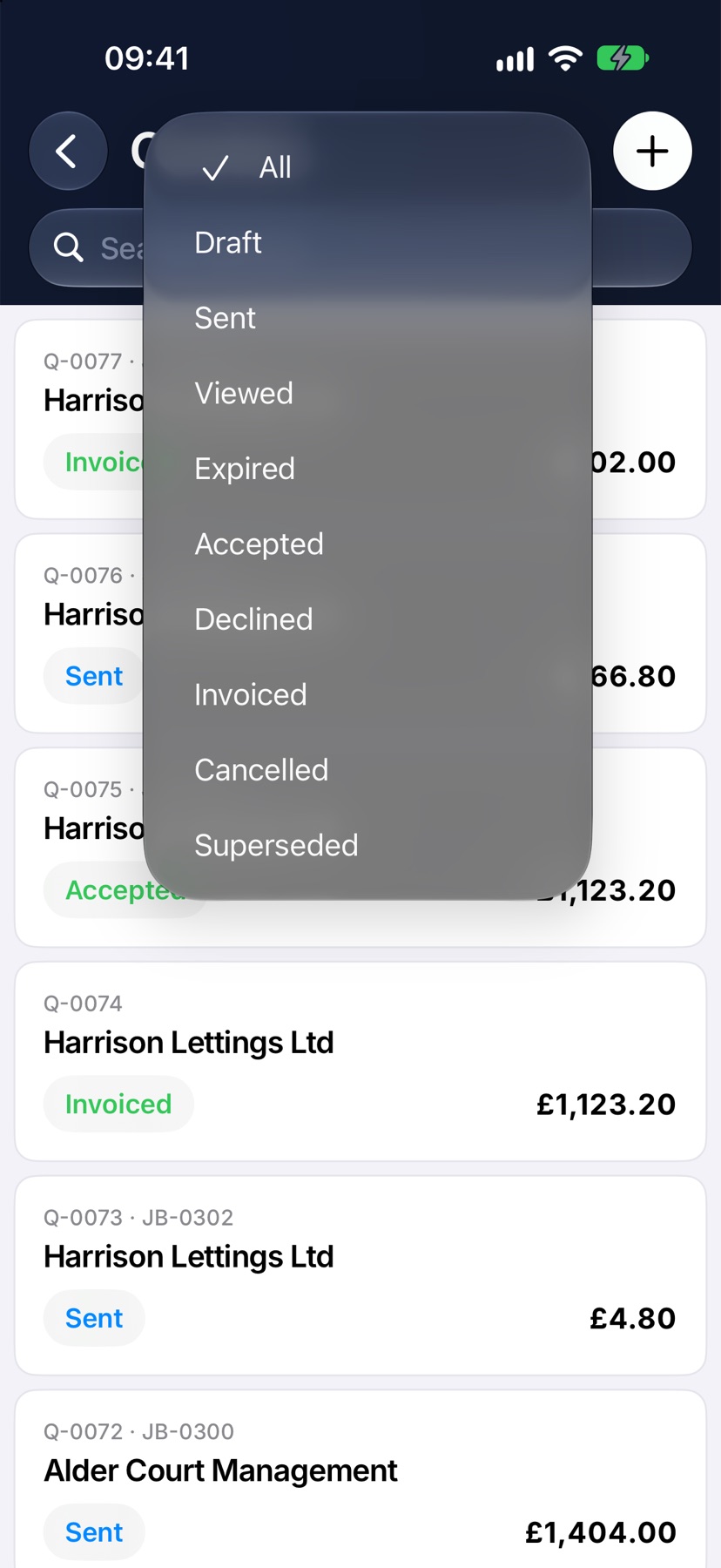
Type in Search quotes to find one by number, customer or status. To see one status only, tap the filter button at the top right and choose it. Tap All to see everything again.
What each status means
Draft: saved but not sent. It has no number yet.
Sent: emailed or shared, and waiting for the customer. Viewed means the customer has opened it.
Expired: the expiry date has passed, so the customer can no longer accept it.
Accepted: the customer said yes, online or to you. Declined: the customer said no. Their reason is shown on the quote if they gave one.
Invoiced: an invoice has been made from it. Cancelled: you withdrew it. Superseded: a revision has replaced it.
The button at the bottom
The right-hand button is the next thing to do, and it changes with the status. A draft shows Save, then Email once it is saved. A sent quote shows Mark accepted. An accepted quote shows Create invoice, with Create job beside it if it has no job yet.
An expired or declined quote shows Revise quote. A quote that has been invoiced or replaced shows a button that opens the invoice or the newer quote.
Everything else you can do
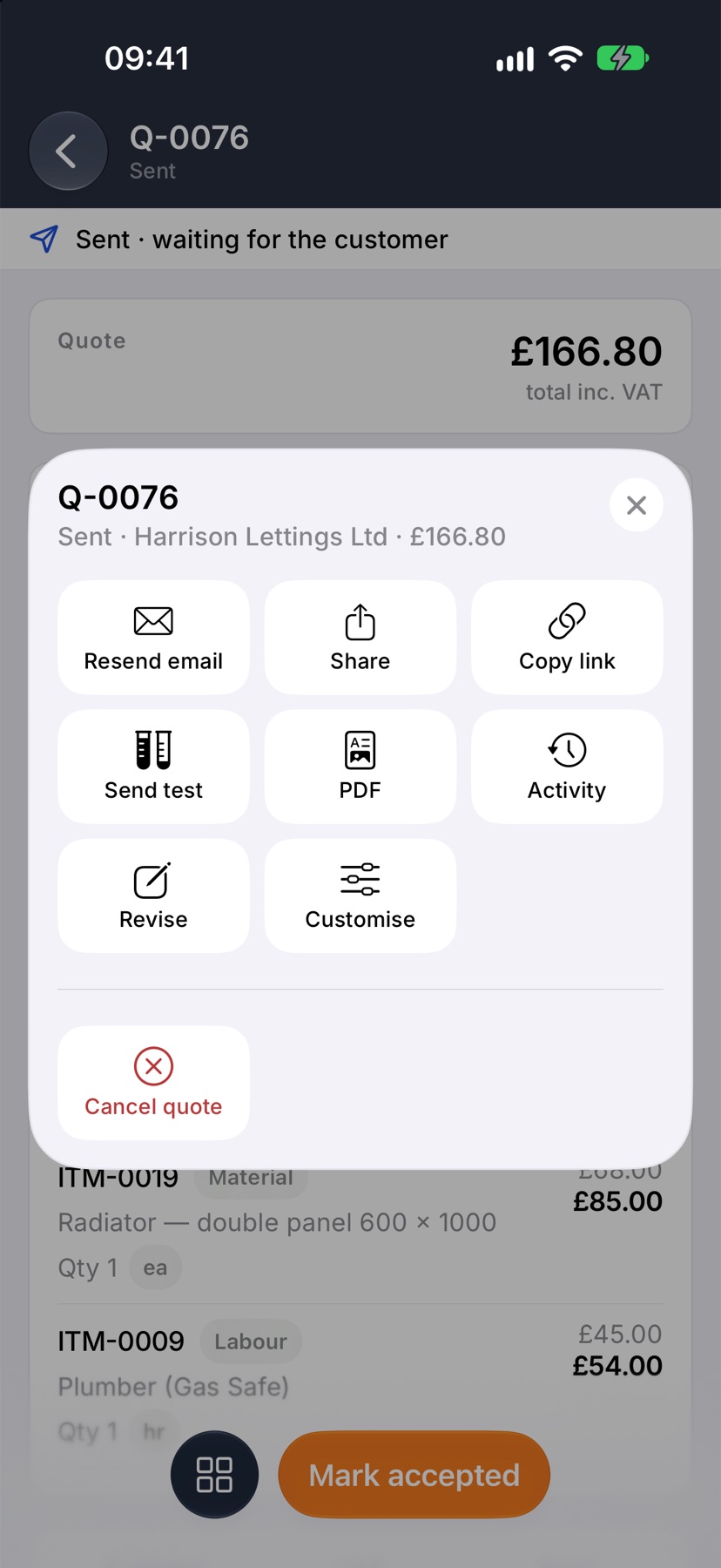
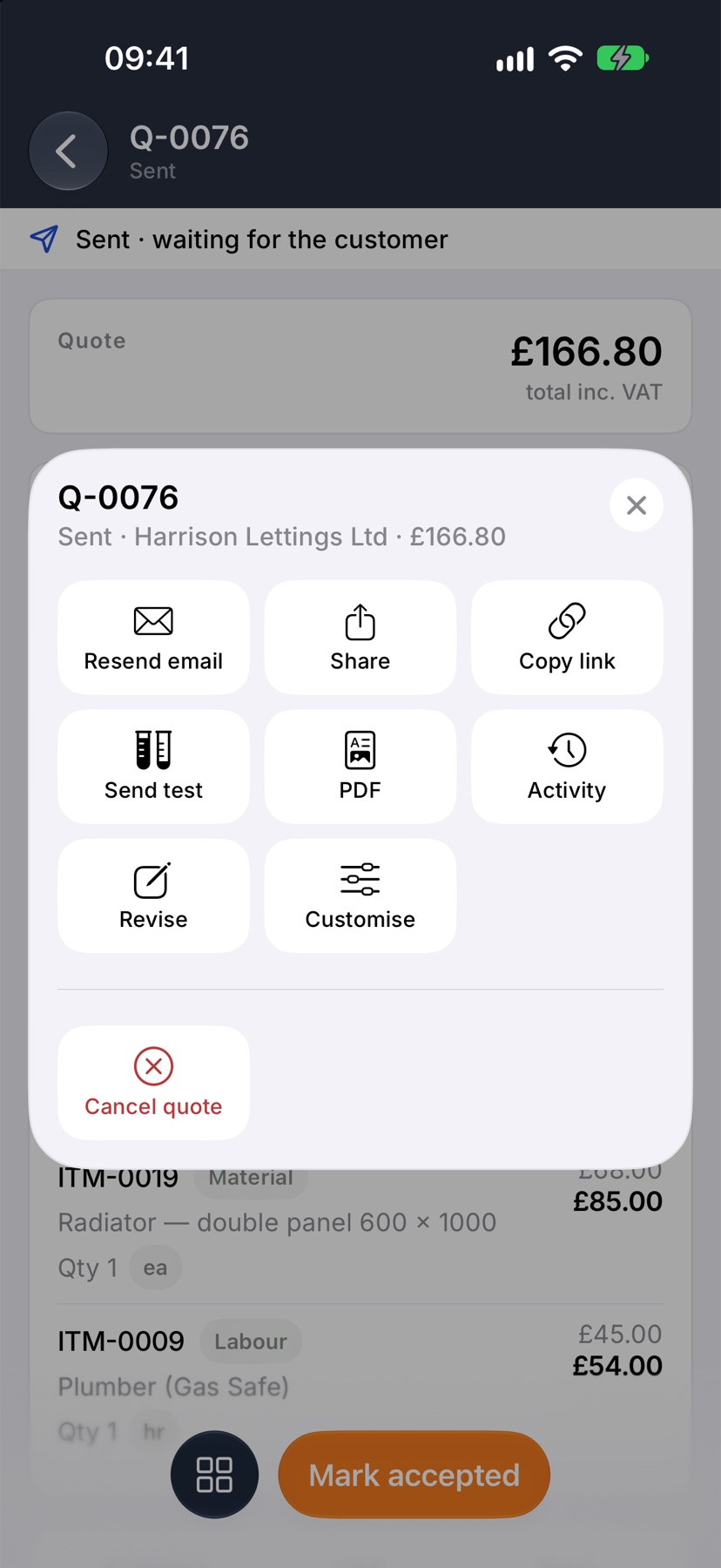
The square button at the bottom left opens a menu of everything else. It only shows what this quote can do right now.
Resend email emails the quote to the customer again. Share opens the iPhone share sheet with the quote's link, so you can send it by text or another app. Send test emails the quote to you, so you can see what the customer gets. Nothing is recorded against the quote.
Activity lists what has happened to the quote and when. Revise, Mark accepted, Variation and Cancel quote change where the quote stands. On a saved draft, Delete draft removes it.
Get the PDF or the link
In the same menu, tap PDF to open the quote as the customer's PDF, full screen. On a draft it shows the quote as it stands now.
Tap Copy link to copy the customer's online link. Link copied shows at the bottom. Paste it into a text or a message. The link is there once the quote has been sent.
After the customer answers
When a customer accepts online, the quote changes to Accepted · not yet invoiced by itself. From there you can create the job, the invoice, or both.
More in Quotes & invoices →
- Price bookBuild your cost items once, then price any job in minutes without showing your margin.
- Send your first quoteFrom a blank quote to the customer's inbox — and what they see when it arrives.
- Revise a quote or add a variationChange a sent quote without losing the original, or price extra work as a variation.
- Turn an accepted quote into a jobCreate the job from the quote the customer accepted.
See what else Quotes can do. Still stuck? Email support@jobivo.co.uk and we'll get back to you.