Price book
The price book works out what a job really costs you, adds your markup, and turns it into a clean quote for the customer — one that never shows your costs or margin. Build your list of cost items once, then price any job in minutes.
Build your cost items#
Add the things a job is made of — a length of pipe, an hour of labour, a day's digger hire. Give each one a name and what it costs you. Add a markup % (or use your company default) and the sell price is worked out for you.
Put each item in a category#
Every item is Materials, Labour, Plant or Subcontract. Categories are how your costs get grouped on the customer's quote later — so this is the important bit. Tracking something extra (a supplier or part number)? Add your own columns from the toolbar.
Price a job#
From a job, choose Create quote, then Add from price bookand set quantities — 12 m of pipe, 6 hours of labour, a day's digger. Each line carries its cost and markup, so your total cost, total sell and margin are worked out live as you type.
The customer sees a clean total#
By default the quote is set to Summary — your whole breakdown collapses into one total per category, a tidy “Materials, Labour”. They see a clean number; you keep every line and never reveal your costs or markup. Need to show the detail? Switch Quote display to Itemised.
Get paid & see real profit#
Accept → convert to an invoice → send. As receipts come in, log your costs on the job's Costs tab. It then shows your priced build-up next to what you committed and actually spent — and your true margin.
Tip — set your default markup once in Settings → Invoicing → Costing (and your VAT rate under Tax rates), so every new item and quote line starts from the right numbers.
Keep your materials, labour rates and plant in one list, each with its cost and markup, ready to drop into a quote or invoice.
What the price book is
The price book is your list of the things you charge for: materials, labour rates, plant and subcontract work. Each item holds what it costs you, your markup and its VAT rate, and Jobivo works out the sell price.
When you add a line to a quote, an invoice or a job's costs, you search the price book and the item fills its own price. The customer sees the price. Your cost and markup stay with you.
You set an item up once. Changing it later does not change quotes and orders that already used it.
Where to start
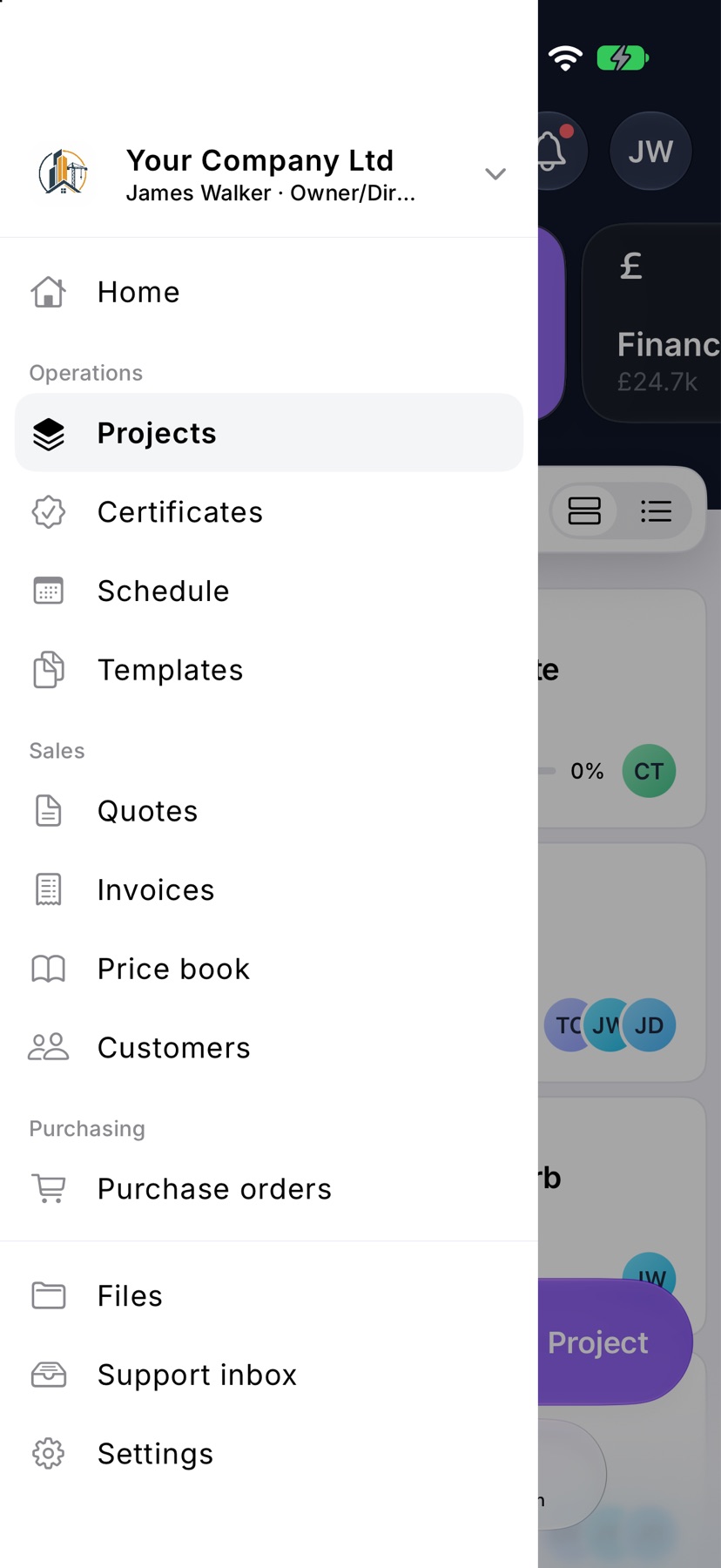
Tap the menu button at the top left of Home. Under Sales, tap Price book.
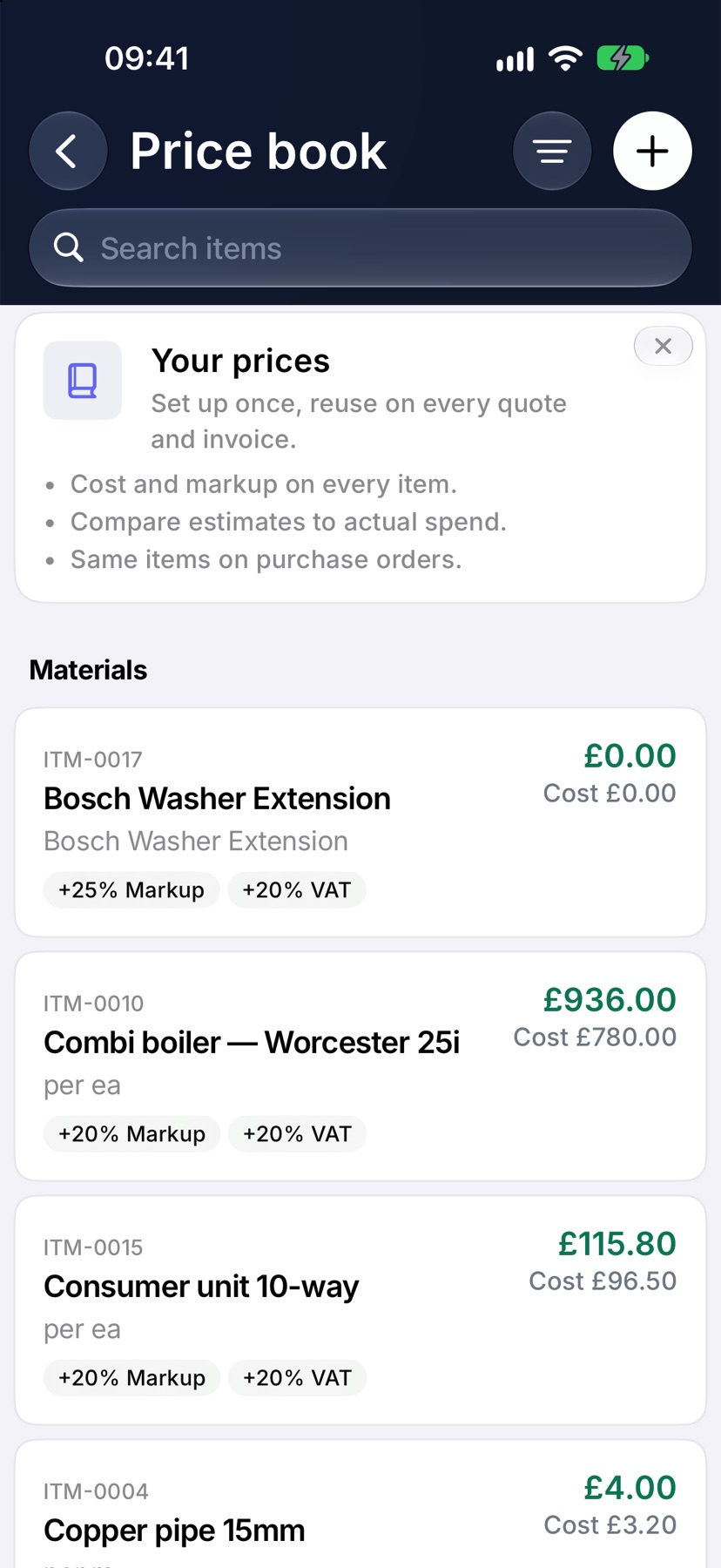
Items are listed under their category: Materials, Labour, Plant & equipment, Subcontract and Other.
Read an item
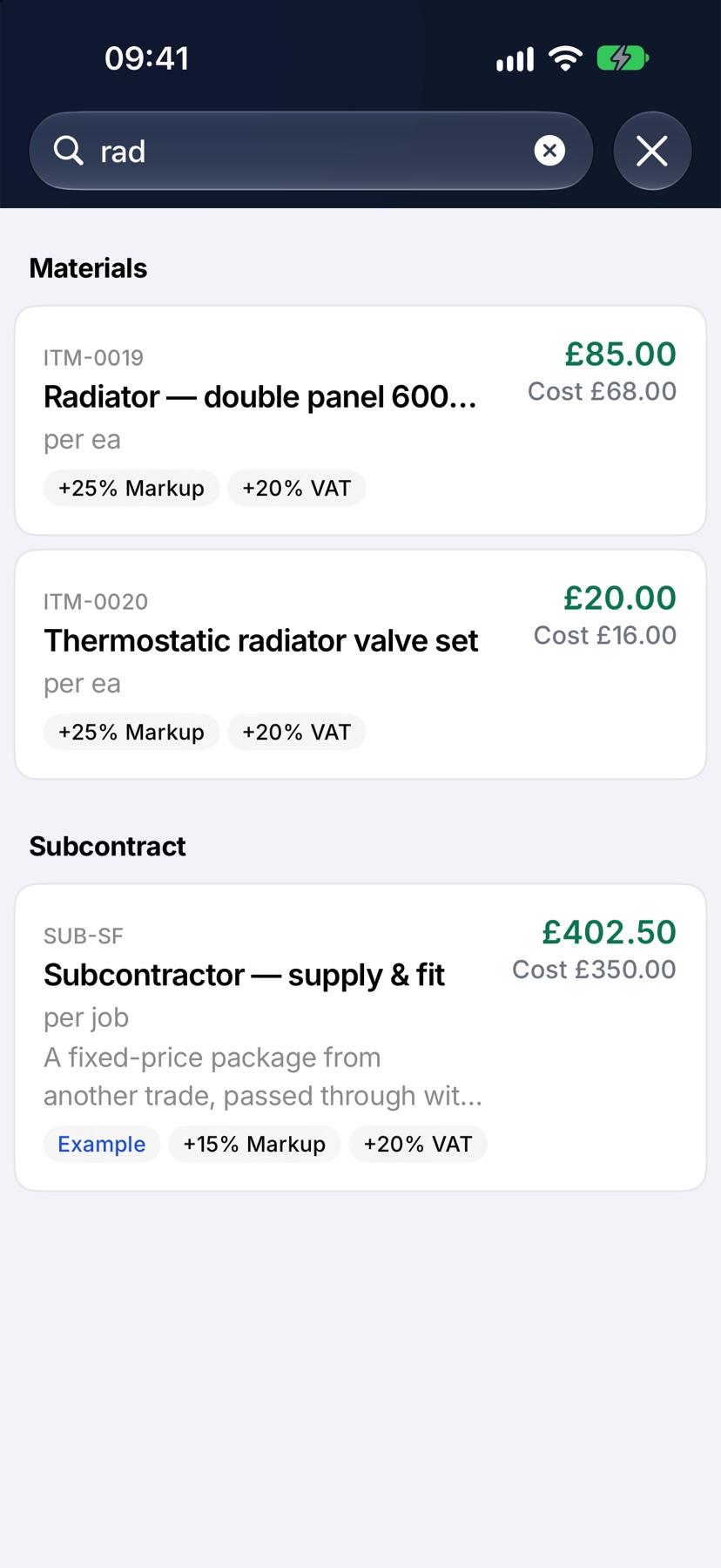
Each card shows the item's code, its name and what it is priced per. The figure on the right is the sell price, with your Cost under it. The labels along the bottom show the Markup and VAT added to reach that price.
Type in Search items to find an item by name, code or description. The filter button at the top right narrows the list to one category.
Add an item
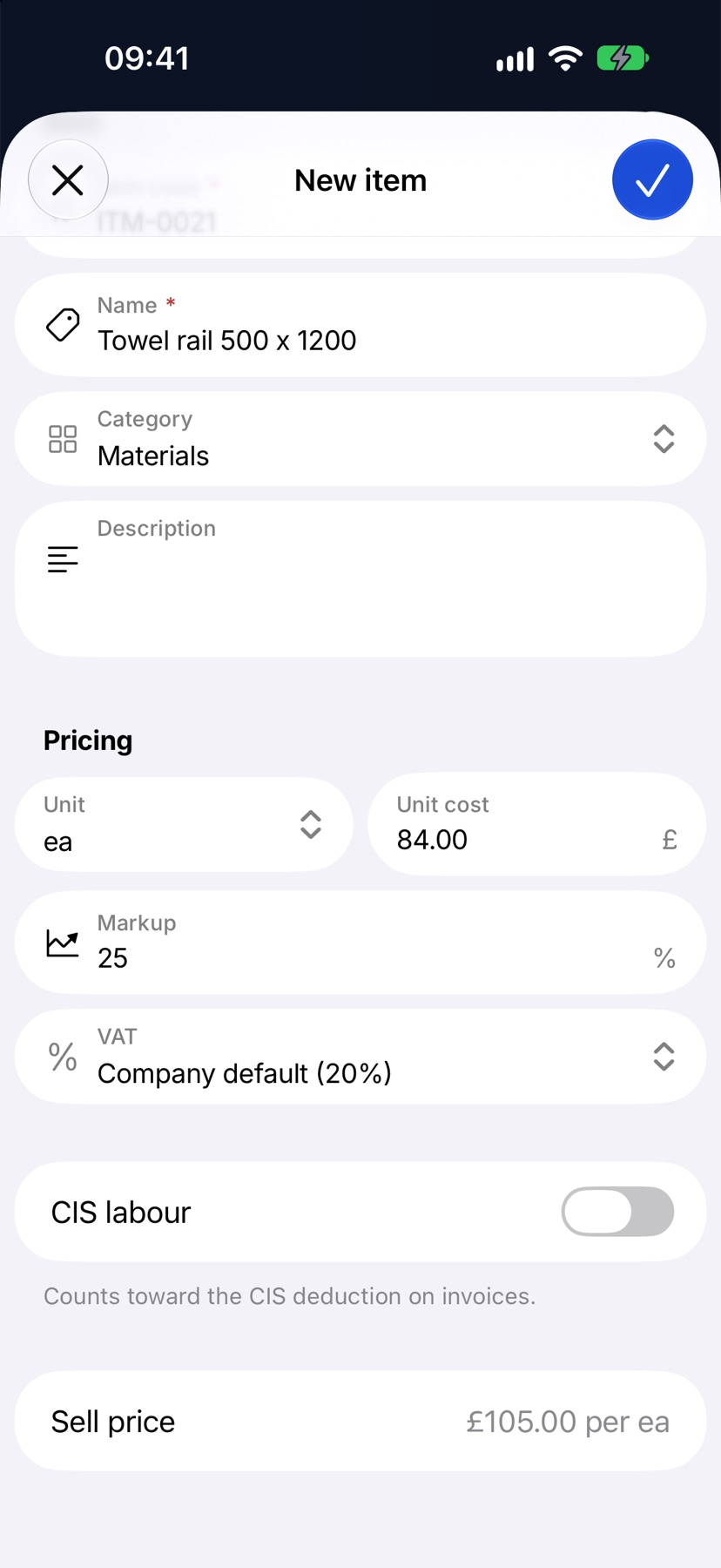
Tap the plus button at the top right. New item opens.
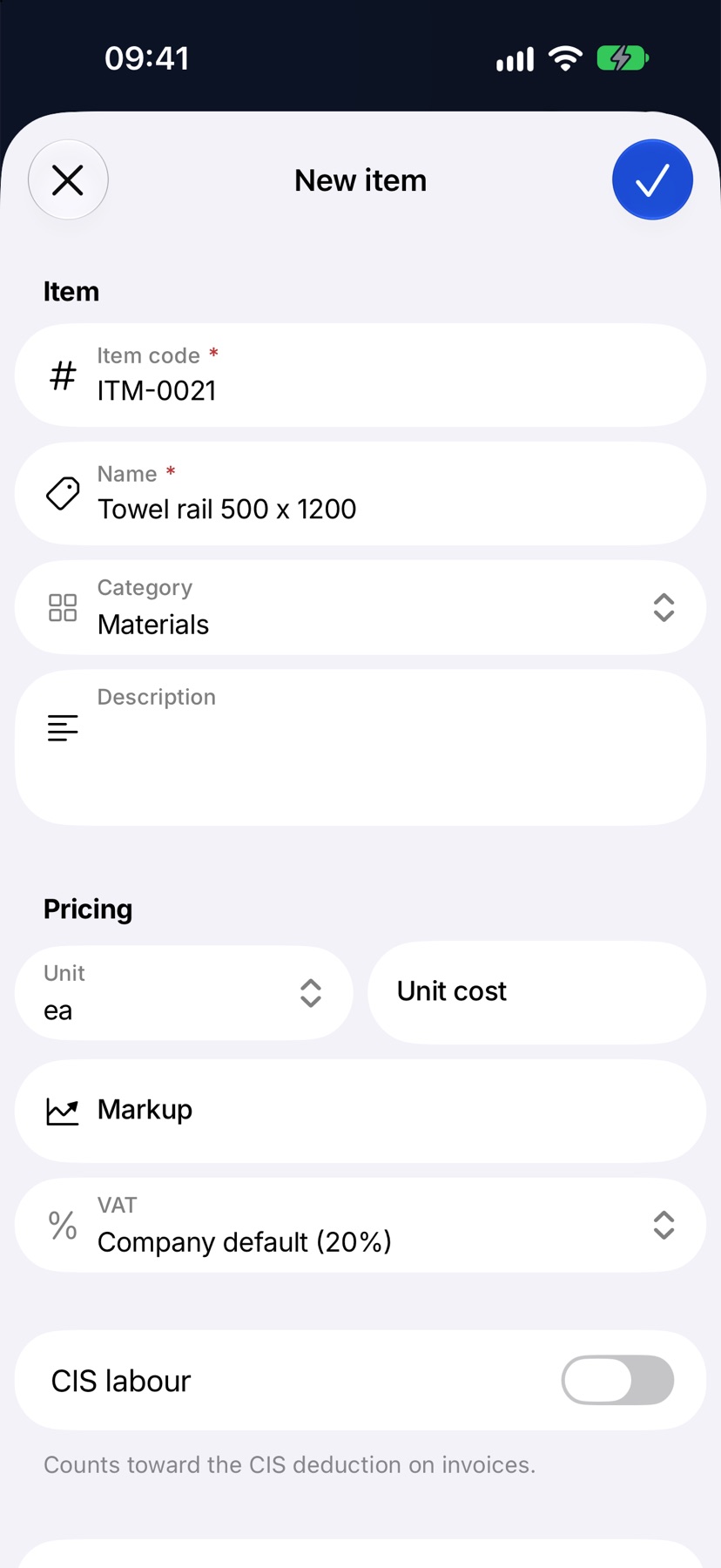
Under Item, give it an Item code and a Name, and choose its Category. A Description is optional.
Set the cost and markup
Under Pricing, choose the Unit and type the Unit cost: what one of these costs you. Type your Markup as a percentage, or leave it empty to use your company default. VAT starts on your company default rate.
The Sell price row shows the result as you type. Tap the tick to save.
Change or archive an item
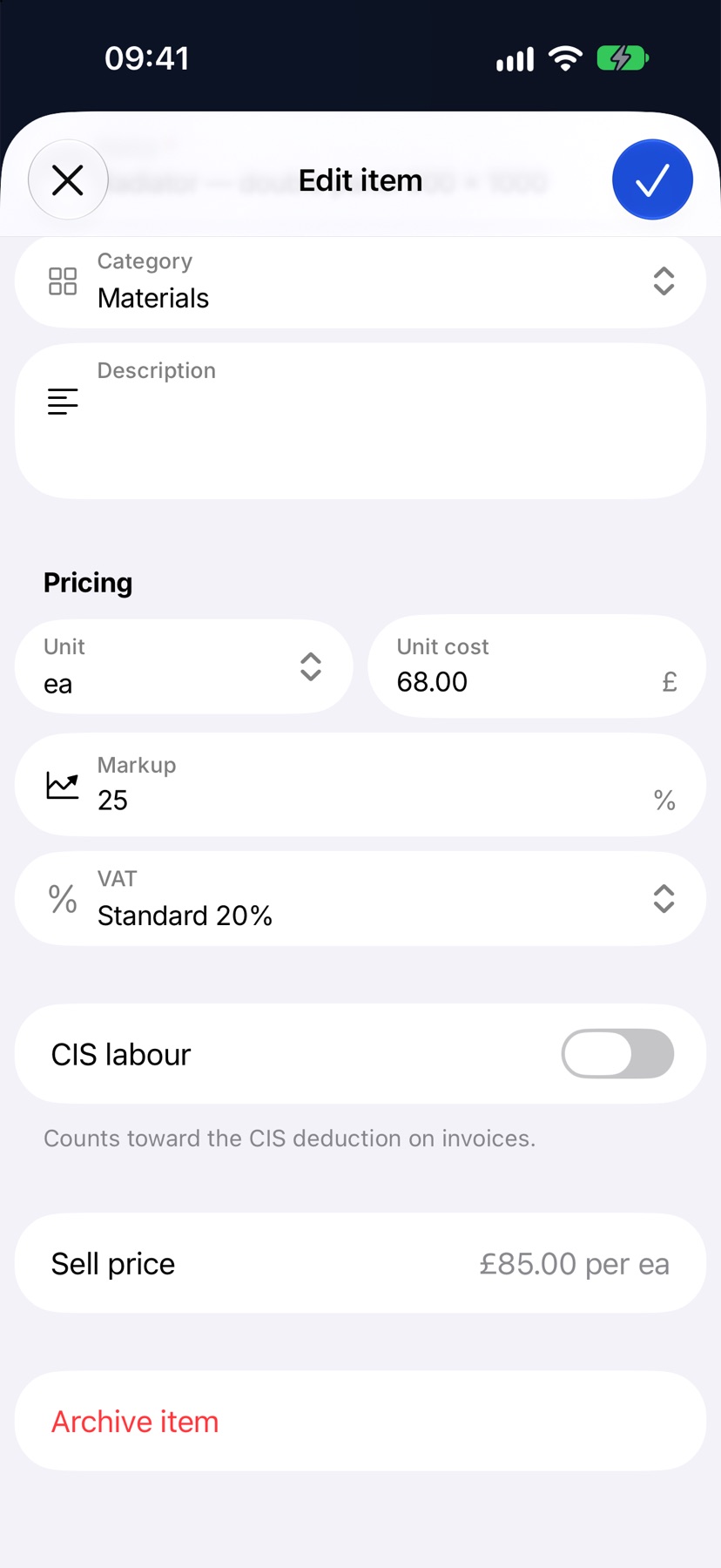
Tap an item to open Edit item. Change what you need and tap the tick.
To stop using an item, tap Archive item at the bottom, then Archive. It leaves the search when you add lines. Quotes and orders that used it keep their prices.
To bring one back, tap the filter button on the price book, tap Archived, and tap Restore under the item.
Example items
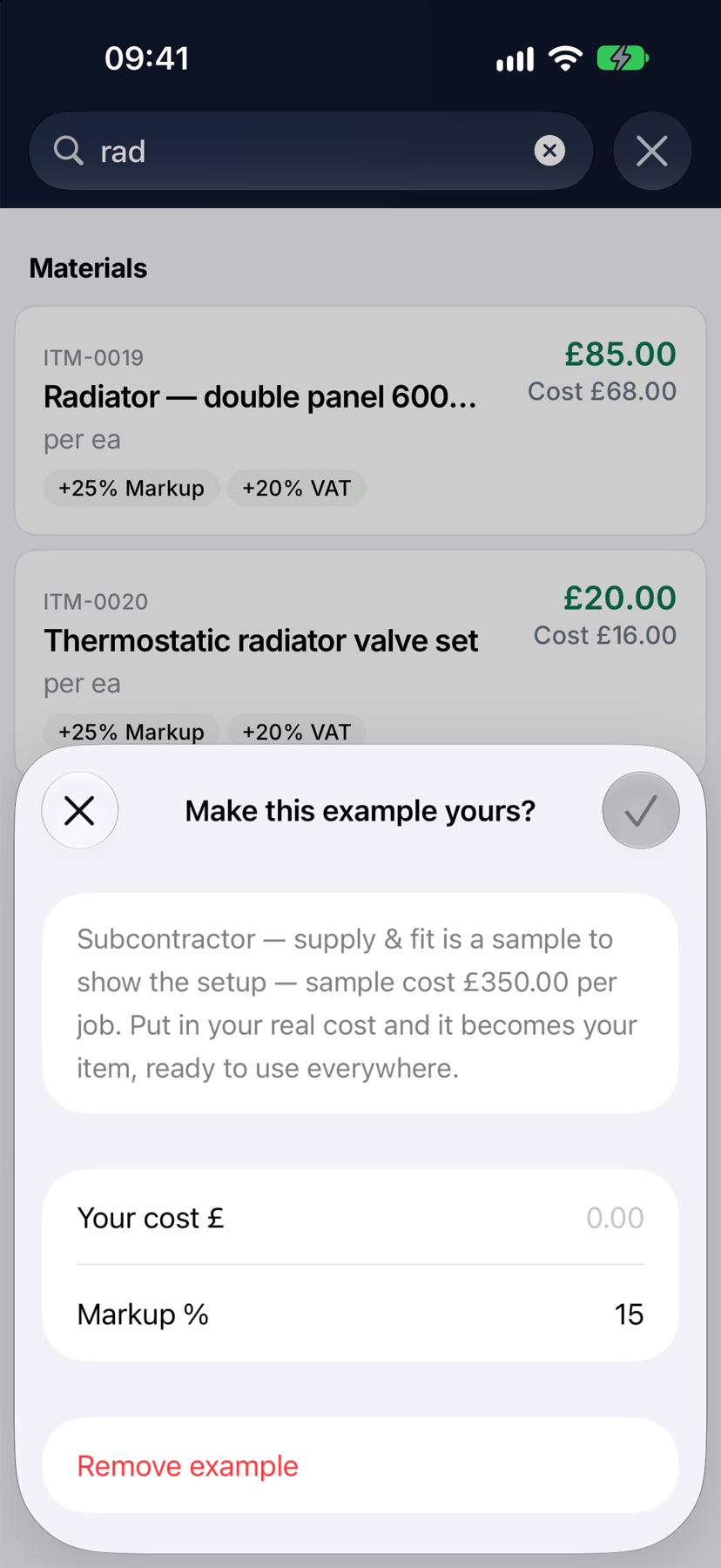
A new company starts with example items so the price book is not empty. Tap one to open Make this example yours?, type Your cost and a markup, and tap the tick. Tap Remove example if you do not sell it.
Using the price book
On a quote or invoice, tap Add line and type in What is it?. Matching price book items appear as you type. Tap one and its cost, markup and price are filled in.
More in Quotes & invoices →
- Send your first quoteFrom a blank quote to the customer's inbox — and what they see when it arrives.
- QuotesBuild a quote from cost lines, send it, and let the customer accept it online.
- Revise a quote or add a variationChange a sent quote without losing the original, or price extra work as a variation.
- Turn an accepted quote into a jobCreate the job from the quote the customer accepted.
See what else Job costing can do. Still stuck? Email support@jobivo.co.uk and we'll get back to you.