Turn an accepted quote into a job
Create the job from the quote the customer accepted.
Why create the job from the quote
Once a customer accepts a quote, the work needs a job: somewhere to list the tasks, assign people and collect the photos. Creating it from the quote carries the customer across and keeps the two linked.
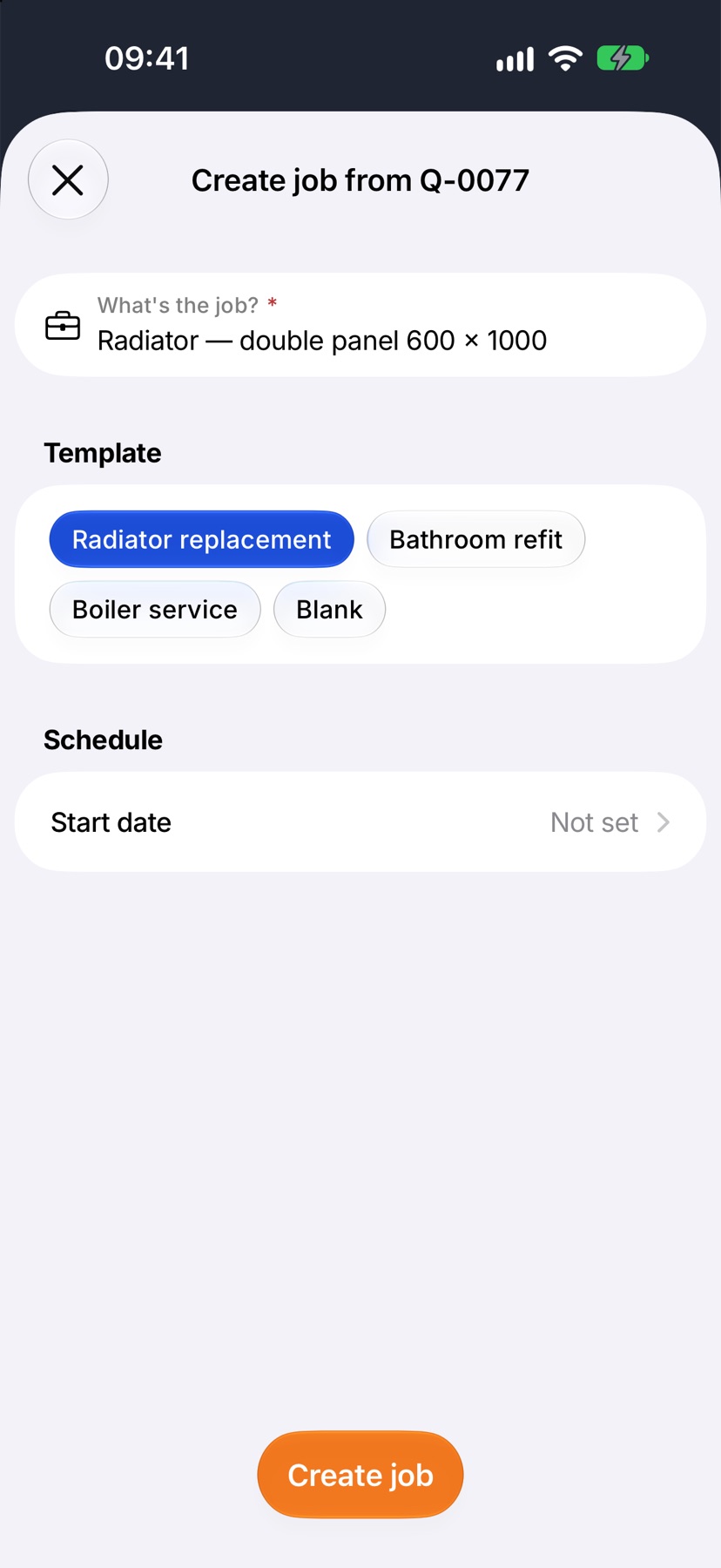
The job is named from the quote's first line. You can change the name before you create it.
Where to start
Open the accepted quote. Tap Create job.
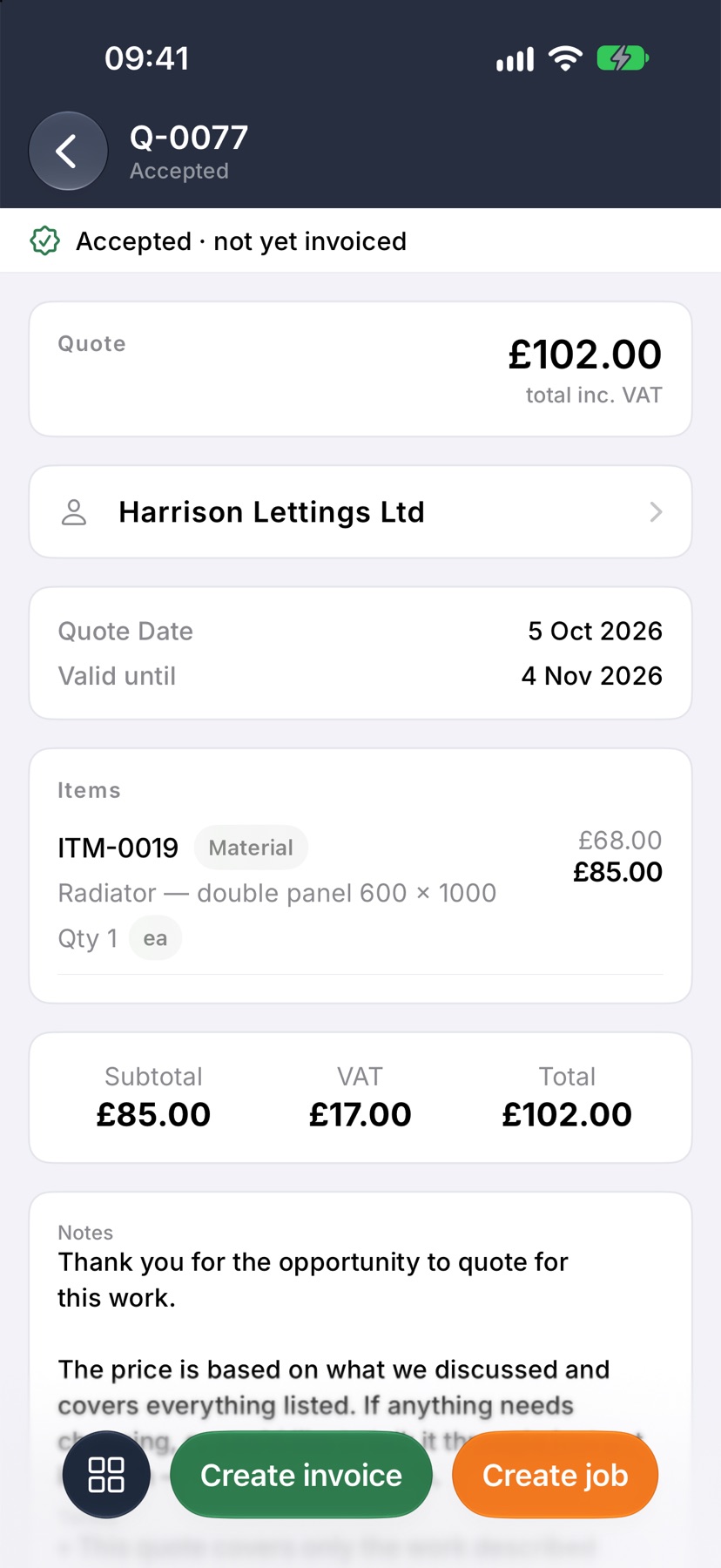
Check the name and pick a template
Create job from the quote opens. Check What's the job?, tap a Template to load its tasks or leave it on Blank, and set a Start date if you know it. Tap Create job.
After the job is created
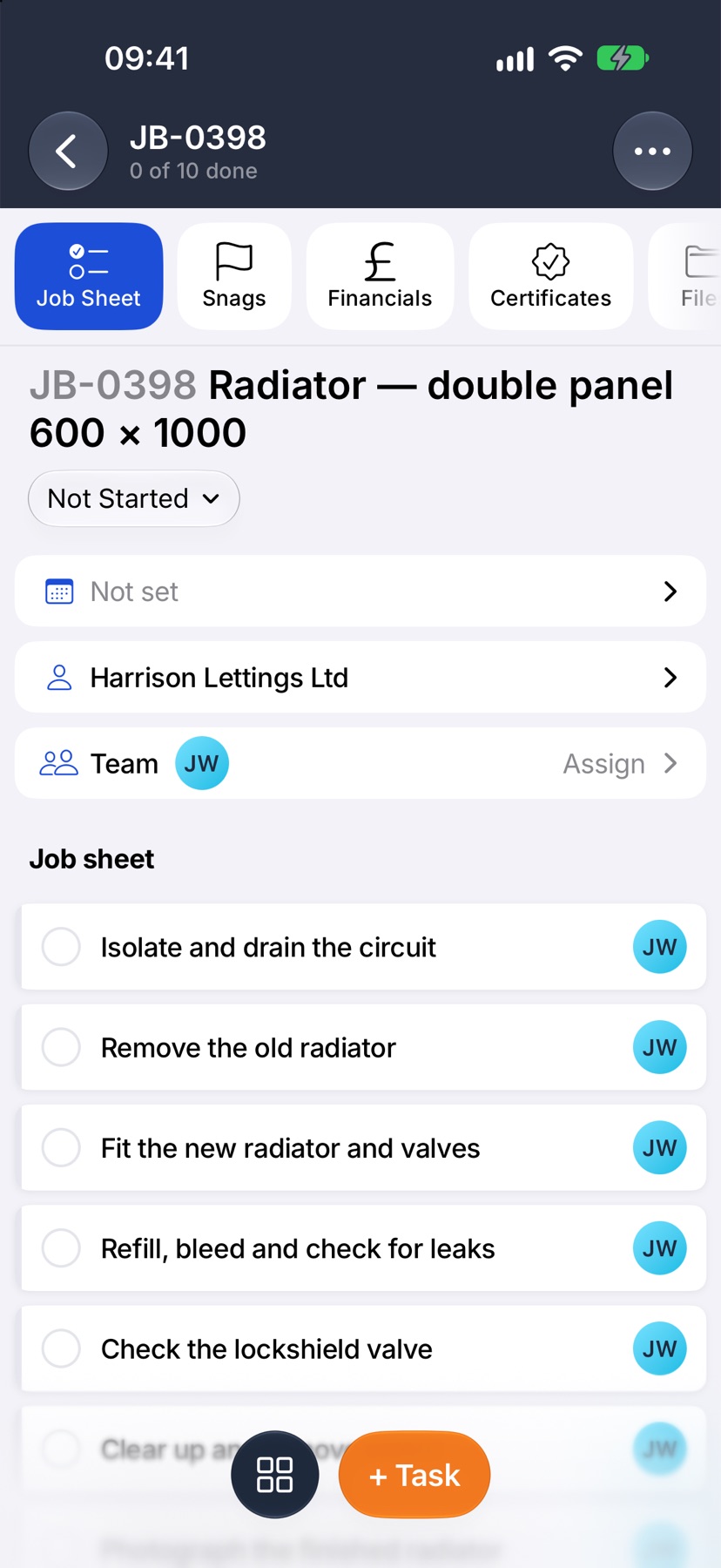
The new job opens on its Job Sheet with the customer from the quote and the template's tasks. Rename the job if the quote line does not describe it, and go to Financials to find the quote it came from.
More in Quotes & invoices →
- Price bookBuild your cost items once, then price any job in minutes without showing your margin.
- Send your first quoteFrom a blank quote to the customer's inbox — and what they see when it arrives.
- QuotesBuild a quote from cost lines, send it, and let the customer accept it online.
- Revise a quote or add a variationChange a sent quote without losing the original, or price extra work as a variation.
Still stuck? Email support@jobivo.co.uk and we'll get back to you.