Assign people
Assigning is how work reaches a phone. A contractor sees the jobs they're assigned to and nothing else — so assignment isn't just a label, it's who can open the job at all.
Assign from the job#
Open the job and click the Job teamfaces beside the job sheet's title. The roster drops down in place — search for a name, tick people to assign, untick to remove. Nothing happens until you save, so you can rearrange the whole team in one go. Everyone you add gets notified.
Sub-jobs and tasks start with the job's team#
A new sub-job starts with its parent job's team, and a new task with its own job's. Change a team later and only that job changes — tick Copy down before you save to make the same change on the tasks and sub-jobs already there. Each sub-job has its own Sub-job team beside its title.
Or assign a person to several jobs#
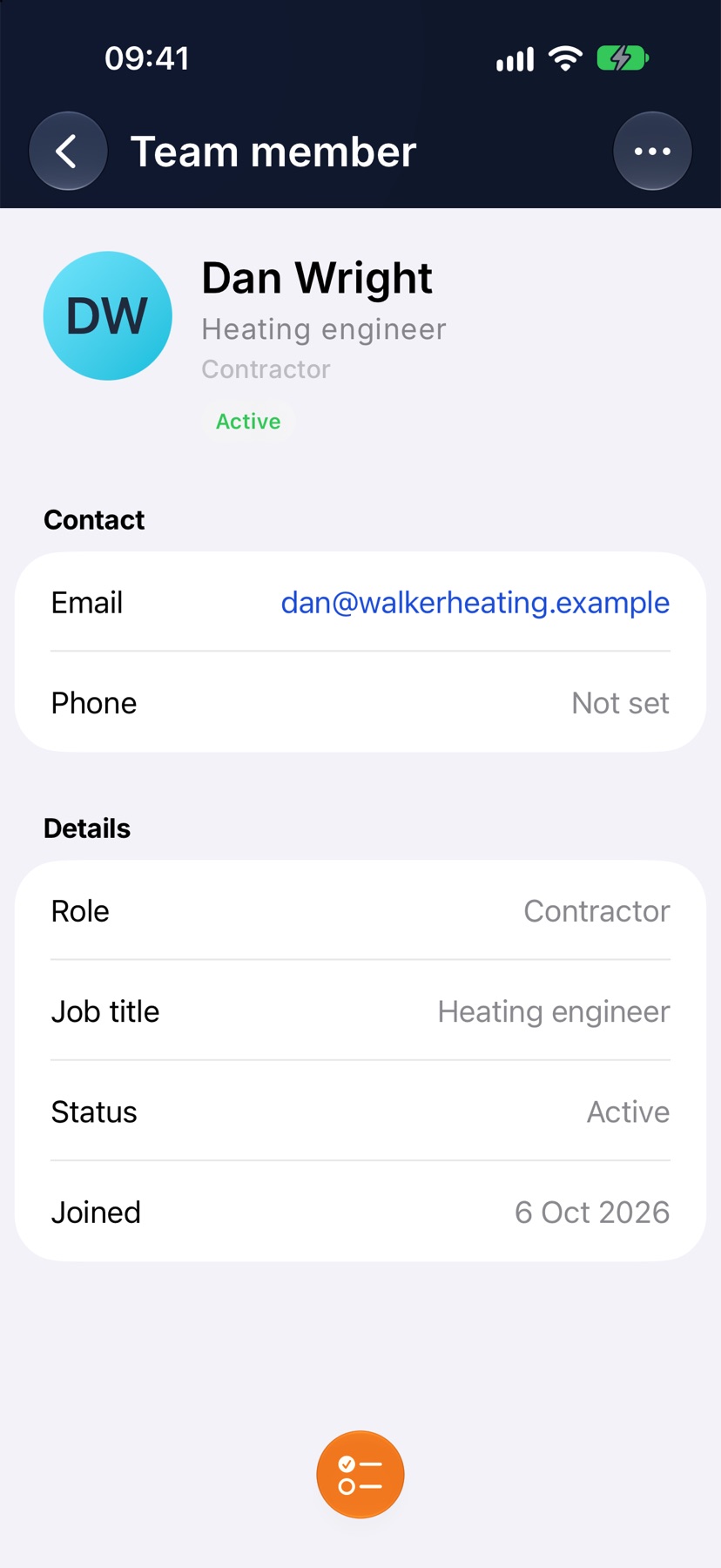
Coming at it from the other end — open a team member and add them to a batch of jobs at once. Same menu, the other way round. It's the quicker path when you're planning one person's week.
People you haven't onboarded yet#
Someone you've invited but who hasn't signed up yet shows as Pending invite. You can still assign them — the work is waiting the moment they accept, so you don't have to remember to come back.
See who's on what, at a glance#
Assigned people show as a stack of faces on the jobs list and on the job itself. No opening records one by one to find out who's where.
Go finer than the whole job#
On a job sheet with groups, each group carries its own people — first fix to one pair, second fix to another. Individual tasks can be assigned too. Useful when several trades pass through the same job.
Tip — a contractor sees only the jobs they're assigned to. If someone says a job has vanished from their phone, check the assignees first — it's almost always that.
Put people on a job, a task or several jobs, so the work shows in their app.
What assigning does
Assigning is how work reaches someone's phone. A person assigned to a job sees that job in their app. A contractor sees the jobs they are assigned to and nothing else.
You can assign at two levels. The job's team is everyone on the job. A task can have its own people, who then see only that task.
If someone says a job has gone from their phone, check who is assigned to it first.
Where to start
Open the job. Near the top of Job Sheet is the Team card, with the faces of whoever is on the job. Tap Assign on that card.
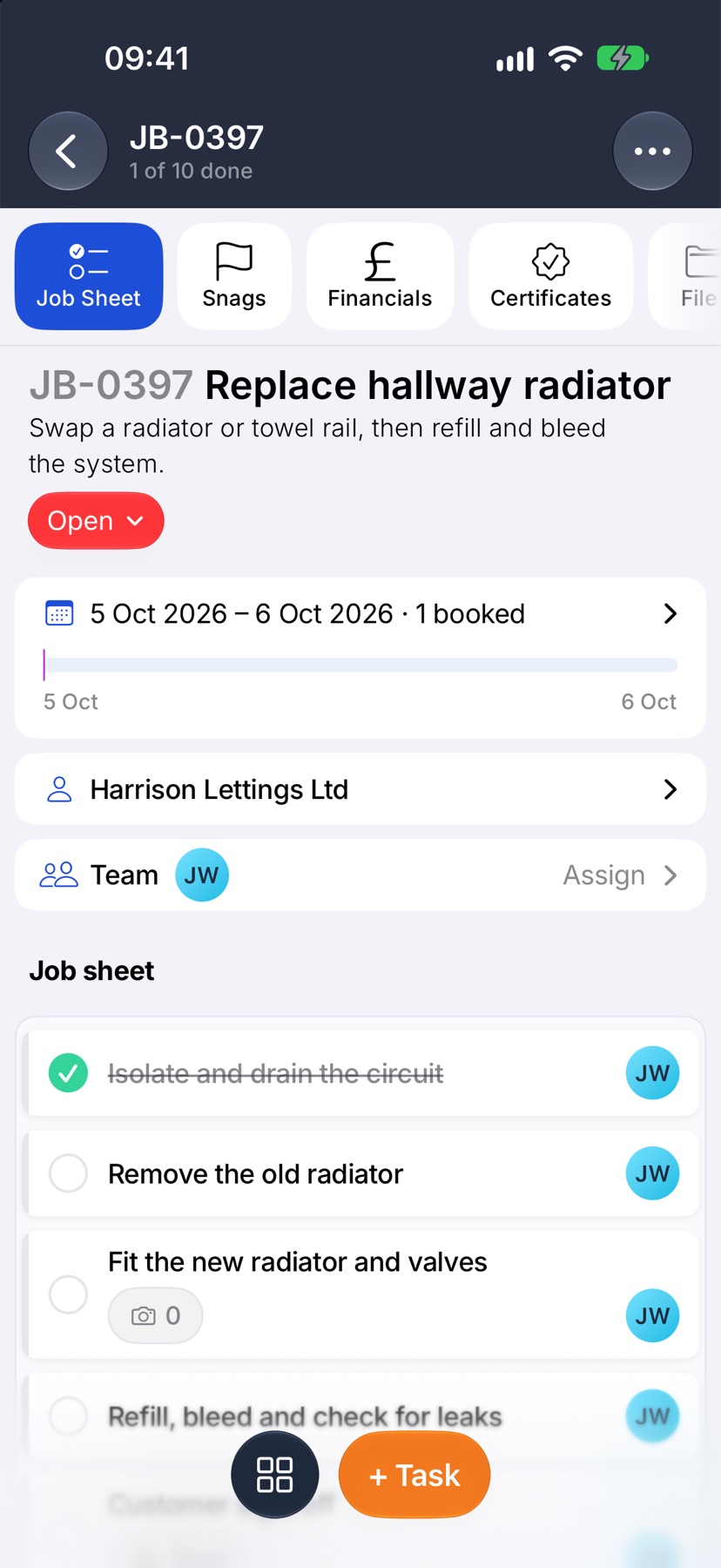
Choose the job's team
Assign team opens with everyone in your company. Tap a person to tick them, and tap again to take them off. Each change is saved as you make it. Swipe the sheet down when you have finished.
Tick Copy down first to make the same change on the tasks and sub-jobs already on the job. Without it, only the job's own team changes.
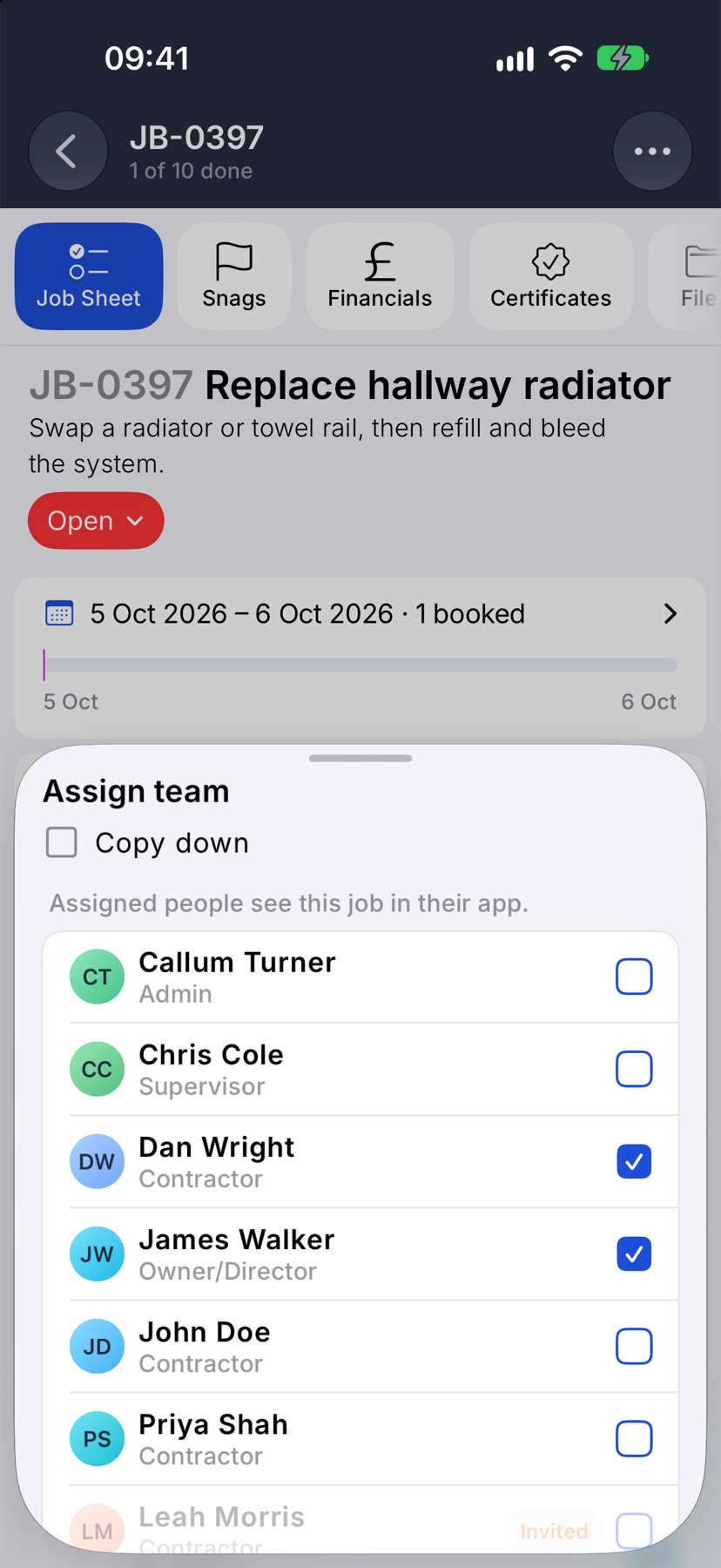
New tasks start with the job's team. A new sub-job starts with its parent job's team.
Assign one task
Tap the task to open it and tap Assigned. Tick the people and tap the tick at the top right. The line at the top reminds you that they see only this task.
You can also tap the faces on the task's card on the job sheet to open the same list.
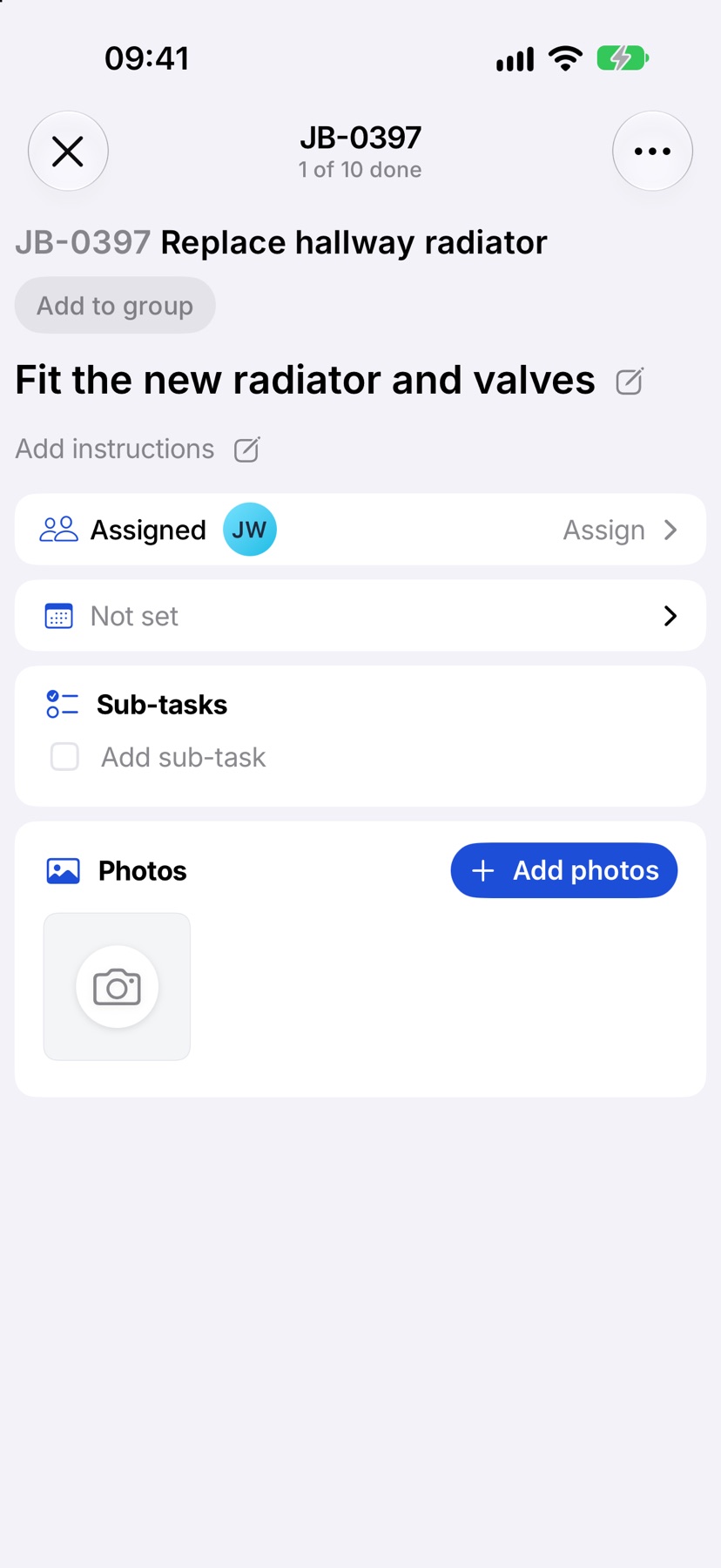
Assign several tasks together
Tap the three dots at the top right of the job and tap Select tasks. Tick the tasks, then tap Assign in the bottom bar.
Choose Add to what's there to keep the people already on them, or Replace with to make your choice the whole team on each. Tick the people and tap the tick at the top right.
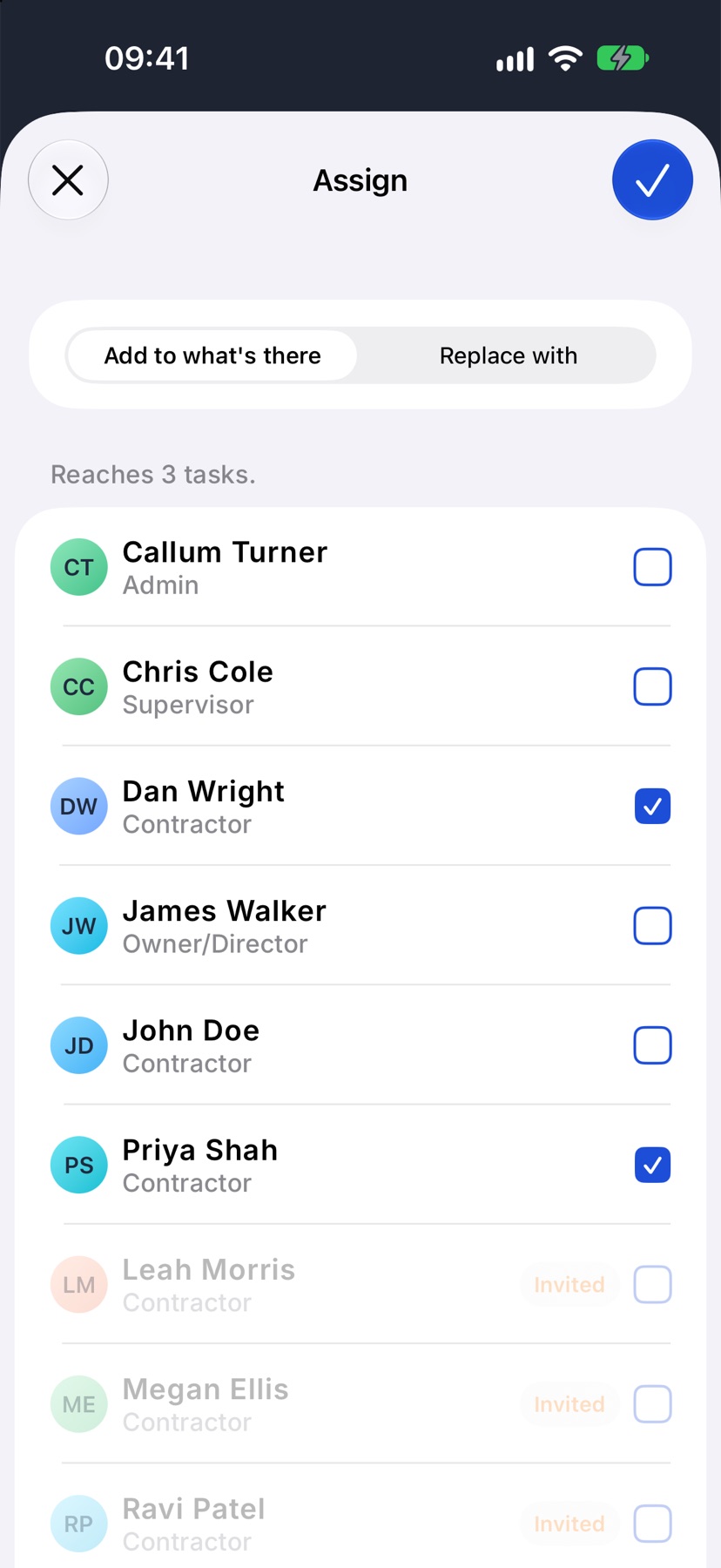
Assign several jobs together
On Home with Jobs selected, tap and hold a job and tap Select. Tick the other jobs, then tap Assign at the bottom.
In Assign team, tick to assign and untick to unassign. A person who is on some of the jobs shows how many. Tap the tick at the top right to apply.
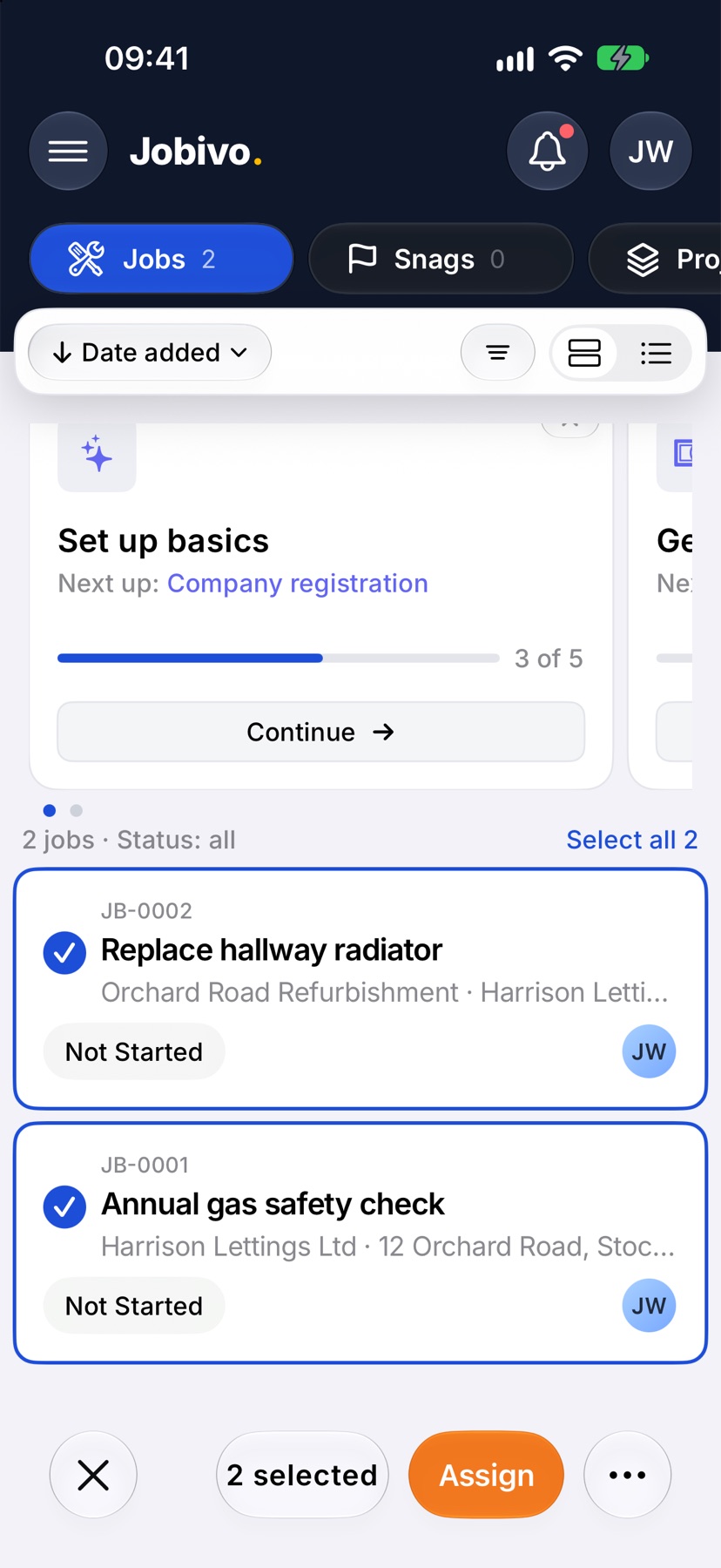
Give one person a batch of jobs
Coming at it from the person: on Home, select Team and tap the team member. Tap the orange assign button at the bottom. Tick the jobs they should be on, using Search jobs to find them, and confirm with the button at the bottom.
After you assign
The job appears in each person's app. Their faces show on the job's card on Home, on the Team card on the job, and on each task they are on, so you can see who is on what without opening anything.
More in Jobs →
- Create a jobStart a job: the customer, the dates, the job sheet and any compliance it needs.
- The job pageHow one job page tracks the work, the photos and the money in one place.
- The job sheetBuild the tasks your team works through on site, and ask for photo evidence where it matters.
- Complete tasks and add evidenceComplete a task with the photos, notes or signature it asks for — and what to do when it won't tick.
See what else Team can do. Still stuck? Email support@jobivo.co.uk and we'll get back to you.