Sub-jobs
Break a job into parts that each have their own number, tasks, team and costs.
What a sub-job is
A sub-job is a part of a job that is tracked on its own. It has its own number, taken from the parent job, such as JB-0241-1. It has its own job sheet, its own team and its own costs.
Use a sub-job when a part of the work needs its own line on the quote and invoice, or is done by different people at a different time. A kitchen and a bathroom on one refurbishment are two sub-jobs. Use a group instead when you only want to arrange tasks under a heading.
A sub-job shares the parent job's customer, address and setup. Its title and description are what the customer reads on quotes and invoices.
Where to start
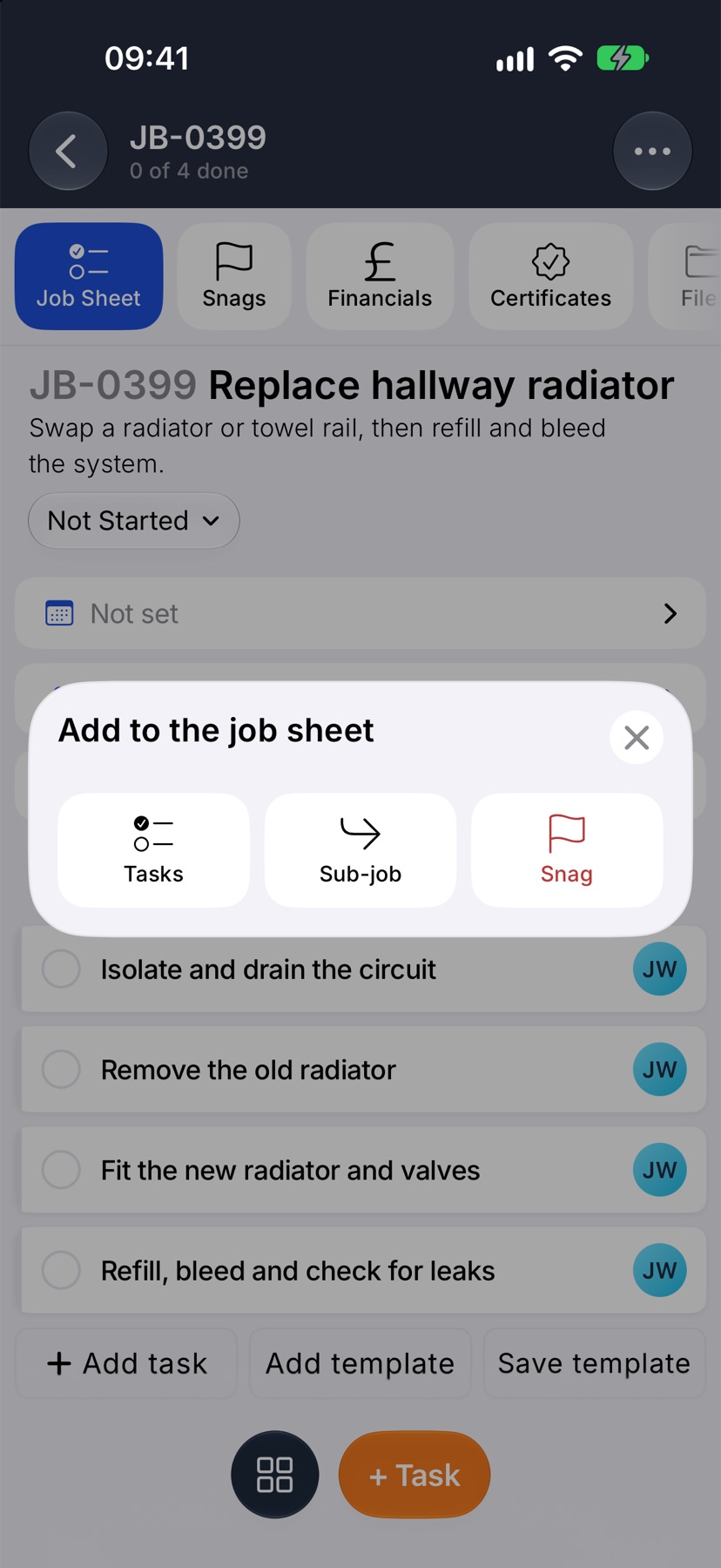
Open the parent job. On Job Sheet, tap the round grid button at the bottom of the screen. Add to the job sheet opens. Tap Sub-job.
Name the sub-job
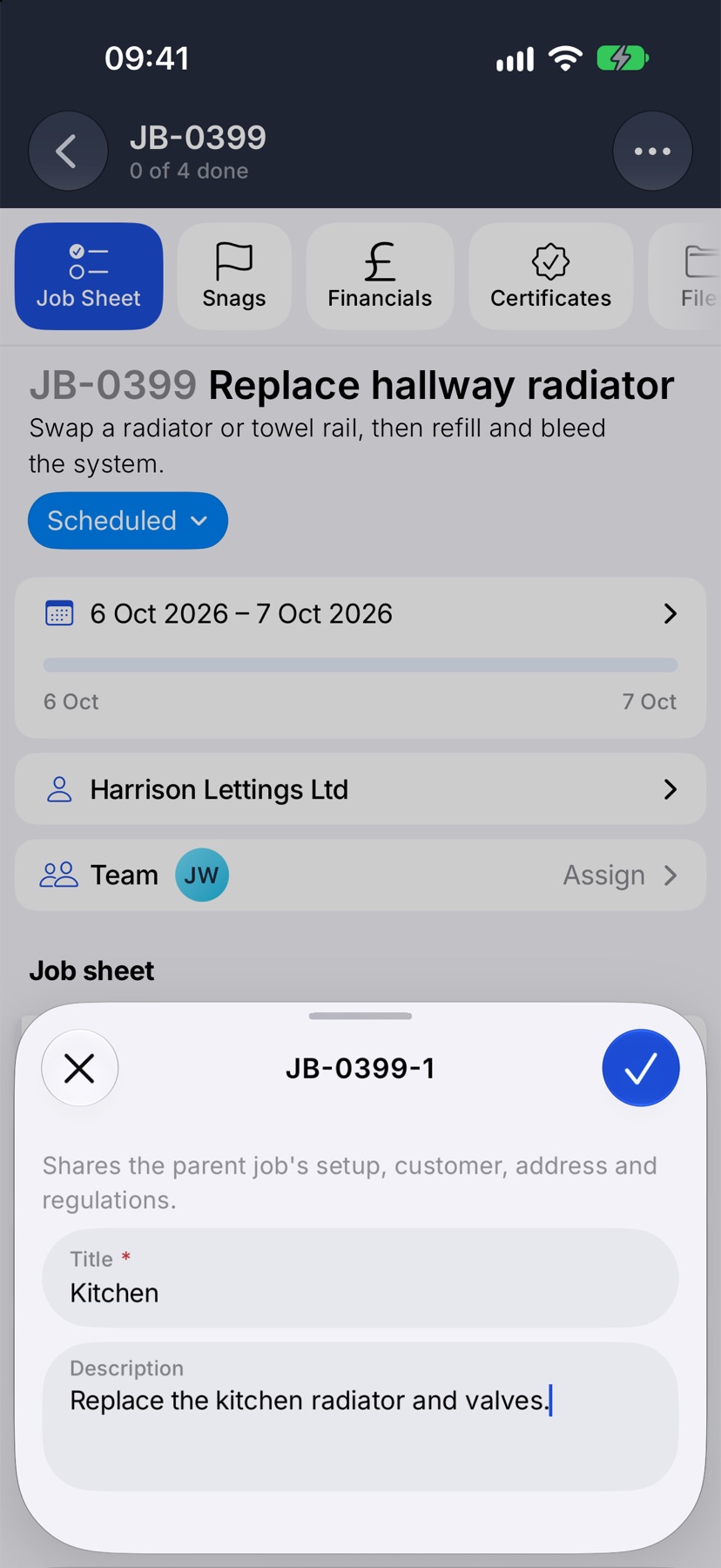
The sheet is headed with the number the sub-job will get. Type a Title, such as “Kitchen”. Add a Description if you want one line more under the title on the paperwork.
Tap the tick at the top right. The sub-job is added to the job.
Work the sub-job from the parent
The parent's job sheet now has a section for each part. Parent job holds the tasks that belong to the job itself. Each sub-job follows under its own title and number, with its own tasks.
Tap Add task at the end of a section to add tasks to that sub-job. Tick tasks here as you would on any job sheet. Tap Sub-job team on a section's heading to choose who is on it.
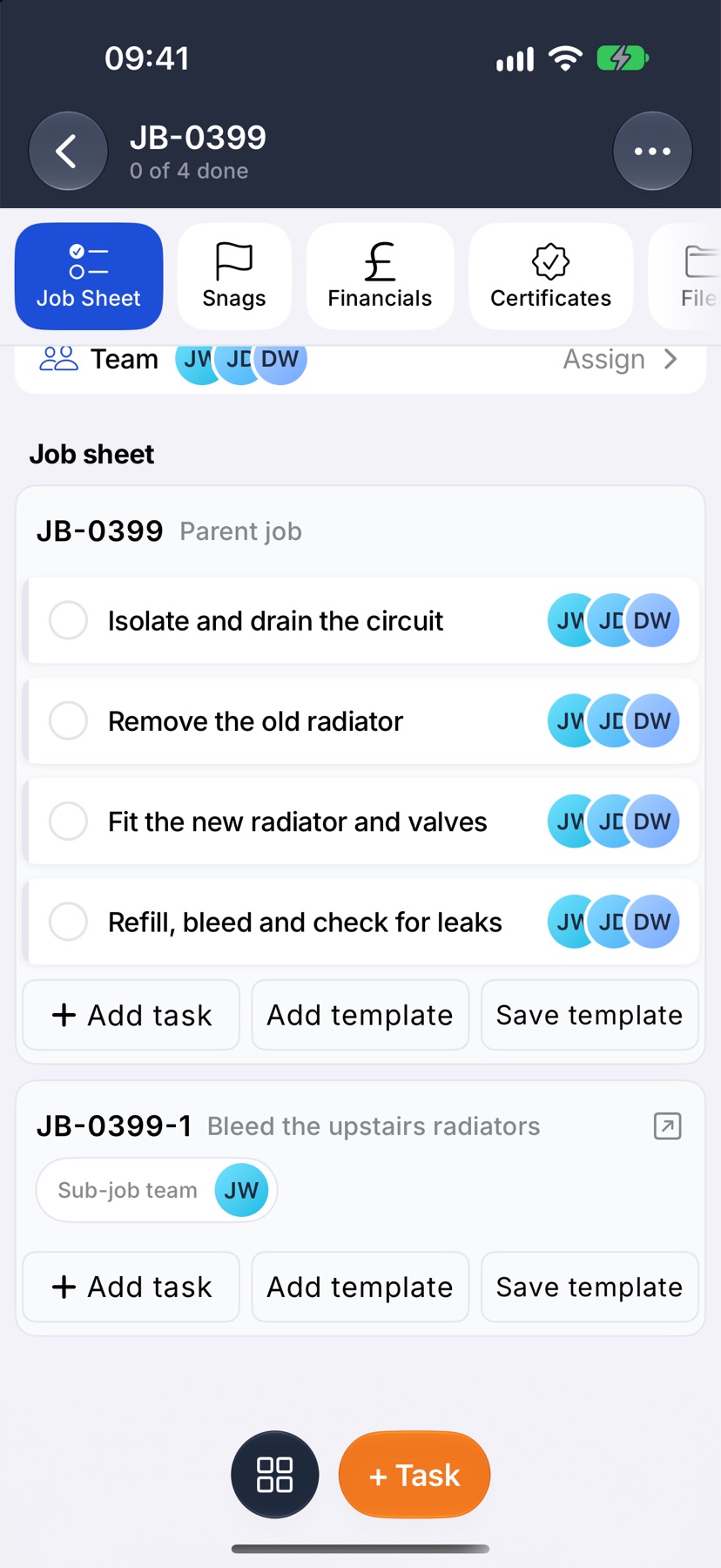
Tap a sub-job's heading to open it as a job page of its own. Its top card shows Part of and the parent job, which takes you back.
Turn a task into a sub-job
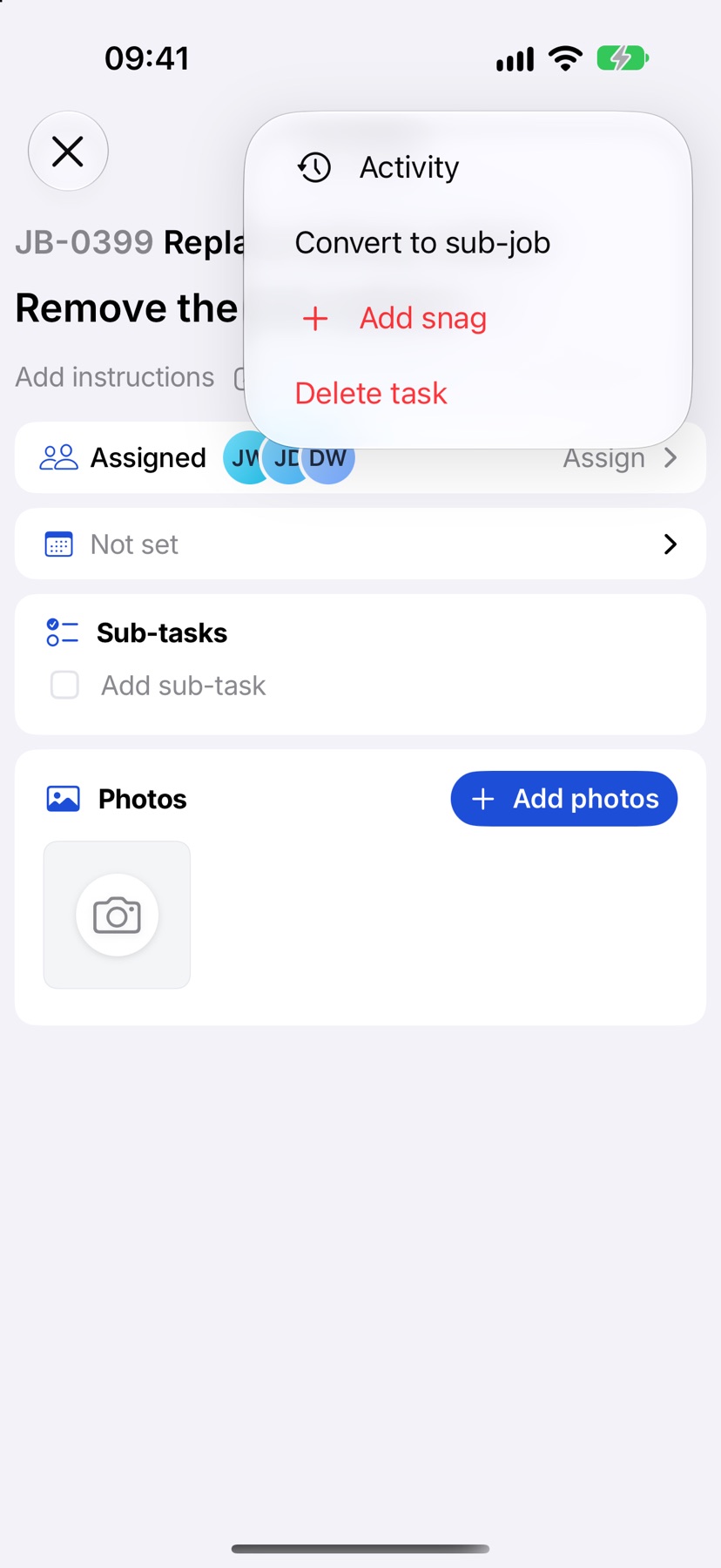
When a task has grown into a piece of work of its own, tap the task to open it. Tap the three dots at the top right and tap Convert to sub-job, then Convert.
The task becomes its own sub-job. Its sub-tasks, photos and snags move with it.
Sub-jobs on costs, quotes and invoices
Quotes and invoices are raised on the parent job and cover all of its sub-jobs. Each sub-job's title and description are shown on them.
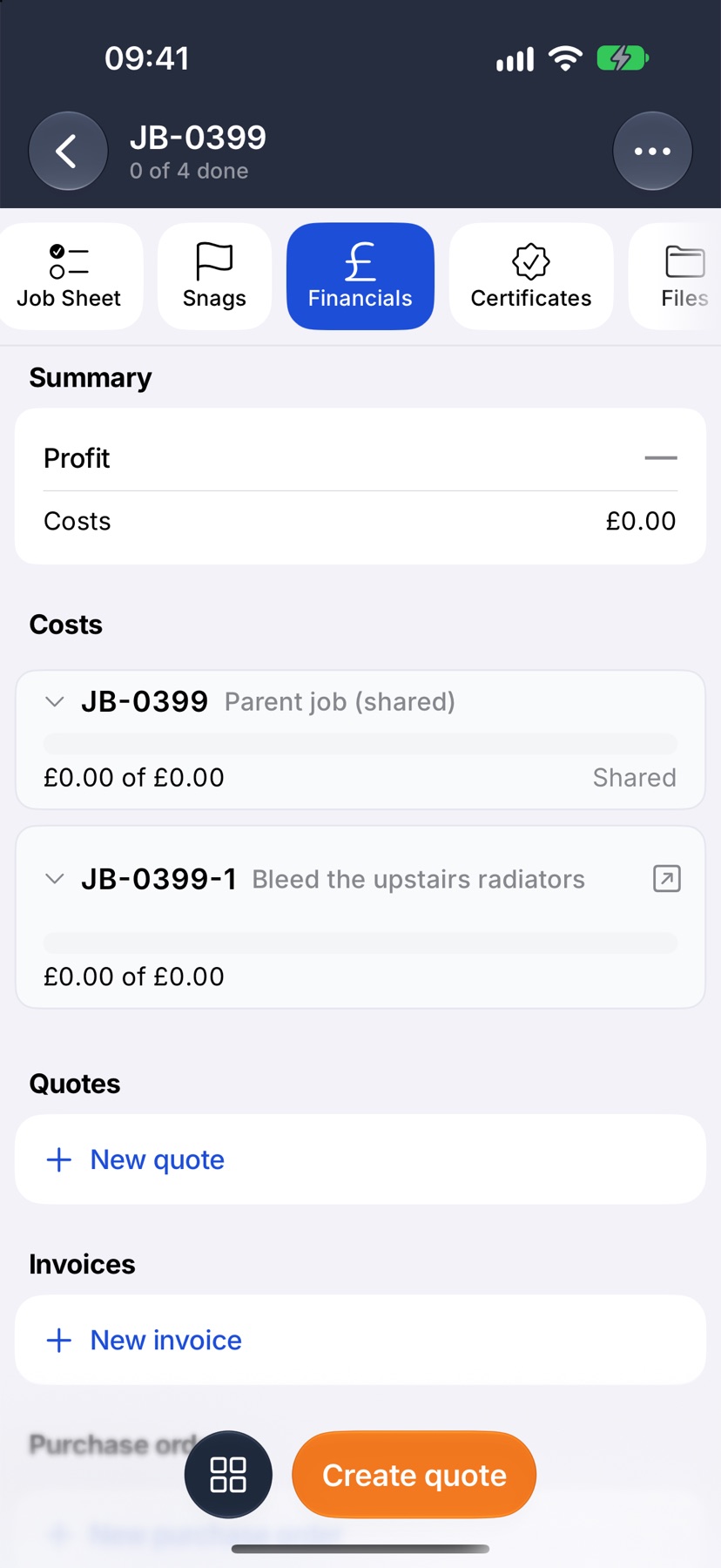
On the parent's Financials tab, the summary covers the whole job. Under Costs, each sub-job has its own row with its spend, its price and its margin.
Finishing a job with sub-jobs
A parent job cannot be completed while one of its sub-jobs is still running. Complete each sub-job first. You can still add a sub-job to a job that is already complete, for after-works.
More in Jobs →
- Create a jobStart a job: the customer, the dates, the job sheet and any compliance it needs.
- The job pageHow one job page tracks the work, the photos and the money in one place.
- The job sheetBuild the tasks your team works through on site, and ask for photo evidence where it matters.
- Complete tasks and add evidenceComplete a task with the photos, notes or signature it asks for — and what to do when it won't tick.
Still stuck? Email support@jobivo.co.uk and we'll get back to you.