Groups of tasks
Groups split a long job sheet into stages — first fix, second fix, commissioning. On a two-day job they're noise; on a three-week one they're the difference between a job sheet you can read and a wall of fifty tasks.
Add a group, then fill it#
Add group drops a band into the job sheet. Give it a name and, if it helps, a description explaining what “done” looks like for that stage. Tasks below the band belong to it.
Drag to organise#
Grab a group by its handle and move it — its tasks travel with it. Drag a task onto a band to file it under that group, or out of one to leave it ungrouped. Ungrouped tasks are fine; a job sheet doesn't have to be fully grouped.
Each group can have its own team#
Assign people to each group as well as the job: the sparks on first fix, the plumber on second. They see the work that's theirs. Save the sheet before assigning a brand-new group; it needs to exist first.
Deleting a group keeps the work#
Remove a group and its tasks stay, simply ungrouped. You're deleting the grouping, never the work or the evidence attached to it — so reorganising a job sheet is safe.
Tip — groups earn their keep when different people do different stages. If one person does the whole job start to finish, a flat list of tasks is easier to work through. Need a separately referenced part of the job instead? That's a sub-job.
Split a long job sheet into named groups, such as first fix and second fix, and put the right people on each.
What a group is
A group is a named heading on the job sheet with tasks filed under it. A bathroom refit might have “Strip out”, “First fix” and “Second fix”, each with its own tasks.
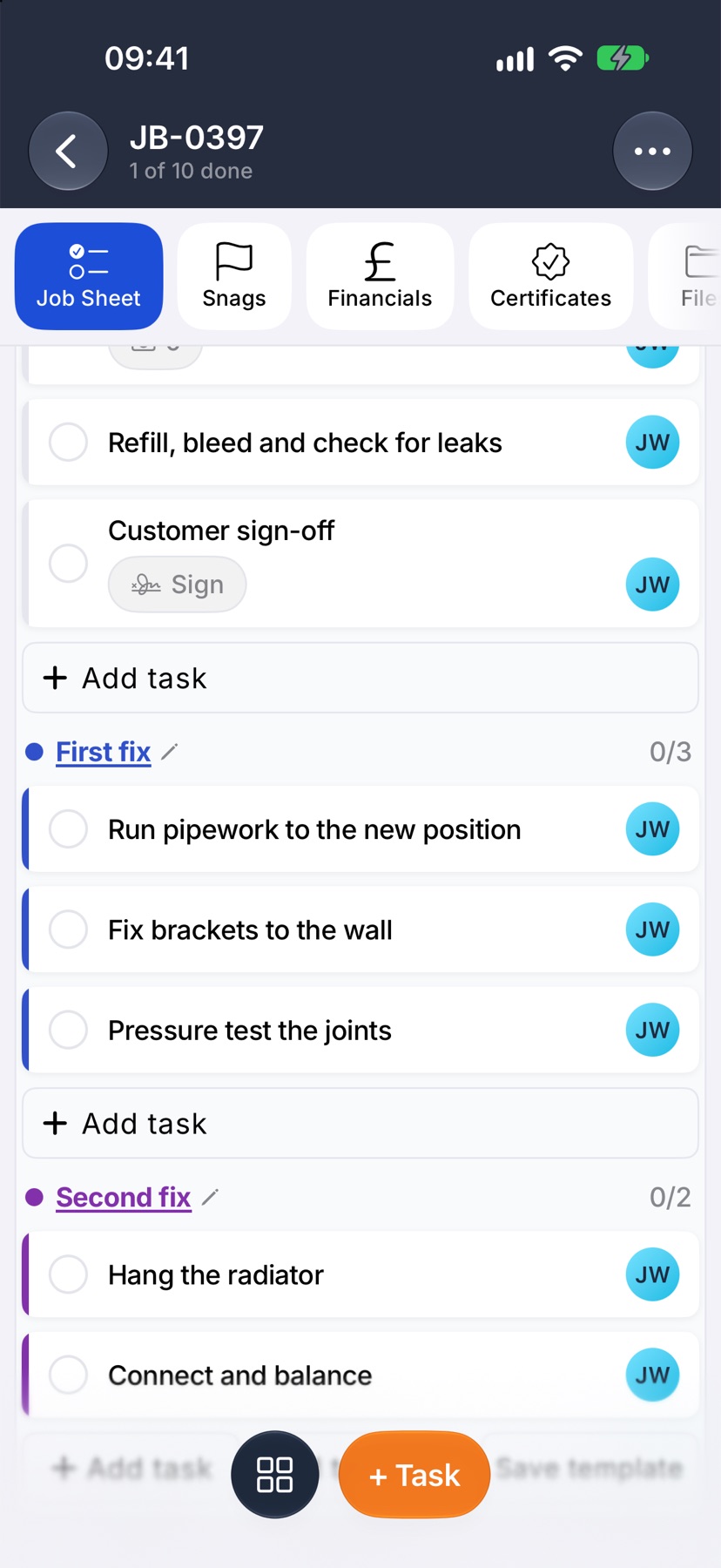
Groups make a long sheet readable. Each heading shows how many of its tasks are done, so you can see which stage the job has reached without counting.
A short job does not need them. Tasks with no group sit together on the sheet and work the same way.
Where to start
Open the job. It opens on Job Sheet. Tap + Task at the bottom of the screen. Add tasks opens, and the group is chosen in the row under the box you type in.
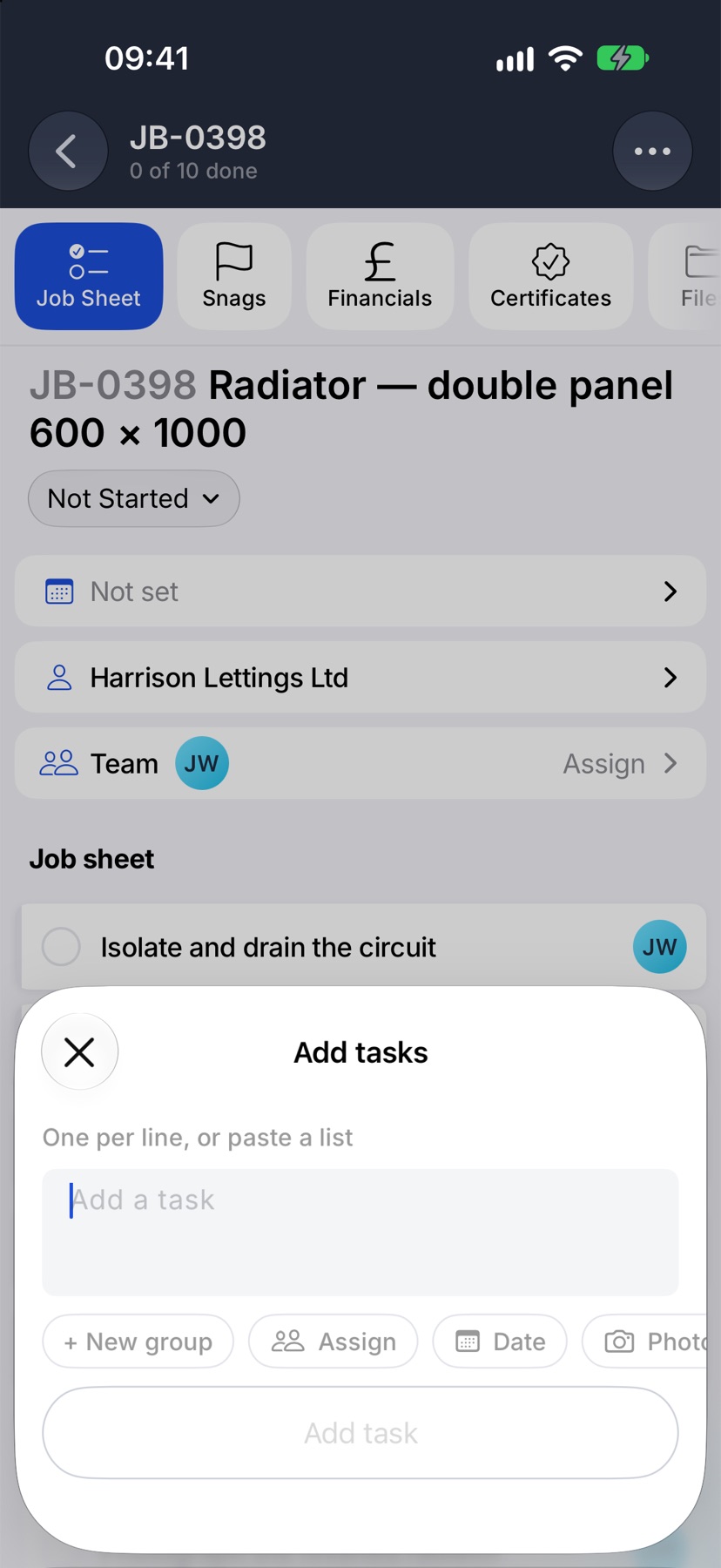
Make a group as you add its tasks
On a job with no groups, tap + New group. On a job that already has some, tap the group button, which reads No group, and tap New group…
Type the name in Group name and confirm. Then type the tasks, one per line, and add them. They land under the new heading.
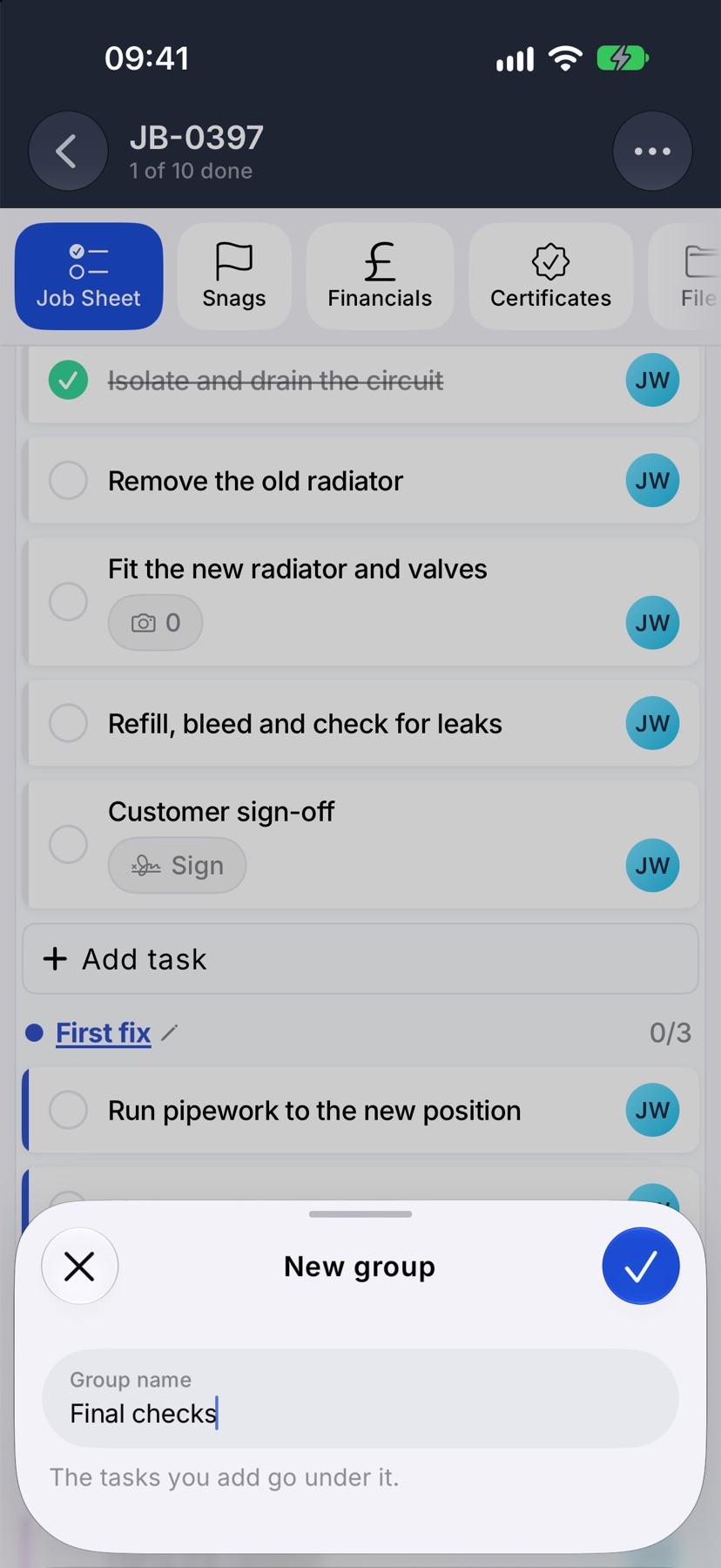
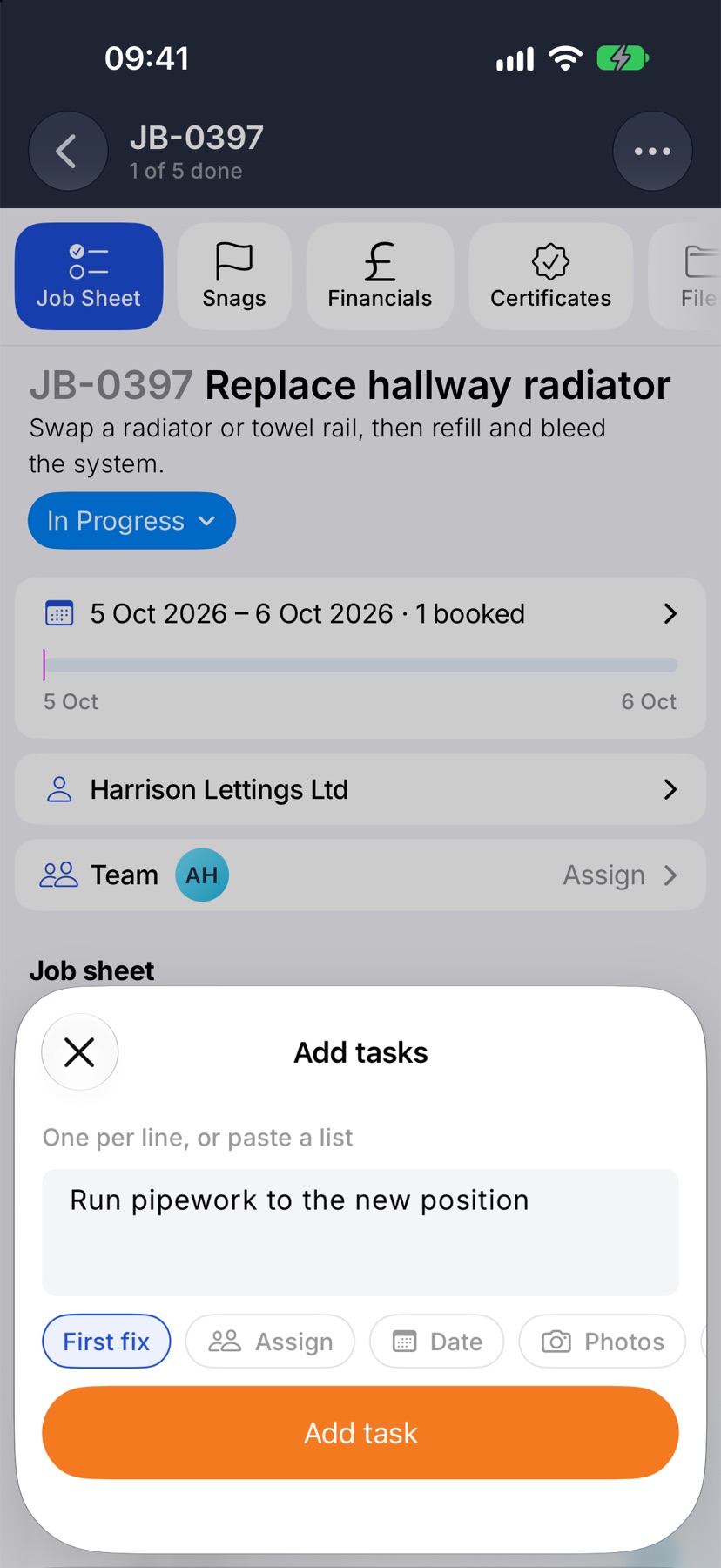
Add more tasks to a group
Each group ends with its own Add task row. Tap it and the tasks you type go into that group.
From + Task at the bottom of the screen, tap the group button and pick the group from the list before you add.
Move a task into or out of a group
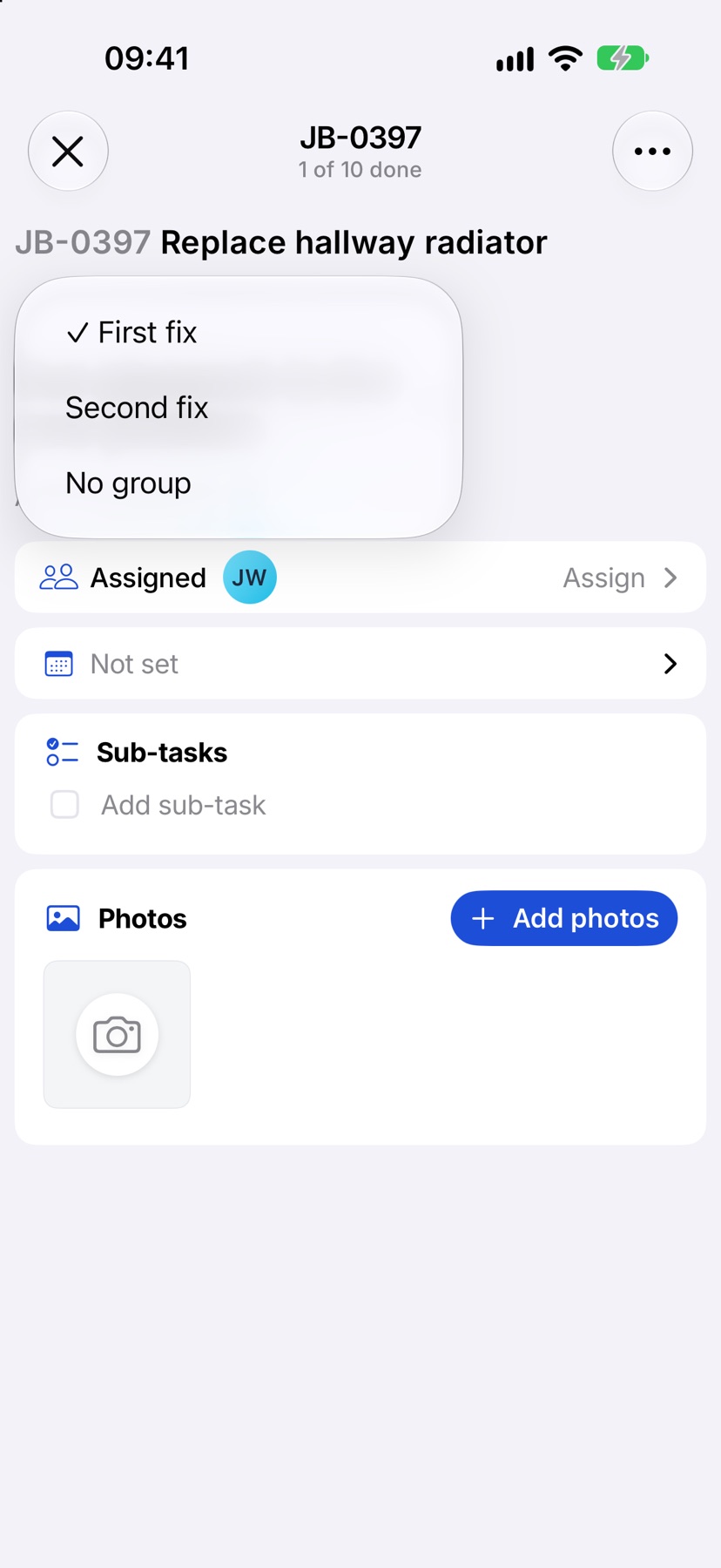
Tap the task to open it. A task in a group shows the group's name in a capsule above the task name. A task with no group shows Add to group. Tap it and choose the group, or No group to take the task out.
Rename a group
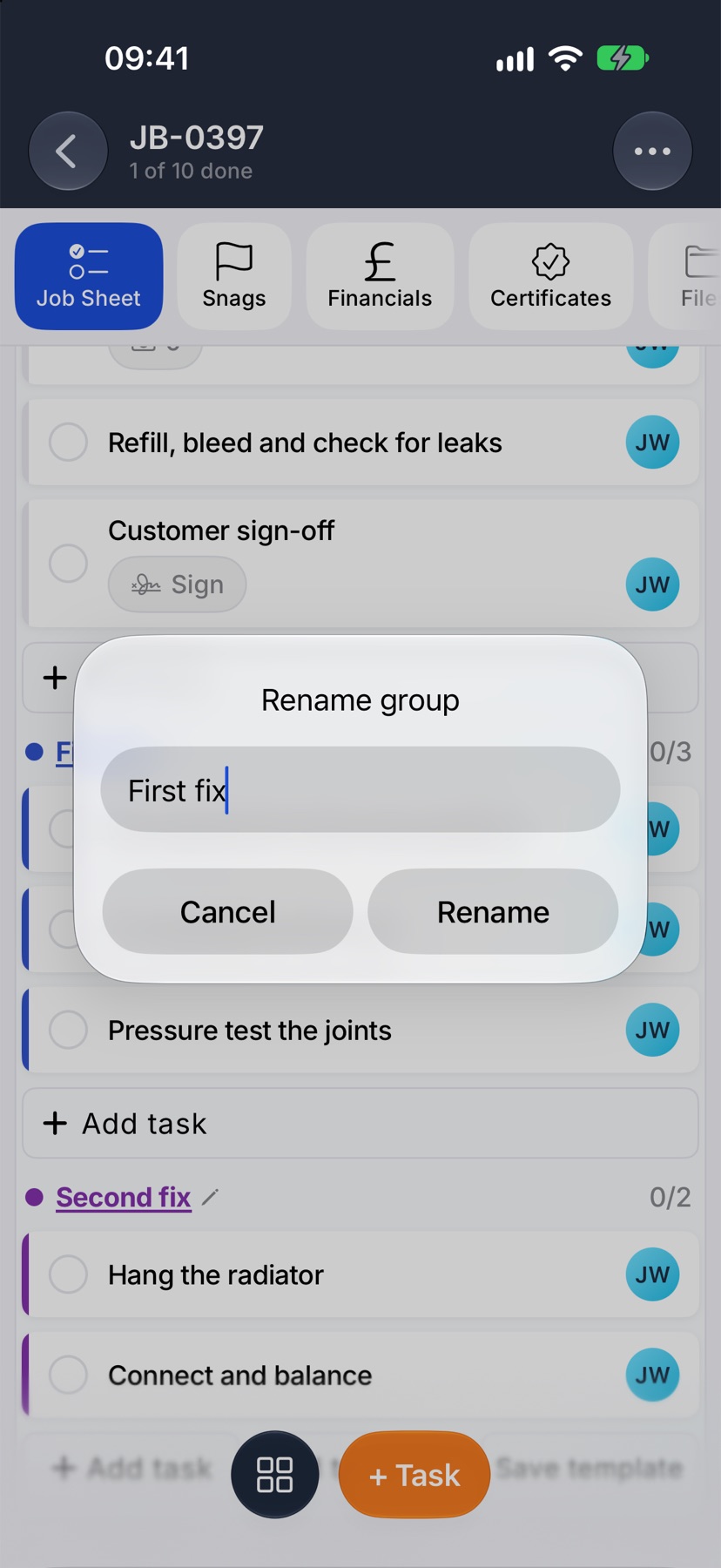
Tap the group's name on the job sheet. Change it in Rename group and tap Rename.
Put people on a whole group
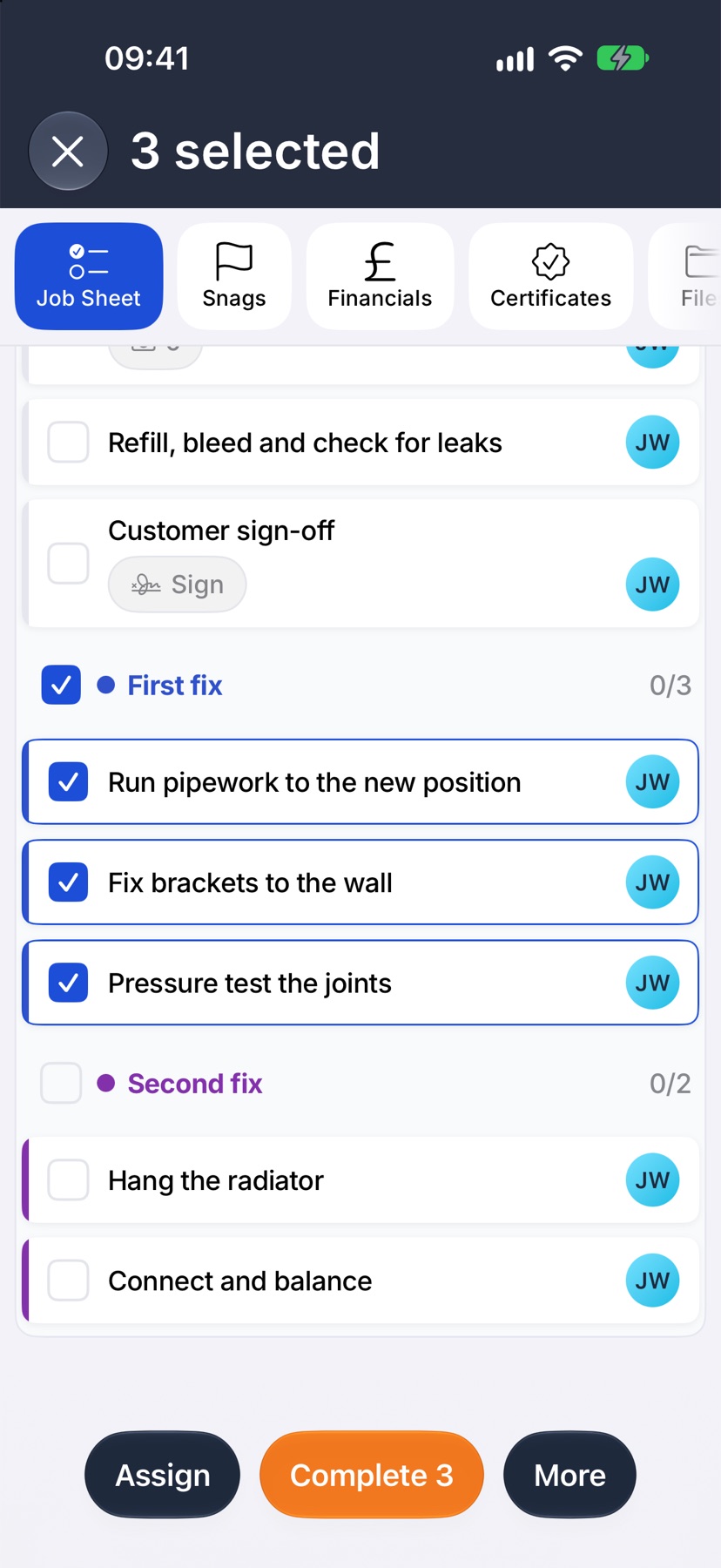
Tap the three dots at the top right of the job and tap Select tasks. Tick the box on the group's heading to select every task in it, then tap Assign in the bottom bar.
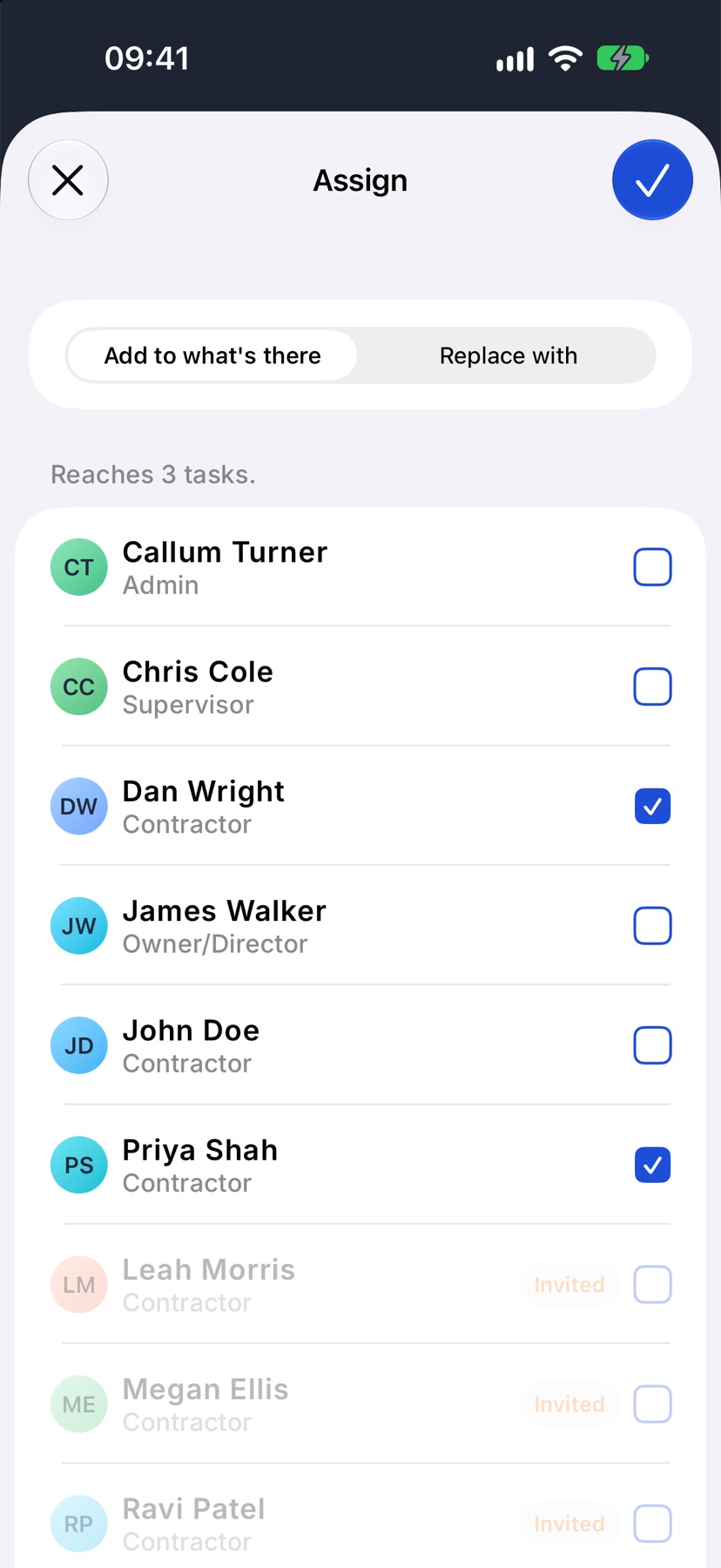
Choose Add to what's there to keep whoever is already on those tasks, or Replace with to make your choice the whole team. Tick the people and tap the tick at the top right.
As the work goes on
The figure at the right of each heading counts the group's tasks as they are ticked: 2/5, then 3/5. The job's own count covers every task on the sheet, grouped or not.
More in Jobs →
- Create a jobStart a job: the customer, the dates, the job sheet and any compliance it needs.
- The job pageHow one job page tracks the work, the photos and the money in one place.
- The job sheetBuild the tasks your team works through on site, and ask for photo evidence where it matters.
- Complete tasks and add evidenceComplete a task with the photos, notes or signature it asks for — and what to do when it won't tick.
See what else Job sheets can do. Still stuck? Email support@jobivo.co.uk and we'll get back to you.