The job page
This page is the whole picture of a job. Track the work and photos as a simple job sheet — and the moment you add costs, it turns into a live profit dashboard.
Add the costs#
Open Costs at the top of the job to build its cost breakdown — pick items from your price book, set quantities, and your cost, sell and margin are worked out live.
The dashboard switches on#
As soon as a job has a costing or a quote, the money cards light up: progress, quoted, invoiced and margin. Before that, it stays a clean job-sheet tracker — no empty charts.
Quote & invoice#
Generate a quote from the costing, send it, then convert it to an invoice. Their live status shows right here on the job — accepted, sent, part paid, paid.
Log actual costs#
As receipts and hours come in, open Costs and add them to the Expenses ledger at the bottom — date, category, supplier, amount. It’s built for speed: type, press Enter, next.
Estimate vs actual = real profit#
The dashboard lines up what you estimated, what you actually spent and what you invoiced, and shows your true margin — so you know if the job really made money.
Tip — no costing yet? The job still works as a clean job sheet. Add a costing whenever you want the money side.
Find your way round a job: its details, its five tabs, and the buttons that add to it.
What the job page is
The job page is everything about one job in one place. The top of the page says what the job is, who it is for, when it is planned and who is on it. The tabs under that hold the work, the snags, the figures, the certificates and the files.
You do not fill it in all at once. A new job is a list of tasks. Costs, quotes, photos and paperwork are added as the job goes on, each on its own tab.
Where to start
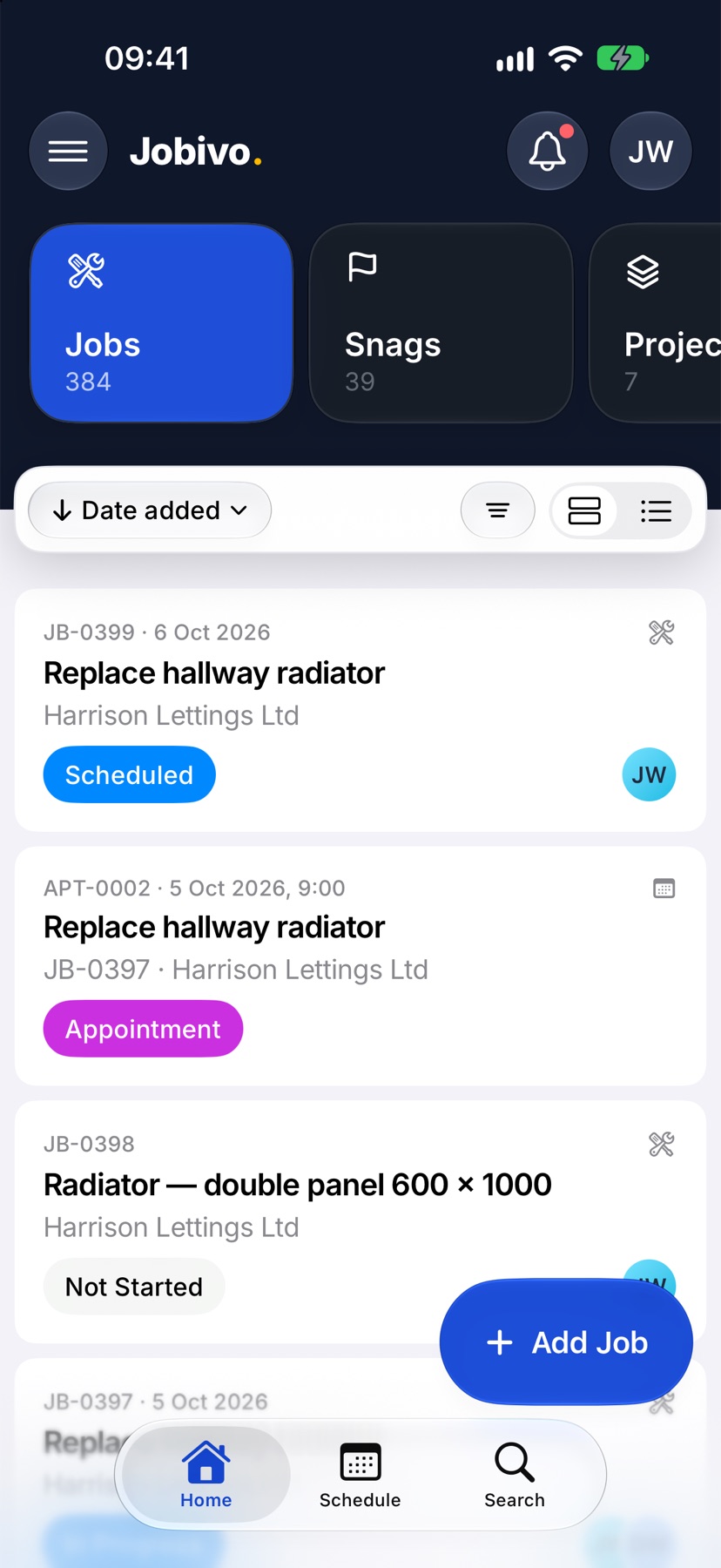
Open Jobivo on Home with Jobs selected at the top, and tap a job in the list. The job opens on its Job Sheet tab.
Read the top of the job
The job's number and name are at the top, with its description under them. The coloured capsule below is the status, such as Not Started or In Progress.
Three cards follow. The first is the job's dates: tap it to schedule the job. The second is the customer and the address. The third is Team: tap Assign to choose who is on the job.
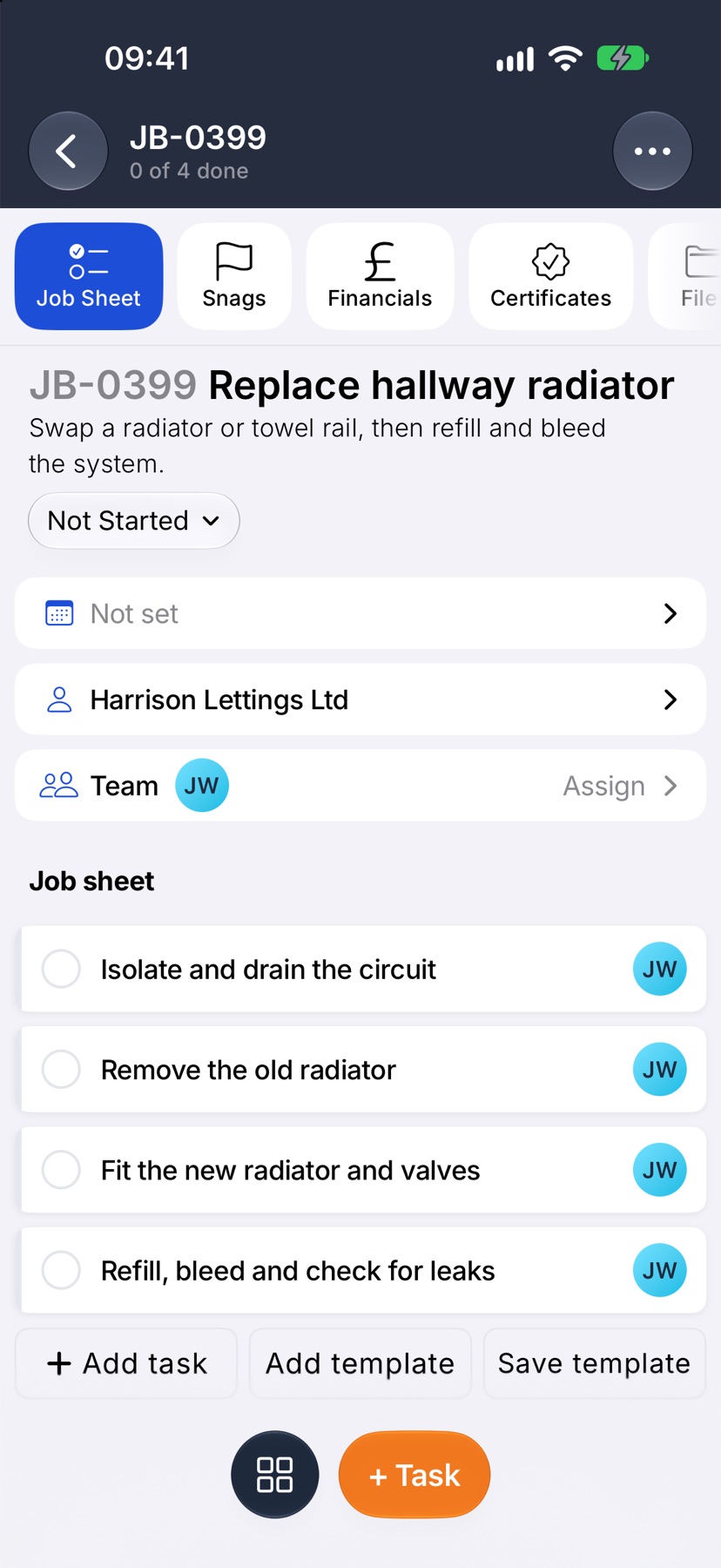
A job in a project shows the project's name in the second card. A sub-job shows the job it is part of. Tap either to go there.
Move between the tabs
The tabs run across the page: Job Sheet, Snags, Financials, Certificates and Files. Tap one to open it.
Job Sheet is the list of tasks. Snags is anything that needs putting right. Financials is the job's costs, quotes, invoices, purchase orders and expenses. Certificates is its compliance paperwork. Files is its documents, drawings and photos.
Add to the job from the bottom bar
The bar at the bottom changes with the tab. On Job Sheet it shows + Task. On Snags it shows + Snag. On Financials it starts a quote, on Certificates it shows + Certificate, and on Files Take photos.
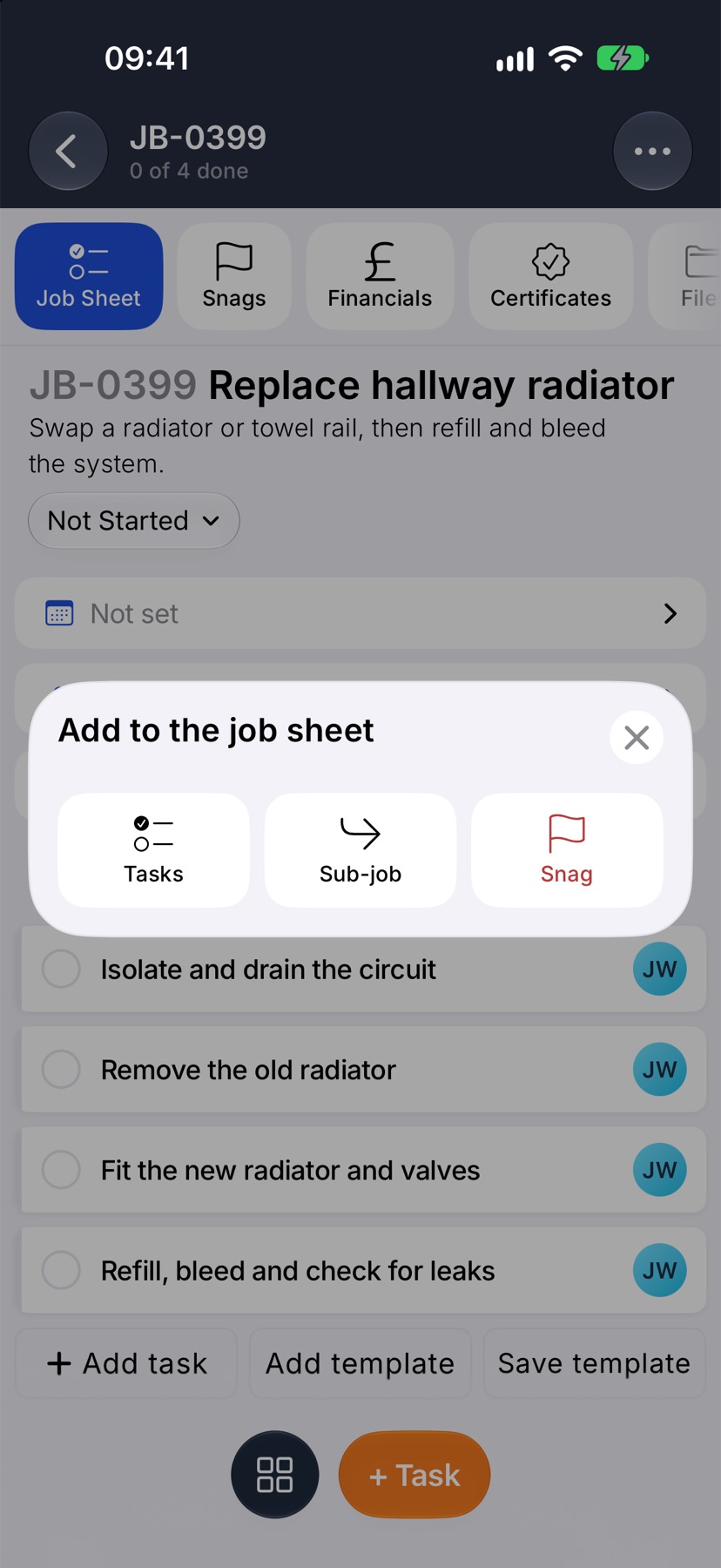
The round grid button to the left of it opens everything else you can add on that tab. On the job sheet that is Tasks, Sub-job and Snag. On Financials it is Quote, Invoice, Expense and PO.
Change the job itself
Tap the three dots at the top right for what you do to the job as a whole. Edit details opens the job's details to change, and you finish with Save changes. Select tasks lets you tick several tasks and act on them together. Delete job removes it.
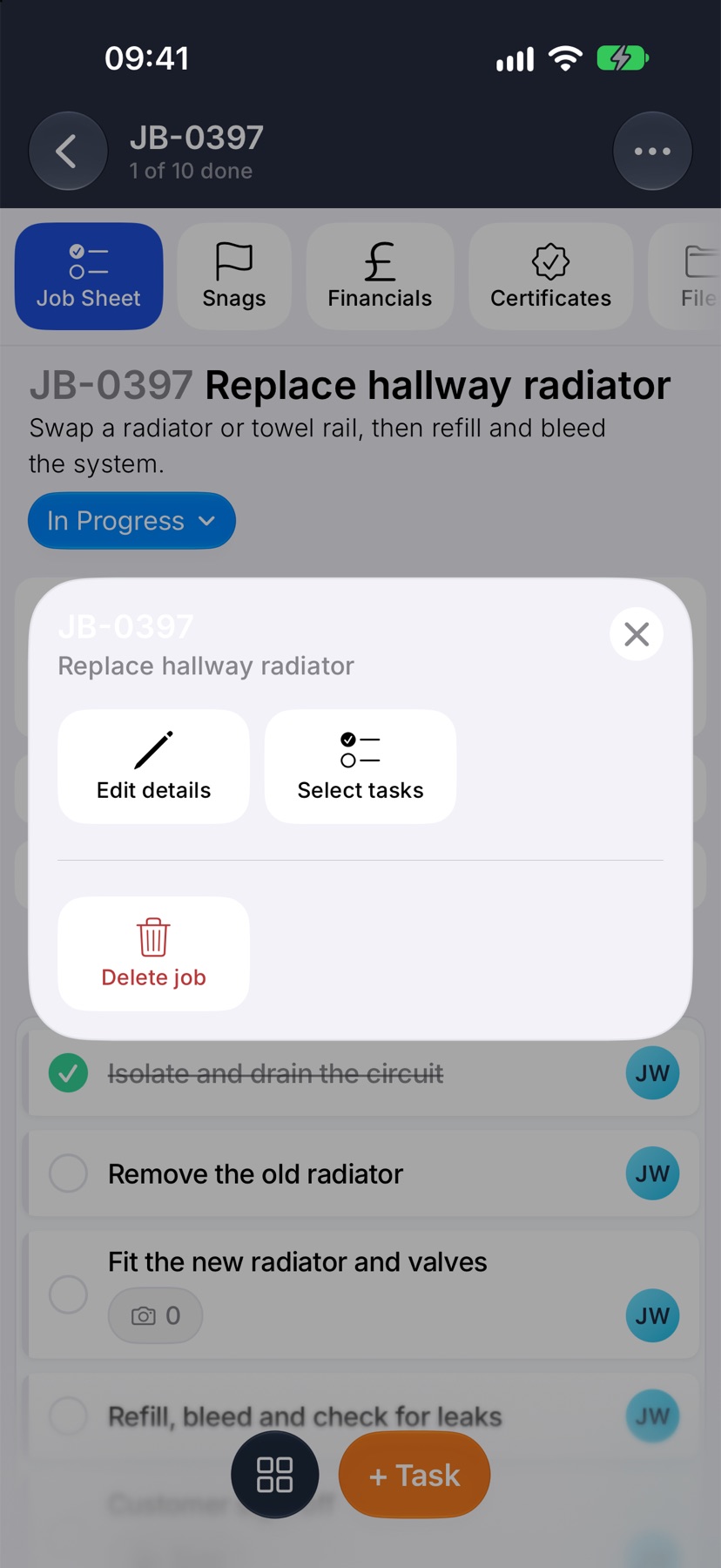
To change the status, tap the status capsule under the job name and pick from the list.
When the work is done
Once every task is ticked, Complete appears in the bottom bar of the job sheet. Tap it to close the job. A completed job keeps everything on it, and its bottom-bar buttons are dimmed.
More in Jobs →
- Create a jobStart a job: the customer, the dates, the job sheet and any compliance it needs.
- The job sheetBuild the tasks your team works through on site, and ask for photo evidence where it matters.
- Complete tasks and add evidenceComplete a task with the photos, notes or signature it asks for — and what to do when it won't tick.
- Take and mark up photosUse the Jobivo camera, draw on a photo before it saves, and see where every shot was taken.
See what else Financials can do. Still stuck? Email support@jobivo.co.uk and we'll get back to you.